lynns45105784
Participating Frequently
February 17, 2025
Answered

Photoshop Elements 2024 Tool Problem HELP

  • February 17, 2025
  • 3 replies
  • 467 views

I just installed Photoshop Elements 2024 and I have no tool options. There are no "3 dots" at the bottom of my tools and there is nothing under "windows" showing customize toolbar. I am on a PC. I had PSE2018 previously installed.  Help!

Correct answer Glenn 8675309

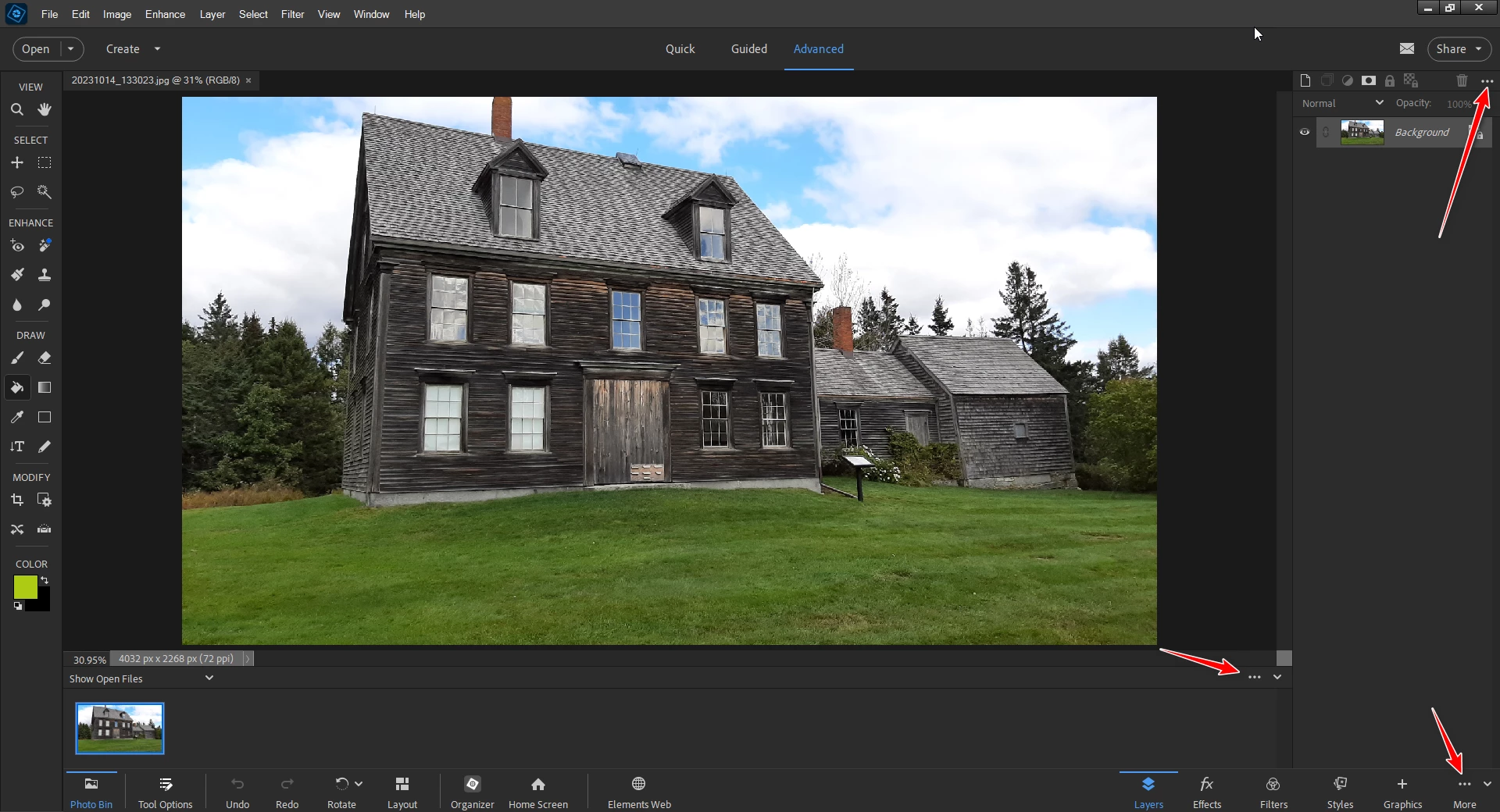
Your first screenshot is pretty useless.  You failed to show what we need to see. All screenshots should look like mine, they show eveything.

 You can't customize the toolbar as you can in Photoshop, you have tool options as Andrei pointed out. 

My screenshot is from pse 2025-- pretty much the same as your version. 

The arrows point to kebobs (That's what the three dots are called) you can click on to do things with) you can click on.   
3 replies

Glenn 8675309
Glenn 8675309Correct answer
Legend
February 17, 2025

Your first screenshot is pretty useless.  You failed to show what we need to see. All screenshots should look like mine, they show eveything.

 You can't customize the toolbar as you can in Photoshop, you have tool options as Andrei pointed out. 

My screenshot is from pse 2025-- pretty much the same as your version. 

The arrows point to kebobs (That's what the three dots are called) you can click on to do things with) you can click on.   

lynns45105784
Participating Frequently
February 17, 2025

Thank you both. I do see that a single purchase version is a little different than the creative cloud version. For what I need it works so all is good. 

Inspiring
February 17, 2025

Hello! There must be a row of buttons at the bottom:

Bojan Živković11378569
Community Expert
Community Expert
February 17, 2025

Post relocated to the appropriate forum.
