Participant
November 19, 2025
Answered

Photoshop elements 2025

  • November 19, 2025
  • 1 reply
  • 162 views

I would love to work with WebP pictures in my Elements 2025, but it say: could not complete your request because it is not the rigth kind of document.

I have tried WebpShop_0_4_3, but nothing happens.

What to do?

Correct answer Glenn 8675309

Its the only place I can see... I have sent you 2 prints
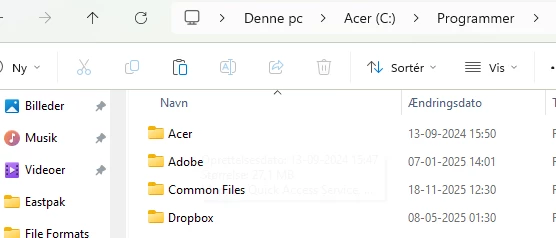
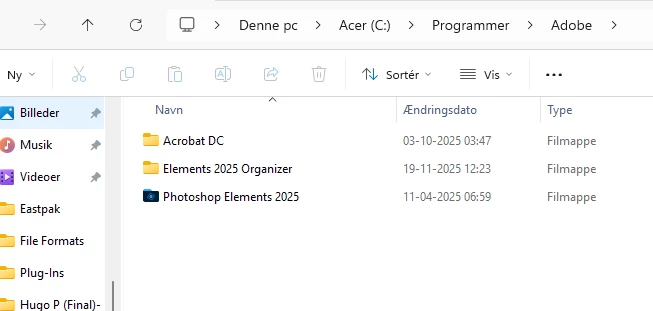

Click on the blue folder looking thing next to Photoshop elements
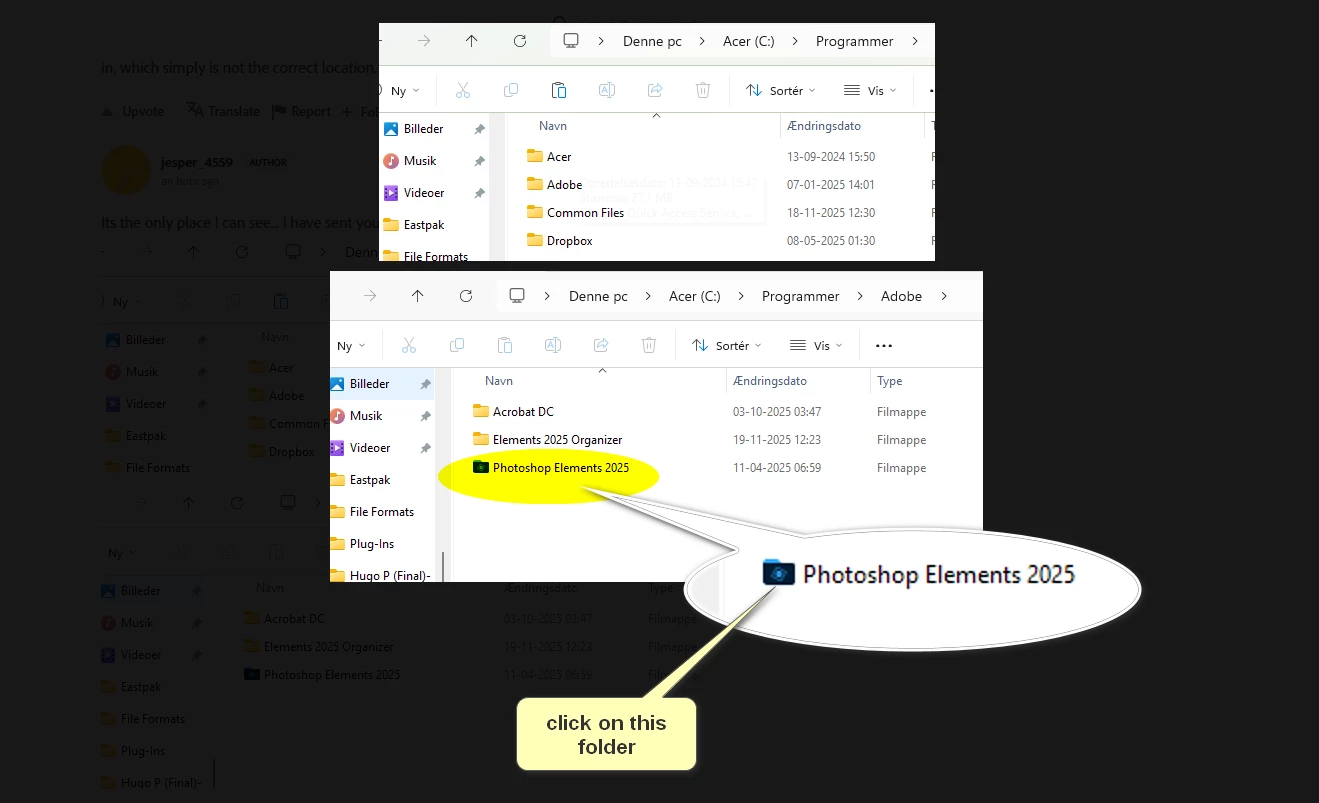


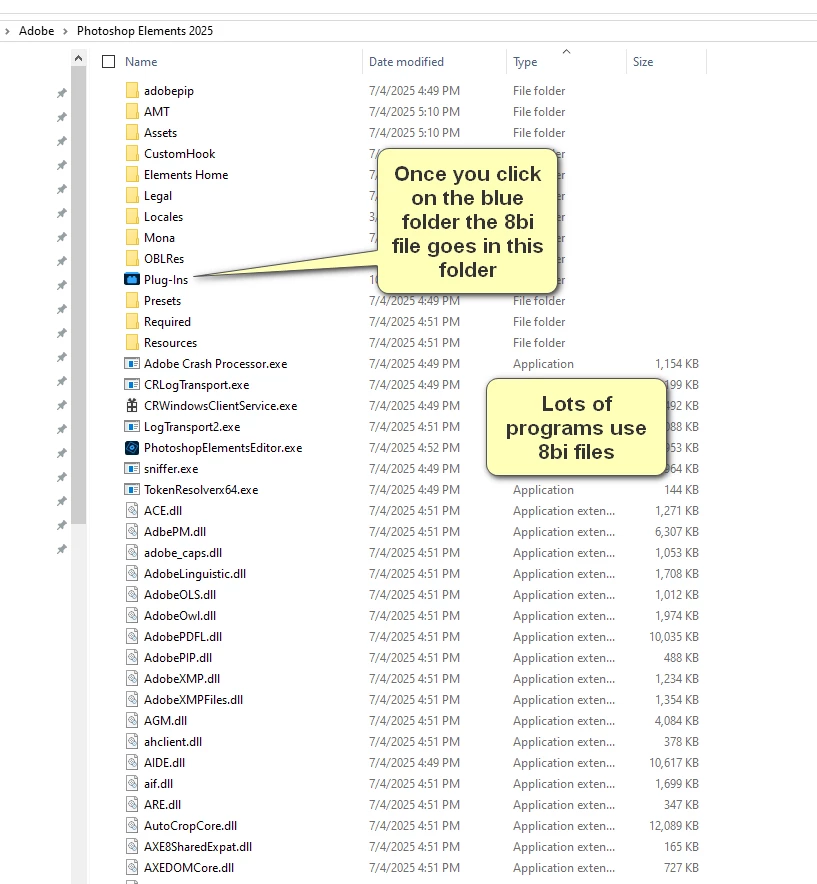
Once you click on the blue folder  shown above do the following:
1 reply

Glenn 8675309
Legend
November 19, 2025

Chances are really good that you did not install things correctly, which for most users means you didn't put the 8bi file in the correct spot. 

Just below: the location where you put the 8bi file discussed in step 3.

C:\Program Files\Adobe\Photoshop Elements 2025\Plug-Ins

To use .webp files in Photoshop Elements, you must install the WebPShop plugin because Elements does not natively support the format. After installing the plugin into the Plug-Ins folder of your Photoshop Elements installation, you can open, edit, and save .webp images like any other file type. 
 
Installation steps
  1. Download the plugin: Find and download the WebPShop plugin (a .8bi file) from a trusted source like Google's WebPShop page or GitHub.
  2. Locate the Plug-Ins folder: Find the Plug-Ins folder within your Photoshop Elements installation directory.
    • Windows: C:\Program Files\Adobe\Photoshop Elements [Version]\Plug-Ins\
    • macOS: Applications >> Photoshop Elements [Version] >> Support Files >> Plug-Ins
  3. Copy the plugin: Copy the downloaded .8bi file into the Plug-Ins folder you located in the previous step.
  4. Restart Photoshop Elements: Close and reopen the application to load the new plugin. 
Participant
November 19, 2025

I did download the file.

I did put it in C:\Program Files\Adobe\Elements 2025 Organizer/Plug-Ins

I didnot help

99jon
Genius
November 19, 2025

WebP support was introduced in PSE 2026. See my YouTube Video for all new features.