Answered
photoshop elements 2025 install but wont work
i recently installed photoshop elements 2025 upgrade from 2021. installed ok, but when i opened it, there is no layer panel and all the menus are greyed out.. what is going on? using windows 11

i recently installed photoshop elements 2025 upgrade from 2021. installed ok, but when i opened it, there is no layer panel and all the menus are greyed out.. what is going on? using windows 11
Could you post a screenshot of what your seeing?
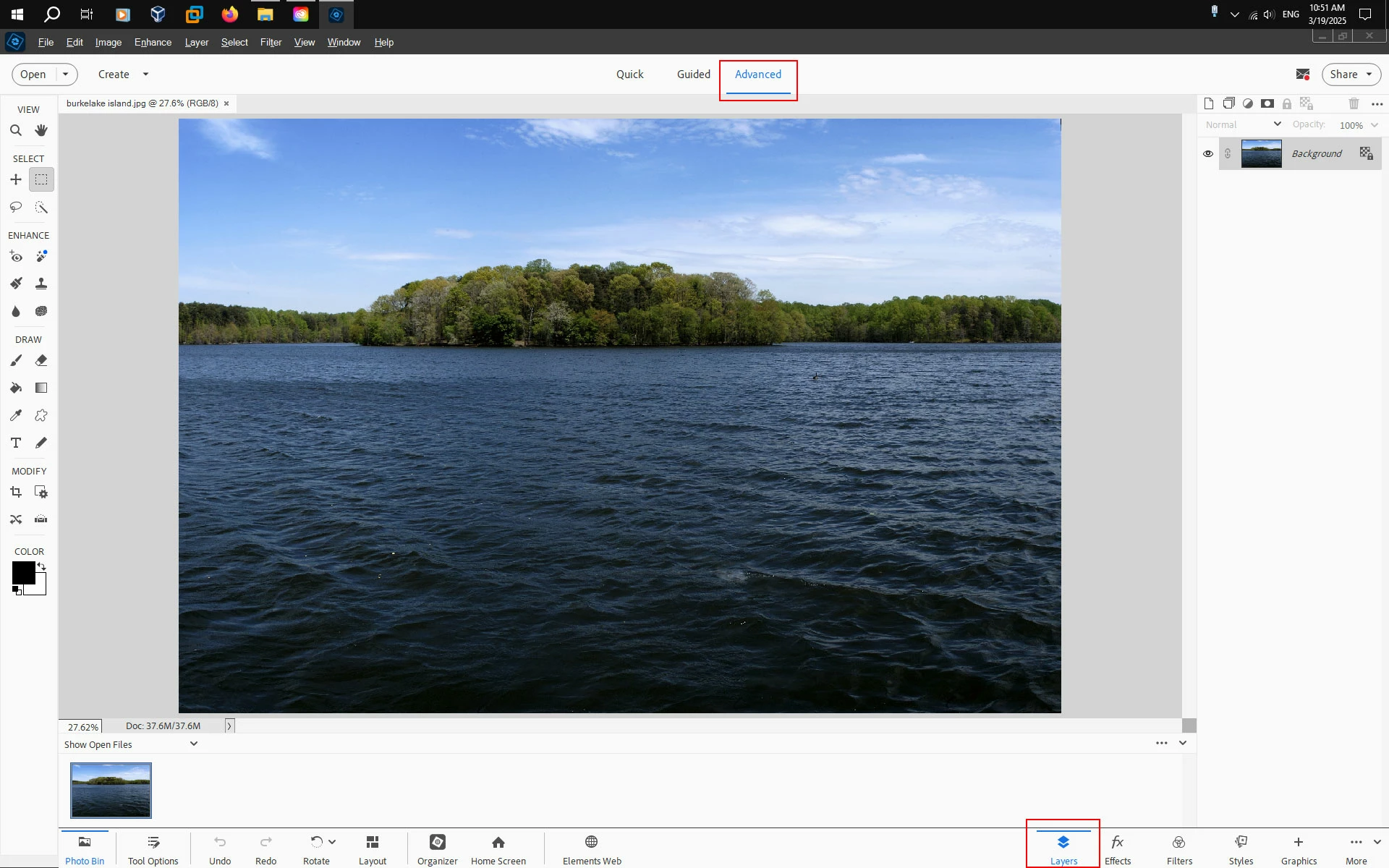
After you open the PSE 2025 Editor click on Advanced and then in the bottom right you can click on Layers to show the Layers panel.
Already have an account? Login
Enter your E-mail address. We'll send you an e-mail with instructions to reset your password.


 AdChoices