
Participant
April 6, 2025
Question

Photoshop Elements 2025 v25.1

  • April 6, 2025
  • 4 replies
  • 1730 views

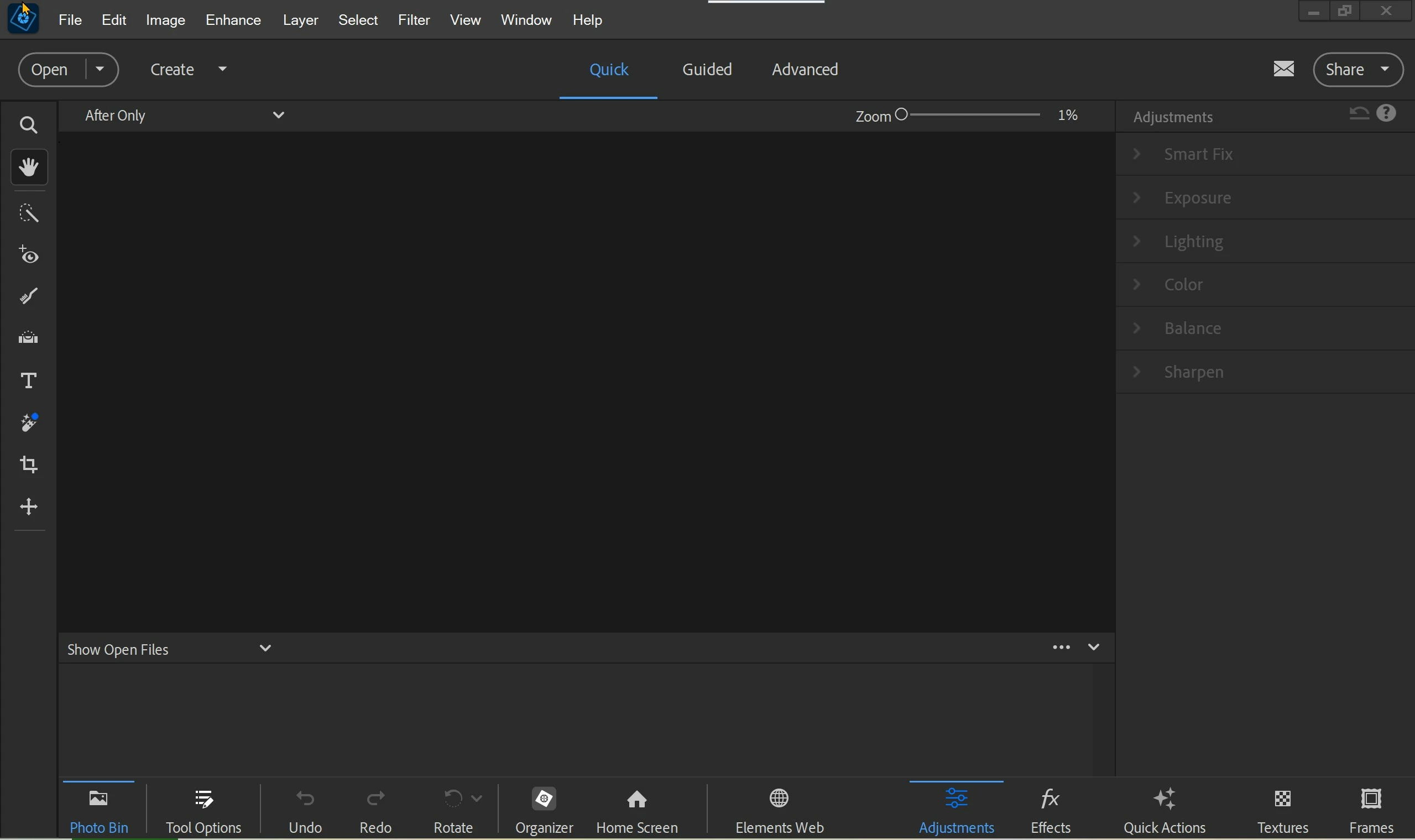
Been using Elements 8 for years. Was offered upgrade to 2025 for $79.  Did so but I don't have all the 'options' that tutorial videos show.   Here is a screenshot -  (No AI or 'distractions' toolbar)  DISAPOINTED!!!
4 replies

Greg_S.
Community Expert
Community Expert
April 15, 2025

Glenn has already explained to you that the tutorials you mention in your original post are probably for Photoshop CC which contains many more options, including those you mention.

The Remove tool shown in your last screenshot does use AI and provides the same function as the CC remove distractions tool option.  Is there some other problem that you want us to help you with?

Participant
April 15, 2025

Sorry about posting wrong place.  Adobe SURE misleads their features in what I saw. ...  

Glenn 8675309
Legend
April 16, 2025

No, they do not mislead.   People get confused because the programs have many of the simliar tools, then get frustrated when they find out  stuff like the generative fill is only in photoshop, not Photoshop Elements.  Users will make "uninformed decisions" and make quick purchases without read product descriptions, or even trying out the trial versions.   Tools and product descriptions are extremly well documented.

Adobe Photoshop and Photoshop Elements are both photo editing programs, but Photoshop is designed for professional-level users, while Elements is geared towards beginners and hobbyists. Photoshop offers a wider range of features, tools, and customization options, making it more complex to learn and use. Elements provides a simplified interface and guided edits, making it easier to get started with photo editing. [1, 2, 3, 4, 5]

Here's a more detailed comparison:

Features and Functionality: [3]
  • Photoshop: Offers a vast array of tools, including the pen tool, advanced layer blending modes, and specialized filters for professional-level editing. It also supports non-destructive editing and has more AI-powered features. [3]
  • Photoshop Elements: Provides a simplified interface with automated adjustments, quick fixes, and guided edits that walk users through common editing tasks. It includes features like facial feature adjustments and animated image effects that are not available in Photoshop. [1, 4, 6]
Target Audience: [1, 2]
  • Photoshop: Designed for professionals, advanced photographers, graphic designers, and those who need the most comprehensive editing capabilities.
  • Photoshop Elements: Intended for beginners, hobbyists, and casual users who want a user-friendly and accessible photo editing tool. [1, 2]
Ease of Use: [1, 4]
  • Photoshop: Requires a learning curve due to its complex interface and extensive feature set. [1, 4]
  • Photoshop Elements: Offers a simplified interface and guided edits, making it easier to get started with basic photo editing tasks. [4, 6]
Cost: [1, 3]
  • Photoshop: Is typically part of Adobe's Creative Cloud subscription, which offers a suite of design and photo editing tools. [1, 3]
  • Photoshop Elements: Is a one-time purchase and offers a more affordable price point compared to the Creative Cloud subscription. [1, 7]
In summary: [1, 2]

Photoshop is the professional-grade photo editing software with a wide range of features and tools, while Photoshop Elements is a simplified version aimed at beginners and casual users. If you need advanced editing capabilities and are comfortable with a steeper learning curve, Photoshop is the better choice. If you're looking for a user-friendly and accessible photo editing tool for basic tasks, Photoshop Elements is more appropriate. [1, 2]


Generative AI is experimental.
Glenn 8675309
Legend
April 6, 2025

You need to be in advanced mode.  The distractions and AI comment make me think you are thinking about Photoshop and not Photoshop Elements.  Even thought PSE does contain some AI tools, when most user talk about AI in the forum they are talking about the "generative fill" tool only found in Photoshop.

The distractions tool is also only found in Photoshop- I believe version 26.4 and above.  No, you cannot add those tools to previous versions of Photoshop, or PSE.

Tools are limited, on purpose, in quick and guided modes.

Participant
April 15, 2025

The version I installed =  PhotoshopElements_2025_LS30_win64.exe   I paid $79 upgrade????

This is my screen...    ???


kglad
Community Expert
Community Expert
April 6, 2025

(keep your version 8.  that 2025 version expires after 3 years.)

Participant
April 6, 2025

Guess I wasted that $79 upgrading...   

kglad
Community Expert
Community Expert
April 6, 2025

it's not wasted, but not as beneficial as previous years purchases.

kglad
Community Expert
Community Expert
April 6, 2025

in the future, to find the best place to post your message, use the list here, https://community.adobe.com/

p.s. i don't think the adobe website, and forums in particular, are easy to navigate, so don't spend a lot of time searching that forum list. do your best and we'll move the post (like this one has already been moved) if it helps you get responses.


<"moved from download and install">