
Participant
May 28, 2023
Question

Photoshop Elements 9 keeps resetting panels

  • May 28, 2023
  • 1 reply
  • 242 views

I had to reinstall Photoshop Elements 9 recent (it's on an old win8.1), and it keeps putting the panels into a weird compressed state?  Every time I boot up the program, I have to reset the panels even though save panel placement is on.

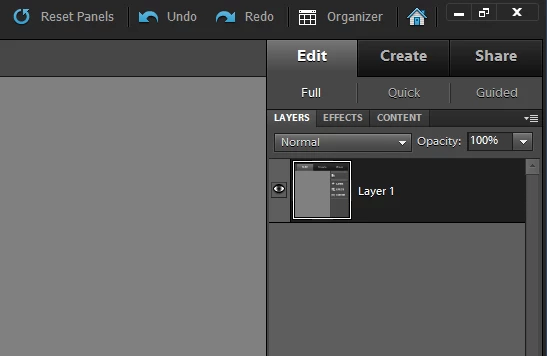
This is how I want the panels to be:
This is what I'm greeted by every time I boot up the program:
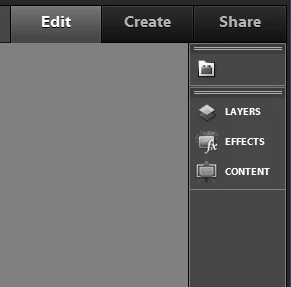
 

This didn't happen prior to reinstall.  I really don't understand what's happening.

This topic has been closed for replies.

1 reply

hatstead
Inspiring
May 29, 2023

At the top under "Window" are the appropriate panels checked?

I think there is also a provision to reset the panels. Perhaps if you click on this and start from scratch you  can nest the panels to suit.

Participant
May 29, 2023
They are all checked, which is the weird thing about it. Resetting the
panels is the only way I can have all of the panels open but it reverts
back to collapsed when I open the program later on.
hatstead
Inspiring
May 29, 2023

Suggest that you reset preferences to default:

  • Press and hold Alt+Control+Shift (Mac: Option+Command+Shift) immediately after Photoshop Elements begins launching. Click Yes to delete the Adobe Photoshop Elements settings file.