Participant
April 11, 2025
Answered

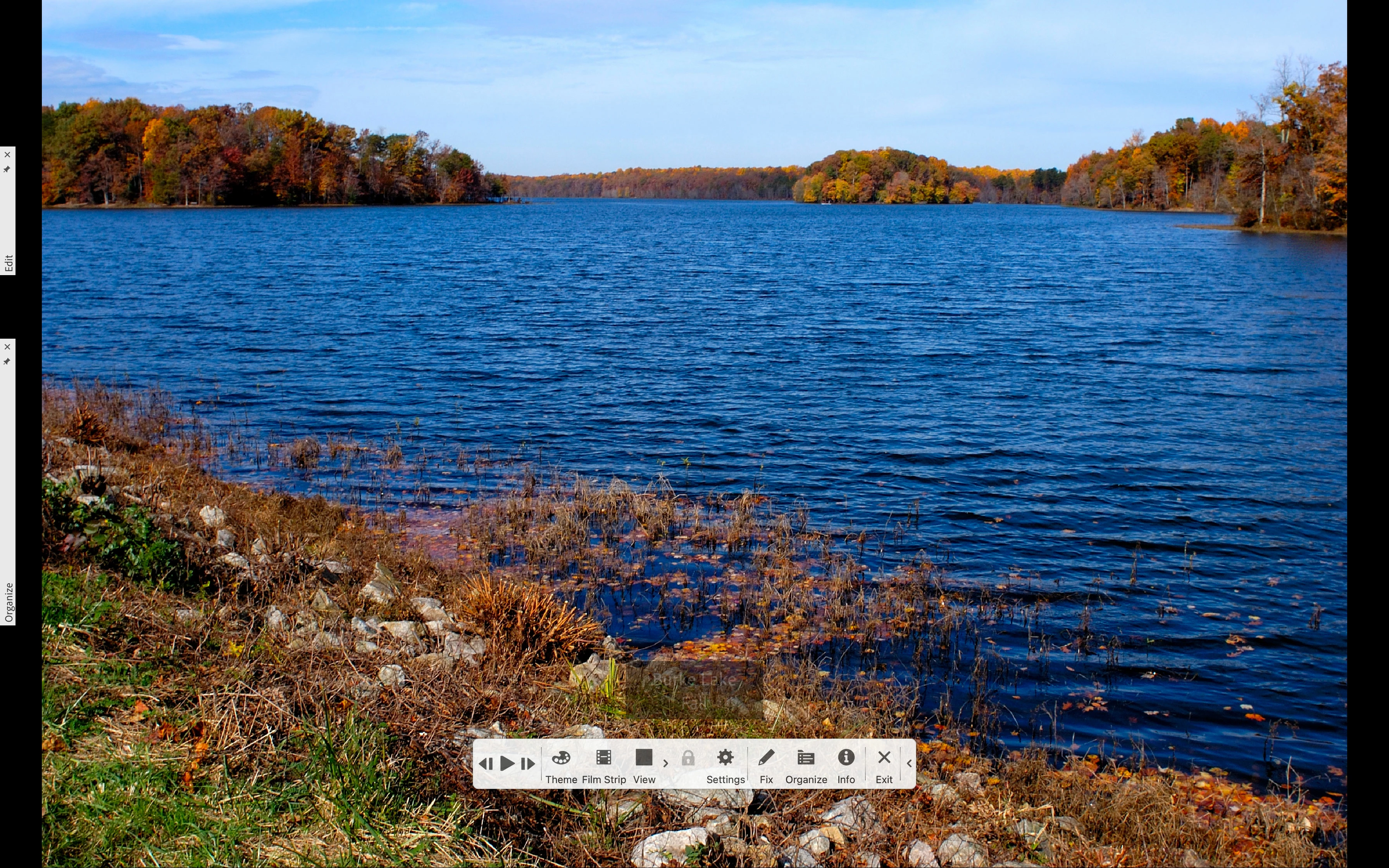
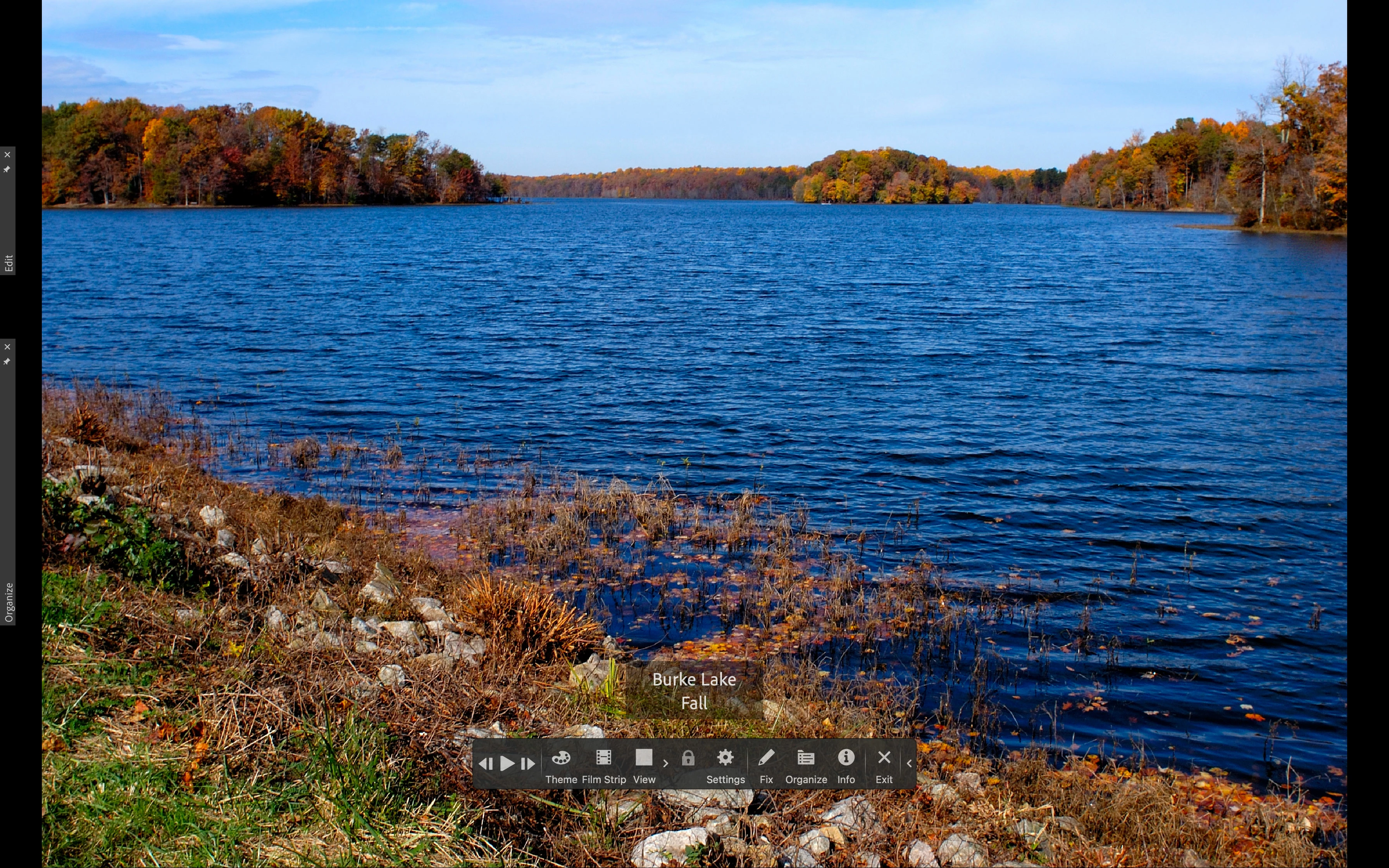
Photoshop elements. Full screen mode text (note) not visible

  • April 11, 2025
  • 4 replies
  • 446 views

Hi,


I have use elements for many years. I frequently add notes to photo's. (see attachment 1) Then I use F11, full screen mode to present the photo's to others. Then I saw a black title bar with white text. 

Then I buy an update and it does not work anymore, because the titlebar is grey/transparant. 

So the text not good readable. (see attachment 2)

Now I am on holiday and I look in all settings but I cant find this.

For me this is terrible I have 65000 photo's, many with notes to tell stories.

Why did Adobe change it?

But my question is: how to fix this.

And if not possible, is it fixed in version 2025. Because if not I dont want to buy new versions anymore

Help would be very welcome
    Correct answer Jeff Arola

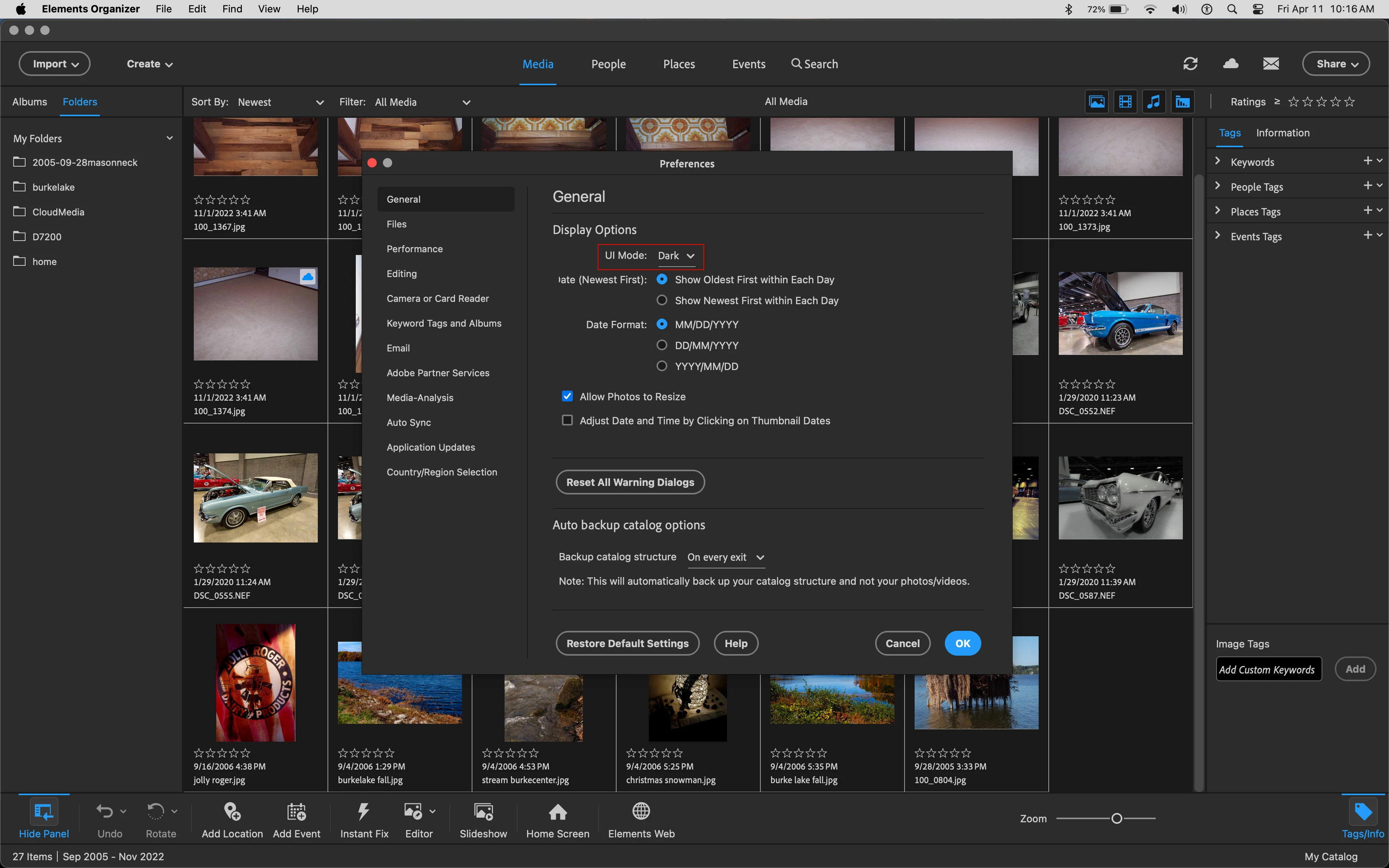
    It seems if one sets the Ui Mode under Edit>Preferences>General to Dark, then the captions are much more legible

    in Fullscreen.

    (on the Mac side Elements Organizer>Preferences>General>UI Mode)


    Ui Mode Dark in Edit>Preferences>General


    Ui Mode Light


    Ui Mode Dark


    4 replies

    maartendfAuthor
    Participant
    April 11, 2025

    Thx, sorry, I didnt know where to put it, this was my first time using the forum

    Hartelijke groeten
    Maarten
    [cid:image001.png@01DBAB1B.19A2ADC0] [cid:image002.png@01DBAB1B.19A2ADC0]

    Maarten van Os


    [PII removed]


    Jeff Arola
    Community Expert
    Jeff ArolaCommunity ExpertCorrect answer
    Community Expert
    April 11, 2025

    It seems if one sets the Ui Mode under Edit>Preferences>General to Dark, then the captions are much more legible

    in Fullscreen.

    (on the Mac side Elements Organizer>Preferences>General>UI Mode)


    Ui Mode Dark in Edit>Preferences>General


    Ui Mode Light


    Ui Mode Dark


    Glenn 8675309
    Legend
    April 11, 2025

    Mine were in dark mode, and that did not make any difference for me.  I"ll dink around with it some more later today.

    Glenn 8675309
    Legend
    April 11, 2025

    I've just spent 20 minutes looking at this., using PSE 2025.

    Captions, as displayed in your description, are  useless when viewed at 100%.  I could not find any way in the organizer or the editor preference files to adjust the caption overlay opacity.   Using the overlay tools of settings / theme does nothing to affect the actual overlay opacity. 

    I next tried switching dark and light modes of the editor- which did not make any difference. 
    I changed the view from single pane to double (using the available tool when viewing the image at 100% and caption text could be read.

    I even went as far as to check my video card settings and there was nothing there I could change that affected the display. 


    Below is when I changed the view from single pane, to double pane view.   Here you can see the text.

    jane-e
    Community Expert
    Community Expert
    April 11, 2025

    @maartendf 


    I've moved your post from Using the Community to the Photoshop Elements forum. 


    Which version of PSE are you using now?


    Jane