Photoshop Elements interface Settings out of Whack!
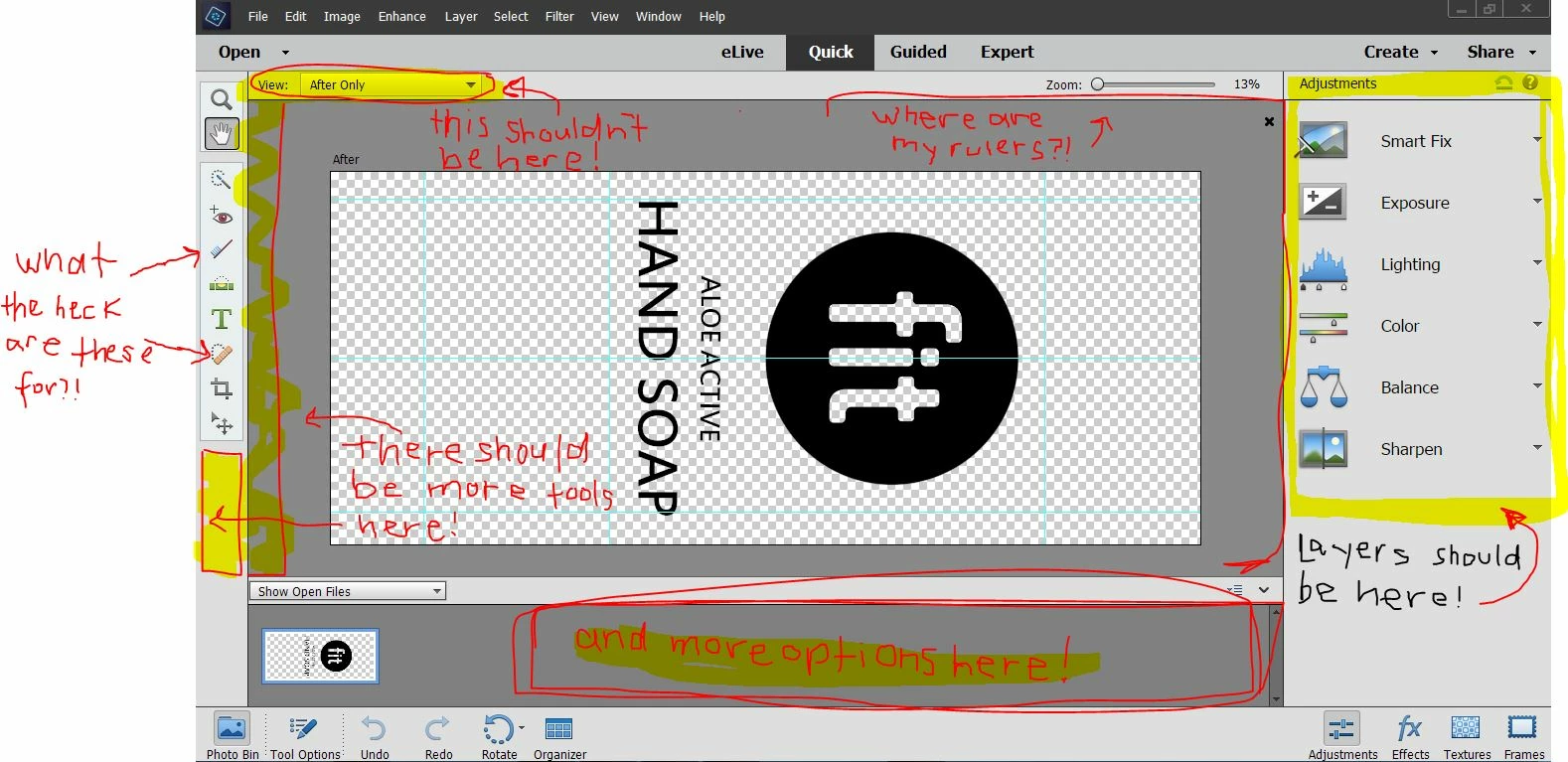
Hello everyone, I'm hoping to get some help. I logged into Photoshop 15 this morning to find tool bars missing, extra settings that I didn't even know existed in their place, and I'm unable to even make edits because I can't find the layers bar! This has never happened before, and to my knowledge there has not been any updates to the computer. I want to reset the settings to their original ones, but I looked up how to online (pressing shift + control + alt together while opening Photoshop) but all it did was open up an options pop-up that had more to do with running the Photoshop application than managing/resetting preferences. I've alos tried editing preferences under tools in the program, and nothing has worked. I'll attach a snapshot below of what my screen looks like now, which is highly unusual. Any help is appreciated- this is for work and I'd love to figure this out!!
{Thread title edited by moderator}
- Shelby
 AdChoices