
Question
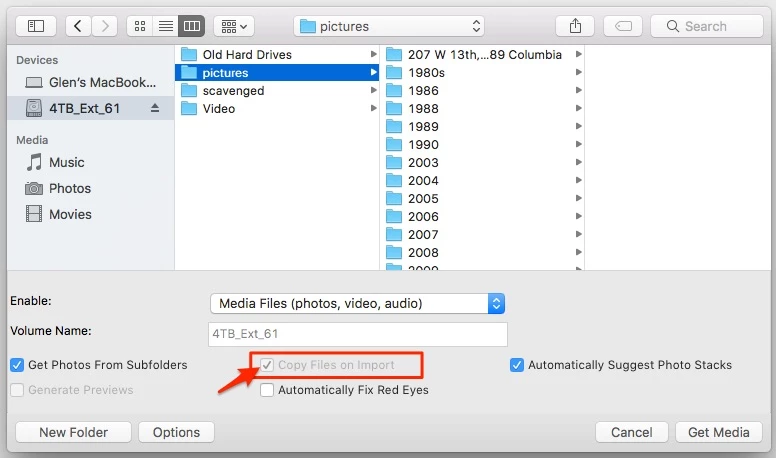
Photoshop Elements Organizer 15 "Copy Files on Import" is checked and grayed out
I have a Macbook with a 2TB SSD drive.
Due to a large number of photos and video, I have been moving older content to a 4TB SATA drive in a docking station which is USB attached.
I want to still have Elements Organizer manage the older content on the external drive (when it's attached).
To do this, I'm expecting to be able to import from files & folders with "Copy Files on Import" unchecked.
It is checked, and grayed out so that I can't change it.
How can I uncheck it?
Or how can I have content on both my SSD and my external drive managed without importing content back to my SSD?
 AdChoices