Participant
May 25, 2017
Question

Photoshop Gallery is not working

  • May 25, 2017
  • 3 replies
  • 351 views

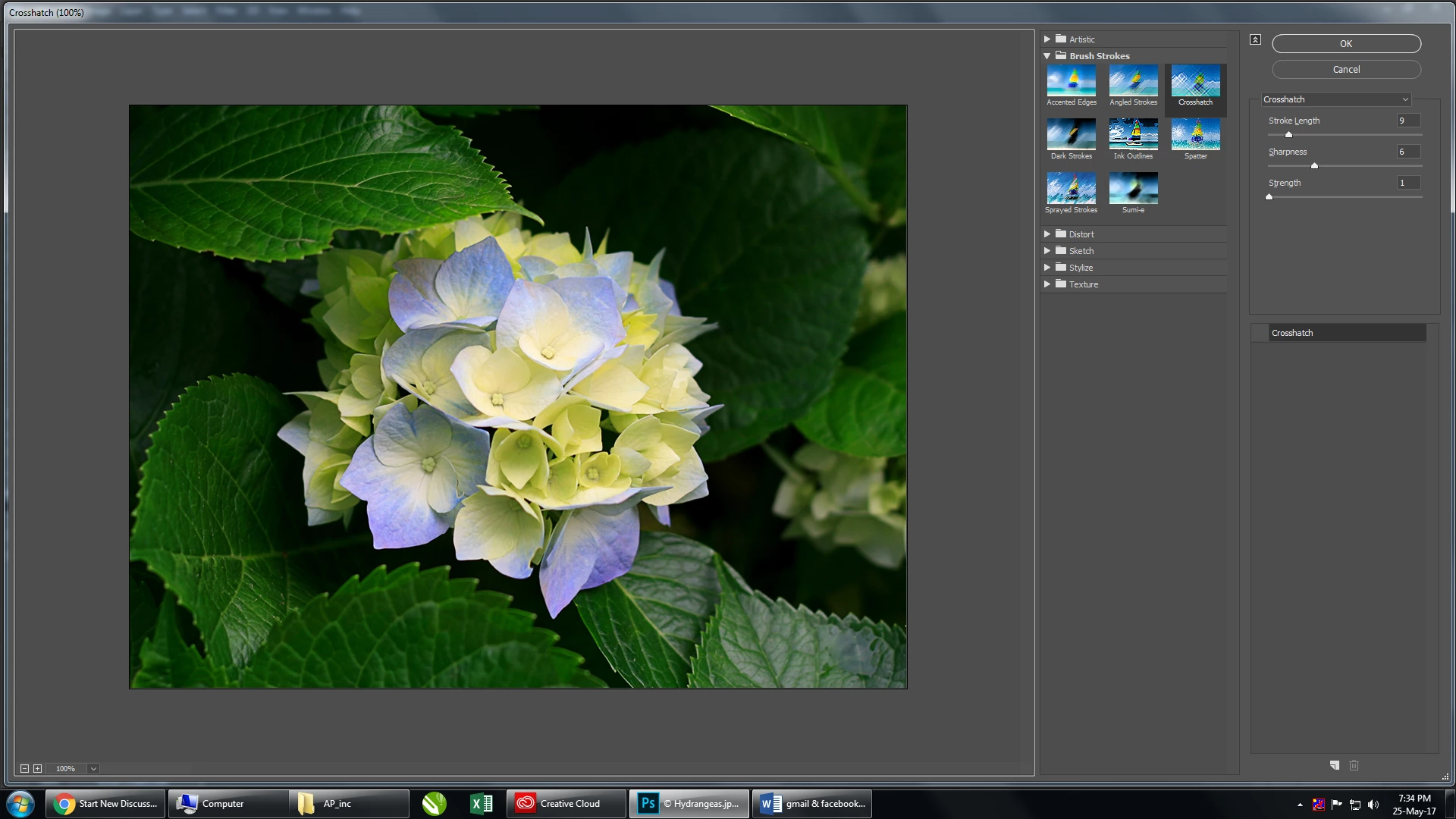
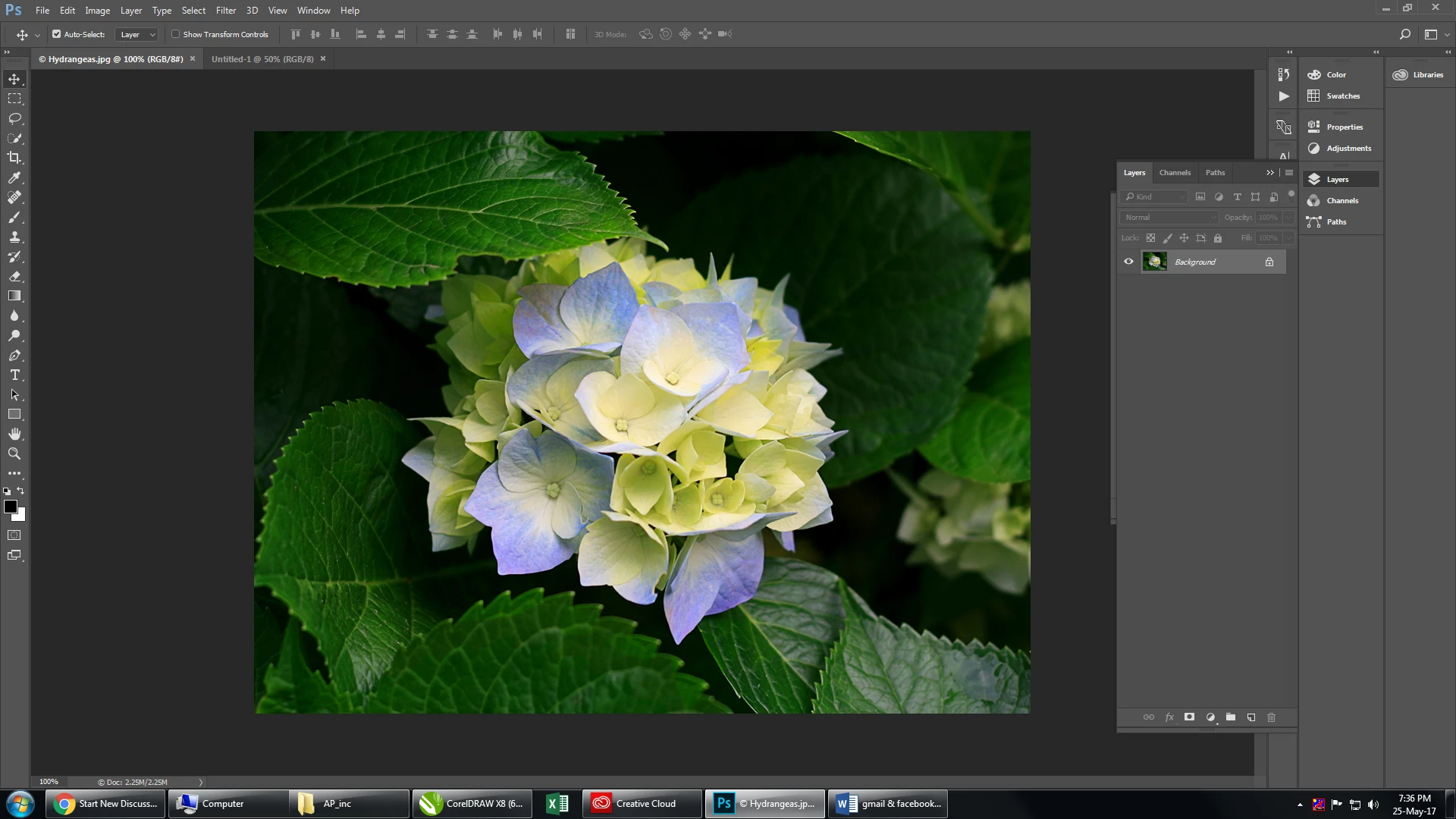
I have converted my files to RGB and 8 bit and I still can not access the filters...any other suggestions for me?
This topic has been closed for replies.

3 replies

Jeff Arola
Community Expert
Community Expert
May 25, 2017

Looks like you have the Filters disabled in the Filter Gallery

Click to the left of where it says Crosshatch to enable the filters.

You should see an Eye in that box.

Michael J. Hoffman
Community Expert
Community Expert
May 25, 2017

I noticed that you have posted this in the Photoshop Elements forum, but it looks like you're running Photoshop. If this is the case, I'll move this thread to the Photoshop forum.

Mike

Michael J. Hoffman
Community Expert
Community Expert
May 25, 2017

Hi deepakap,

What do you mean that you "cannot access this filters?" The screen shot you've posted shows that you have accessed the filters and are seeing the filter gallery.

Please clarify what you are trying to do, and what results you are or are not getting.

Mike
