edm693592
Participant
November 5, 2016
Question

Photoshop help with removing pit stains!

  • November 5, 2016
  • 1 reply
  • 2556 views

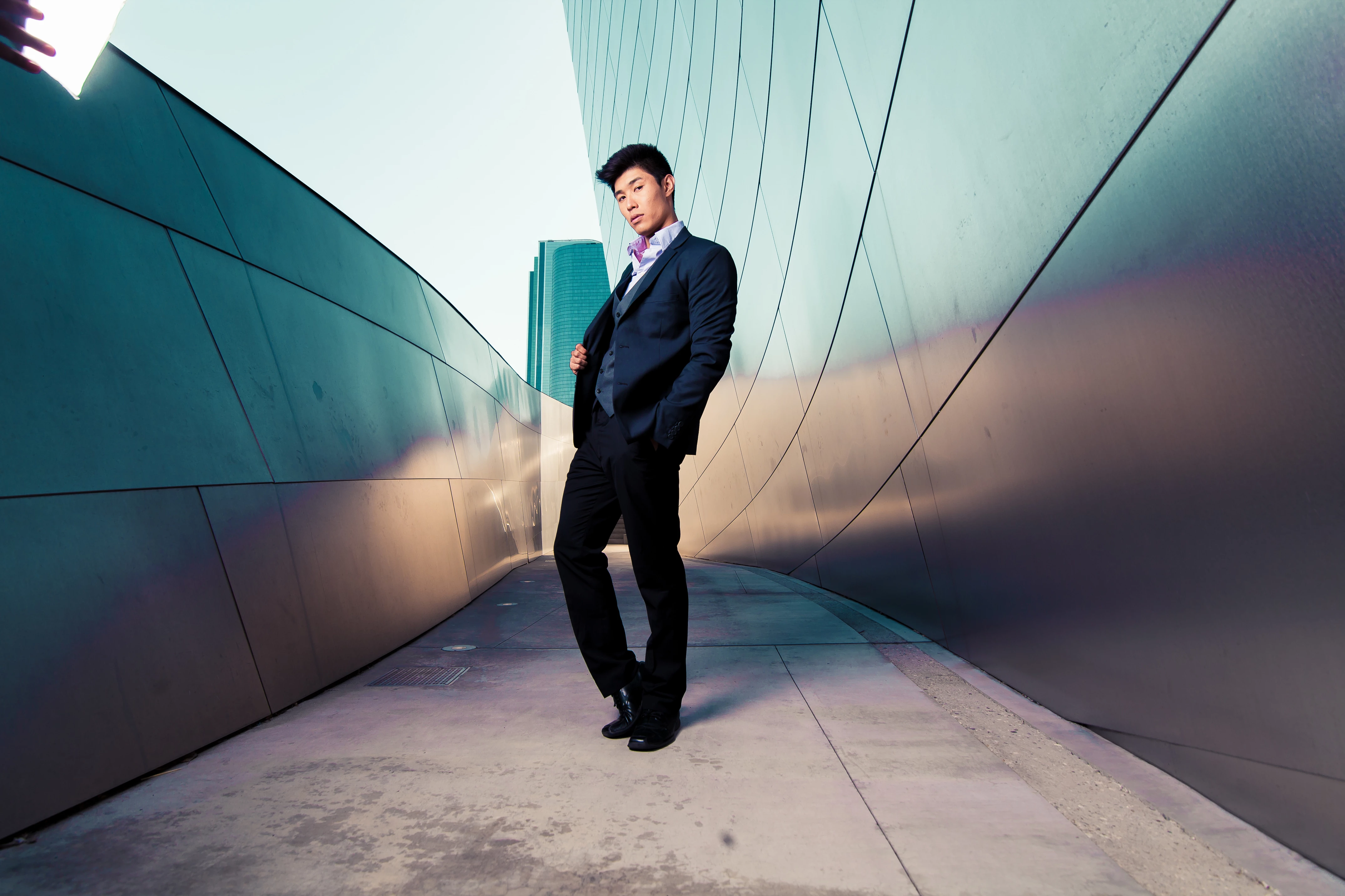
Help! I'm trying to eliminate the first picture's pit stains from my latest shoot but I've come across some trouble as to how to fix this. If someone could please correct this for me I would greatly appreciate this! As for the second shot, I would like to eliminate the lighting equipment from the upper left corner. I would greatly appreciate if someone skilled in this could please solve these issues for me 😕😕

This topic has been closed for replies.

1 reply

Inspiring
November 5, 2016

For the 1st picture try painting over the stain using the Dodge tool:

For the 2nd picture I added a blank layer, activated the Clone tool with the Use All Layers box checked.

Then cloned over the portion of the lighting equipment on the wall:

To remove the remaining lighting equipment above the wall I used the Rectangular Marquee tool to select a portion of the sky and black edge of the wall:

Copied/pasted this selection to a new layer and used the arrow keys to move this to cover the lighting equipment:

Here is the final result if you wish to download it.

edm693592
edm693592Author
Participant
November 5, 2016

Thank you so much!! I've been trying to get the final outcome of the second photo with photoshop express editor but the issue seems too difficult to fix with just that mode of photo editing. As for the second photo, how does the full photo look like with the pit stain fixture fully implemented? I'd like to download that too!

Inspiring
November 5, 2016