
Participant
November 10, 2023
Question

Photoshop Text Layer Might Need to be updated bug?

  • November 10, 2023
  • 1 reply
  • 2251 views

So when I open a PSD from my PC to my LAPTOP (sometimes even on my PC for no good reason) this appears.
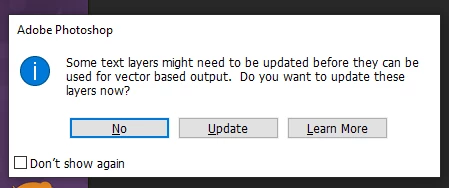

I know the way to solve it and be able to edit the text is to update it 

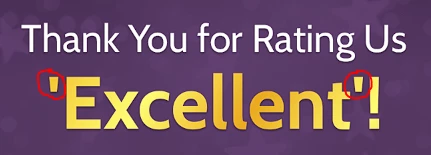
Problem is, the texts look way different than they used to when I update it. Why is that? Is there any way to solve this?

>Exhibit 1<
Before Updating
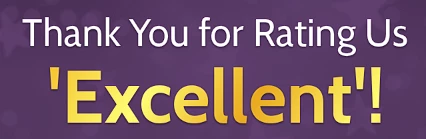
After Updating


>Exhibit 2<
Before
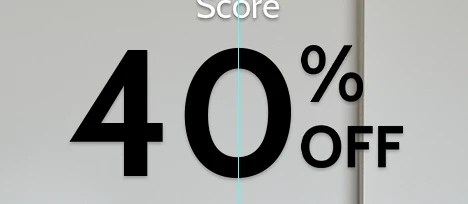
After
 

Can anyone please help me out? My OCD is bothering me so much haha. Thank you in advance.


1 reply

Glenn 8675309
Legend
November 10, 2023

That's a photoshop screenshot, and this is a photoshop elements group.   That message happens when you open psd templates which contain font's that are not installed on your computer, or the psd file contains fon'ts from "way back when".  Your computer will look for the fon'ts used in the template, the psd file, and won't find them because they are not installed, or they a really old, and then will then plug in generic fonts which are kinda sorta close or use the old font.

Basic fonts do change over time- and may even no longer work in newer versions of programs.  ALL PS or PSE fonts are actually vector file until you place some text on a canvas.  Once you do that the font becomes a raster image (A pixel based) image. 

I see this quite a bit in Photoshop- but in photoshop the fonts get selected automatically and all is well. 

It's all due, mostly, from using older templates (which used older "text engines") in the latest version of photoshop or photoshop elements.   

When you see it in Photoshop elements nothing you can do except to ignore it. 

notmigAuthor
Participant
November 10, 2023

Oh my. I'm sorry for that. I'm new to the adobe forums so I missed that.

Problem is I installed the exact same fonts FROM my PC and they're from Google fonts and (same version as well) since I just exported/copied otf/ttf files from my PC to my laptop so basically they should be the same since I didn't download any new files.

Thank you so much for answering though. I really appreciate it.