shyj
Participant
November 9, 2022
Answered

Photoshope elements 2022 Increase menu fonts and icons

  • November 9, 2022
  • 3 replies
  • 561 views

Need to increase the size of the fonts and icons in Photoshop Elements 2022. 

This topic has been closed for replies.
Correct answer Jeff Arola

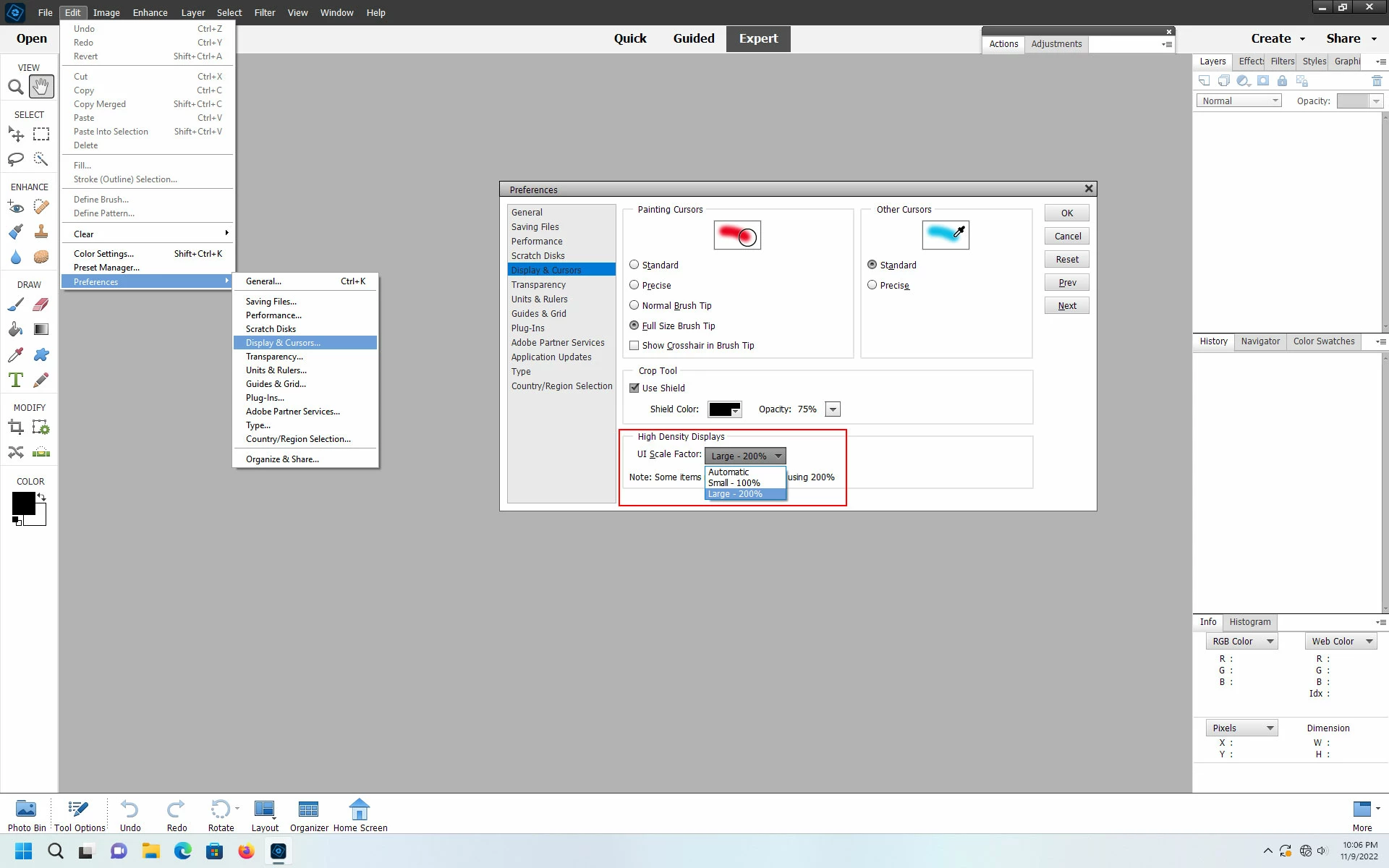
In the photoshop elements editor did you try Edit>Preferences>Display & Cursors, setting the Ui Scale Factor to 200% and restarting the photoshop elements editor?


3 replies

Participant
November 26, 2022

This solution changes all the fonts.  The problem is that the menu items are 2x of eveything else.  How can you fix this ratio?


Jeff Arola
Community Expert
Jeff ArolaCommunity ExpertCorrect answer
Community Expert
November 10, 2022

In the photoshop elements editor did you try Edit>Preferences>Display & Cursors, setting the Ui Scale Factor to 200% and restarting the photoshop elements editor?


shyj
shyjAuthor
Participant
November 17, 2022

That worked - did have to also go to Windows Display and change it from 150% to 100% - otherwise the menu fonts were almost an Inch high ☺

Thanks for the assist. 

Jim

Jeff Arola
Community Expert
Community Expert
November 9, 2022

What operating system are you using?


What is your screen resolution?

shyj
shyjAuthor
Participant
November 9, 2022

Windows 11    2560 x 1440  Scale set at 125%