
Participant
August 24, 2021
Question

placing of transparency in the Layers module is messed up in latest update of Photoshop Elements

  • August 24, 2021
  • 5 replies
  • 261 views

Just now Adobe Photoshop Elements 2021 forced an update.  The update contains a huge problem in the Layers module that did not previously exist. Layers was working perfectly well before this "update". 


TECHNICAL DETAILS OF MY CURRENT INSTALLATION

Adobe Photoshop Elements Version: 19.0 (20210811.m.158081) x64
Operating System: Windows 10 64-bit
Version: 10 or greater
System architecture: Intel CPU Family:6, Model:10, Stepping:9 with MMX, SSE Integer, SSE FP, SSE2, SSE3, SSE4.1, SSE4.2, AVX, HyperThreading


THE PROBLEM

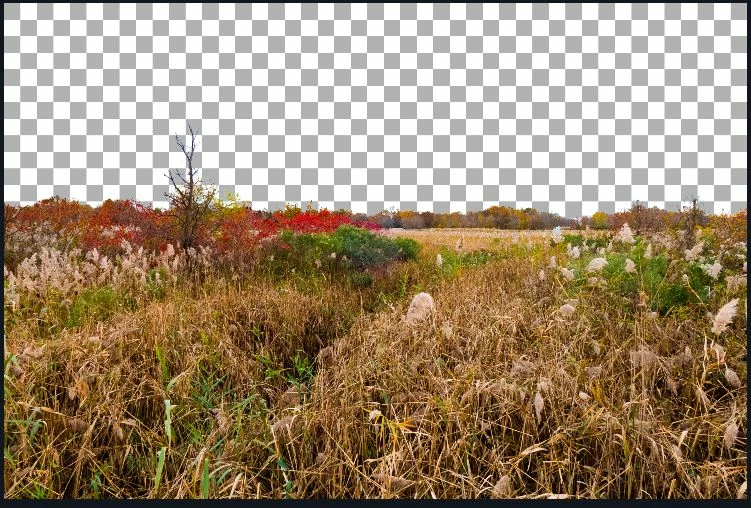
When I use the Place command to insert a mask as a layer I should be getting this ....


Instead I am getting this ---
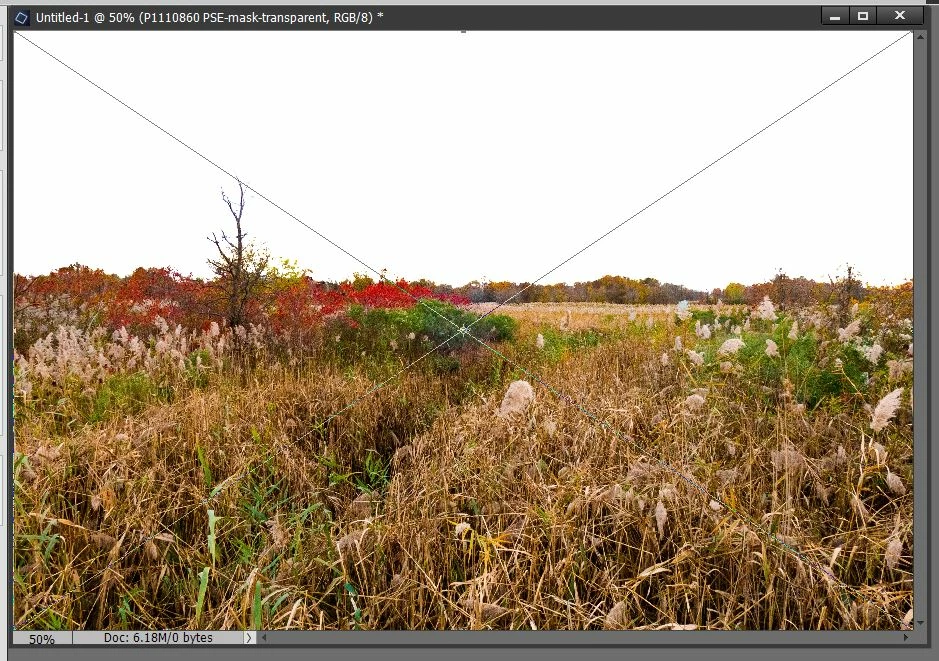


Please fix !


One other problem: when I click on the "Turn layer off" icon there is about a five second delay before the icon changes to show that it is turned off. 

This topic has been closed for replies.

5 replies

Greg_S.
Community Expert
Community Expert
August 24, 2021

[Unfortunately, new forum users are not allowed to edit their posts.  The ability to do so becomes available after an unknown (to me) posting level has been achieved.] 

Jeff Arola
Community Expert
Community Expert
August 24, 2021

Before we say you've found a bug(s) you should reset the pse 2021 editor preferences and see if that fixes the issues.


In the pse 2021 editor go to Edit>Preferences>General and click on Reset Preferences on next launch and restart the pse 2012 editor.


boblite2Author
Participant
August 24, 2021

I wish I could revise my posts... this is a very unforgiving way of communicating.. there are corrections I would like to make that I cannot make.... 

hatstead
Inspiring
August 24, 2021

You can edit a reply.  Click on the *** More icon at the bottom of the reply box to access this option.


boblite2Author
Participant
August 24, 2021

There are inaccuracies in my post.  My background was white. So not a surprise that the sky in the placed transparency should be white.


However. just now I found I can not stretch a placed mask... 


Anyway, the old version worked fine for me.  I would like to reinstall it

boblite2Author
Participant
August 24, 2021

The new version of the layers module has other problems too.    How do I reinstall the old version ?