



phansen007
Participant
December 11, 2020
Answered

Posting picture to Facebook

  • December 11, 2020
  • 5 replies
  • 795 views

I make a picture using PSE and then want to post it on Facebook.  It comes out huge sometimes and other times it is a good size.  I have tried to change the pixels, the doc size and nothing seems to change when posted.  Does anyone know why this is or what I should be doing on size/pixels for it not to post HUGE?
This topic is closed to new replies. Start a new post to keep the conversation going.
Correct answer phansen007

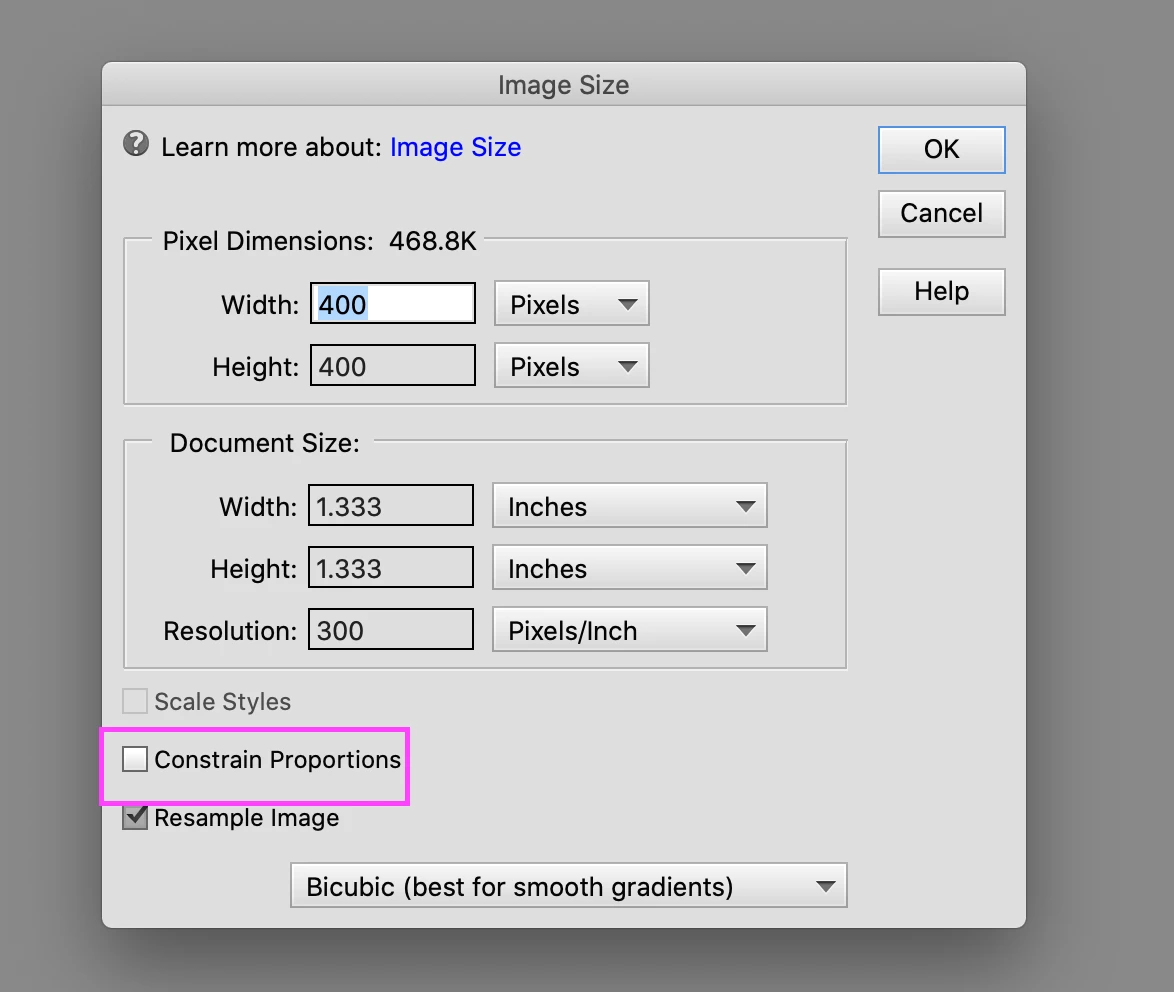
While resizing, make sure you uncheck "Constrain Proportions" option at the bottom.

Refer https://helpx.adobe.com/photoshop-elements/using/resizing.html#about_image_size_and_resolution for more details on Image sizing.


Regards,

Nidhi


thank you

5 replies

hatstead
Inspiring
December 11, 2020

This is from Facebook:

The optimal size for post (shared) images is 1,200 x 630 pixels. These guidelines will help you select and edit your shared images for optimum quality: Recommended upload size is 1,200 x 630 pixels. Will appear with a maximum width of 470 pixels in Facebook feed.


I have seen another recommendation for 400px square.

.

phansen007
Participant
December 11, 2020

How you make a square picture? When I put in pixel size width, it adjusts the height to something different that I cannot control. 

Participating Frequently
December 15, 2020

While resizing, make sure you uncheck "Constrain Proportions" option at the bottom.

Refer https://helpx.adobe.com/photoshop-elements/using/resizing.html#about_image_size_and_resolution for more details on Image sizing.


Regards,

Nidhi