
Participant
February 16, 2026
Answered

Problem downloading *.MOV files from an Ipad.

  • February 16, 2026
  • 1 reply
  • 101 views

I can see thumbnail and play video with Media Player in Windows 11. In Photoshop Elements 11 the thumbnail is blank and cannot be played. Do I need another codec? If so how do I find out which?

I am almost certain I did not have the problem in Windows 10.

I tried playing the files in Quick Time in Windows, but that also does not work.
    Correct answer 99jon


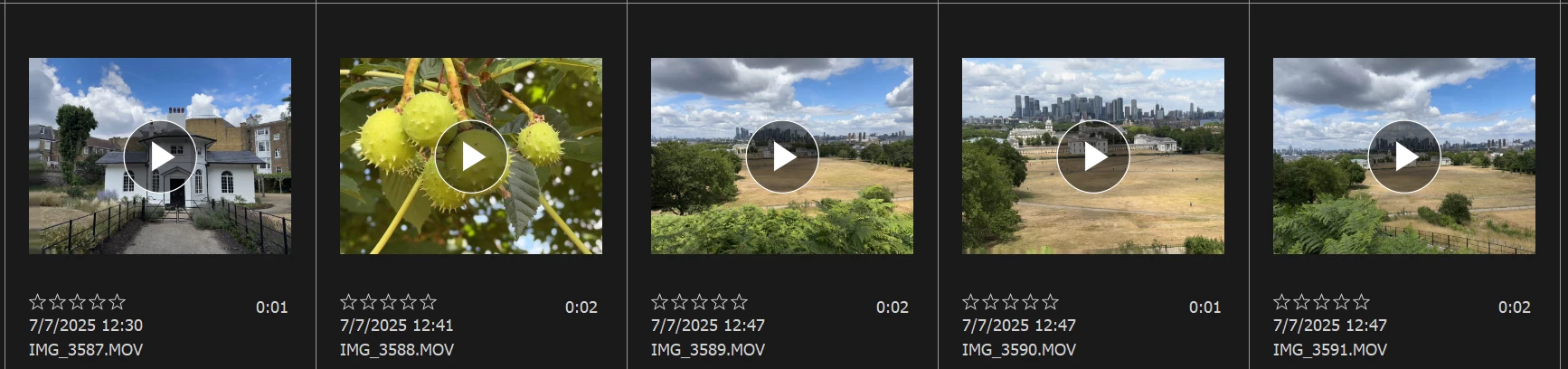
    The current version is PSE 2026 or  you can buy the photo Editor & Video editor as a bundle. Mov files work fine for me in PSE 2026 - see Organizer image. The apps are now sold as a three year licence at a one off price - no ongoing monthly subscriptions. You could download the free trial and test it for seven days before purchase.


    https://www.adobe.com/products/photoshop-elements/free-trial.html


    1 reply

    99jon
    Legend
    February 17, 2026

    PSE11 is quite old software so there will likely always be problems with (.mov) files. One solution is to convert from mov into mp4 using a free app like Handbrake. Handbrake will also let you batch convert several files in one go.


    Participant
    February 20, 2026

    So if I can afford to upgrade to 2025 version of PSE will the problem be solved?

    99jon
    99jonCorrect answer
    Legend
    February 20, 2026


    The current version is PSE 2026 or  you can buy the photo Editor & Video editor as a bundle. Mov files work fine for me in PSE 2026 - see Organizer image. The apps are now sold as a three year licence at a one off price - no ongoing monthly subscriptions. You could download the free trial and test it for seven days before purchase.


    https://www.adobe.com/products/photoshop-elements/free-trial.html