
Participant
October 1, 2023
Question

Problem mit Farbwähler - Elements 19

  • October 1, 2023
  • 5 replies
  • 398 views

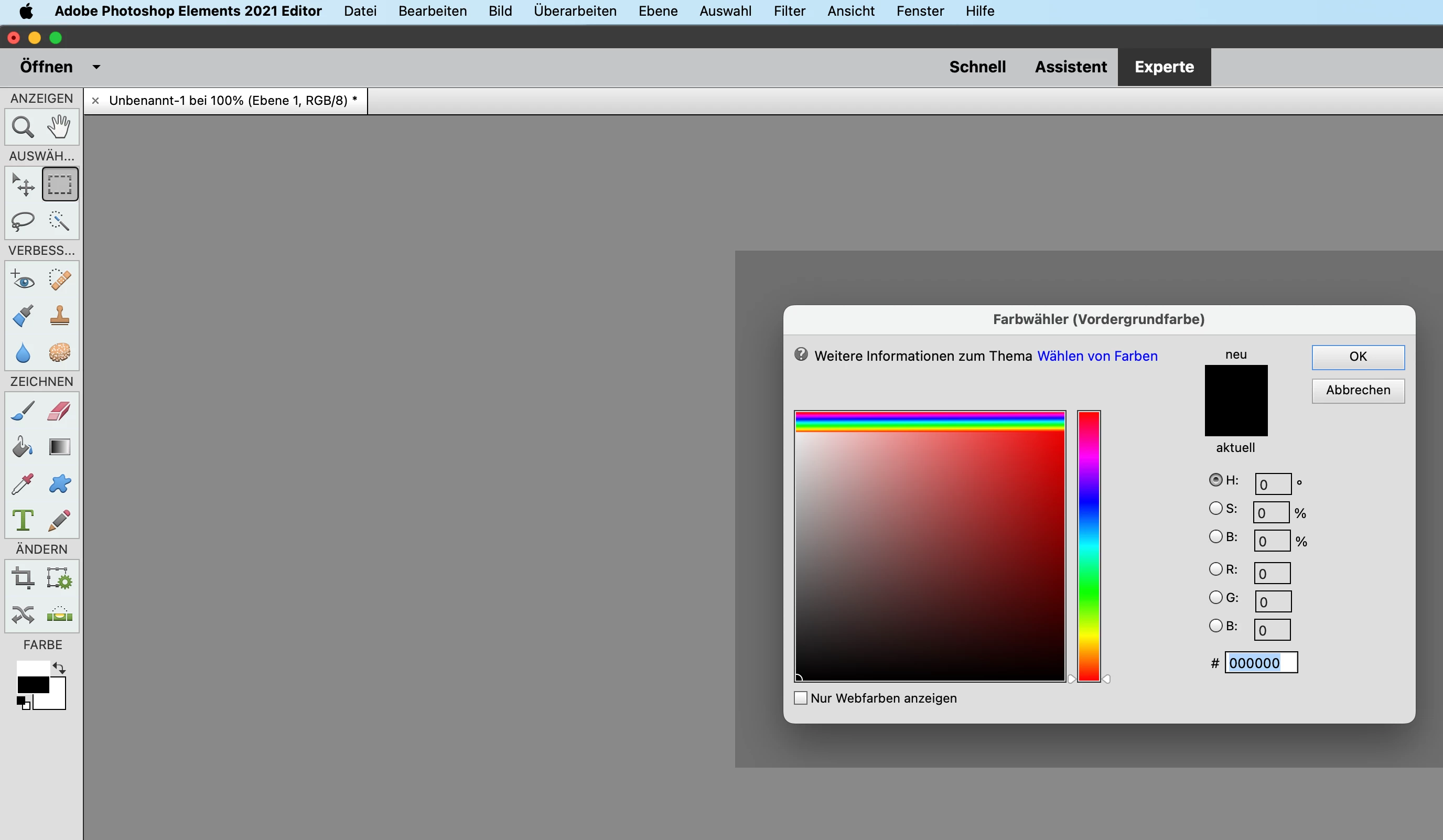
Hallo, ich habe ein Problem mit dem Farbwähler. Beim Öffnen sehe im im oberen Bereich mehrfarbige streifen. Ich kann  eine Einzelfarbe nicht auswählern und bei den Farben im sind beim Vordergrund zwei Hälften dargestellt.

Was mach ich falsch?
This topic has been closed for replies.

5 replies

Jeff Arola
Community Expert
Community Expert
October 26, 2023

Apple just released a macOS Sonoma 14.1 update, but unfortunately that doesn't seem to fix any of the graphical issues

with photoshop elements 2022 and older versions when running on macOS Sonoma 14.1


Participant
October 26, 2023

Hallo Gerd,

ich habe exakt das selbe Problem. Hast du eine Lösung gefunden?

LG

Jeff Arola
Community Expert
Community Expert
October 2, 2023

It seems so far that photoshop elements 2023 is the only photoshop elements version that

works properly with macOS Sonoma 14.0 without all the graphical glitches, however, pse 2024

is due out at any time, so hopefully that version will work as well.


There is a chance that the next Apple update to macOS Sonoma 14.0 will fix the issues, but who knows.


Here is pse 2022 with terrible graphical snafus on macOS Sonoma 14.0


Jeff Arola
Community Expert
Community Expert
October 1, 2023

Did you just upgrade to macOS Sonoma 14.0?

Participant
October 2, 2023

yes

hatstead
Inspiring
October 1, 2023

Here are 3 things to try:

1. Go to Edit menu>Preferences>General and reset preferences on next launch. Close the program and open again.

2. Go to Image menu >Mode and be sure that RGB color is checked.

3. On the keyboard, press the letter d, then press x. This should toggle the  color  chips between black/white