
Inspiring
November 2, 2017
Question

Problem Modifying Bezier Handles for Text on a Path

When I try to modify the Bezier curves with Text on a path. I can only grab the right side Bezier handles.

The green represents the right side handles in the image. The red circled handles I cannot grab at all.
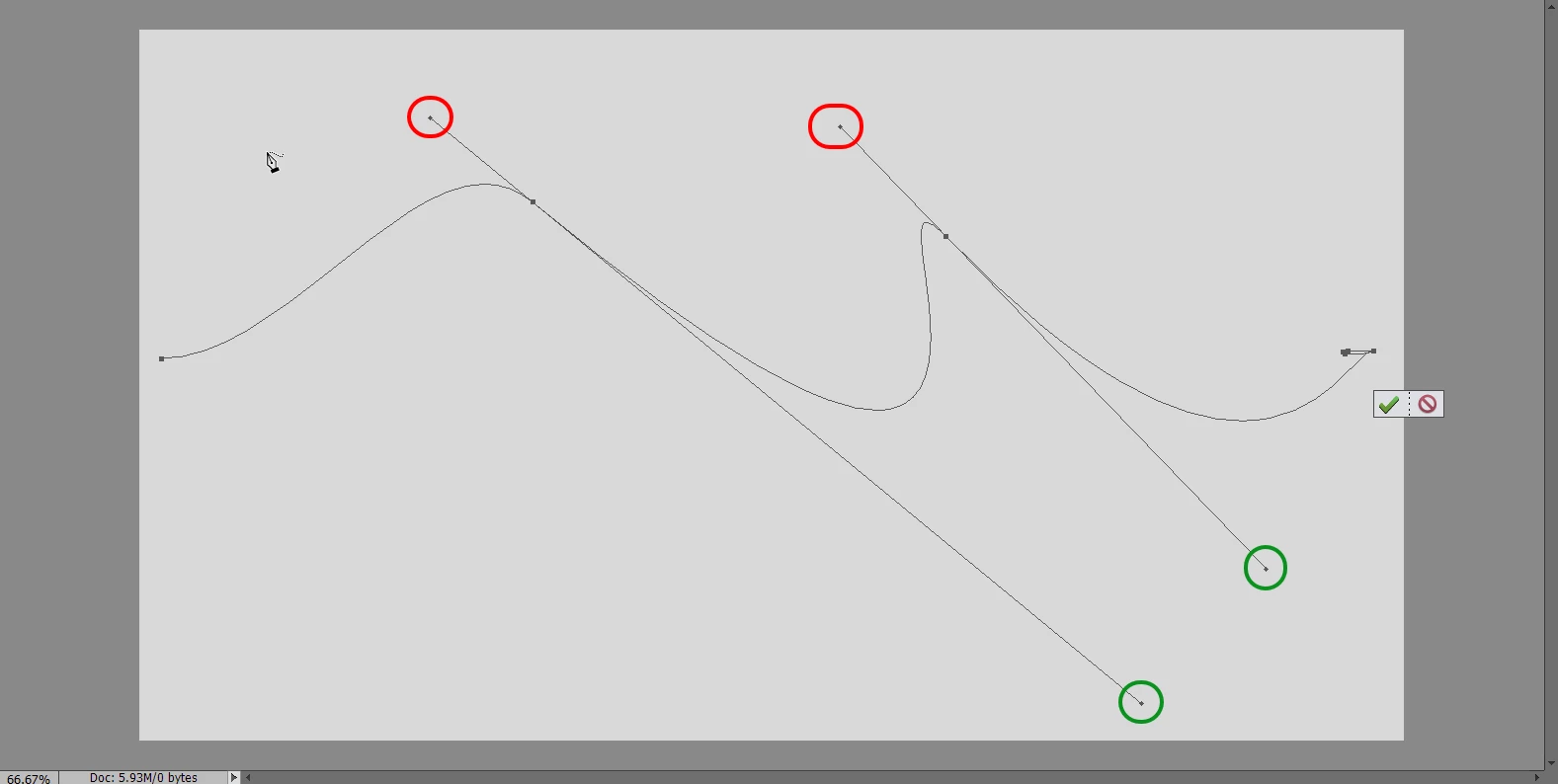
No matter what I try, I can't grab them. Can’t shorten them, nothing. I've tried to find a keyboard shortcut that allows me to select them, but I haven't found one yet.

They just stay the same length. I can move main central control point without a problem.
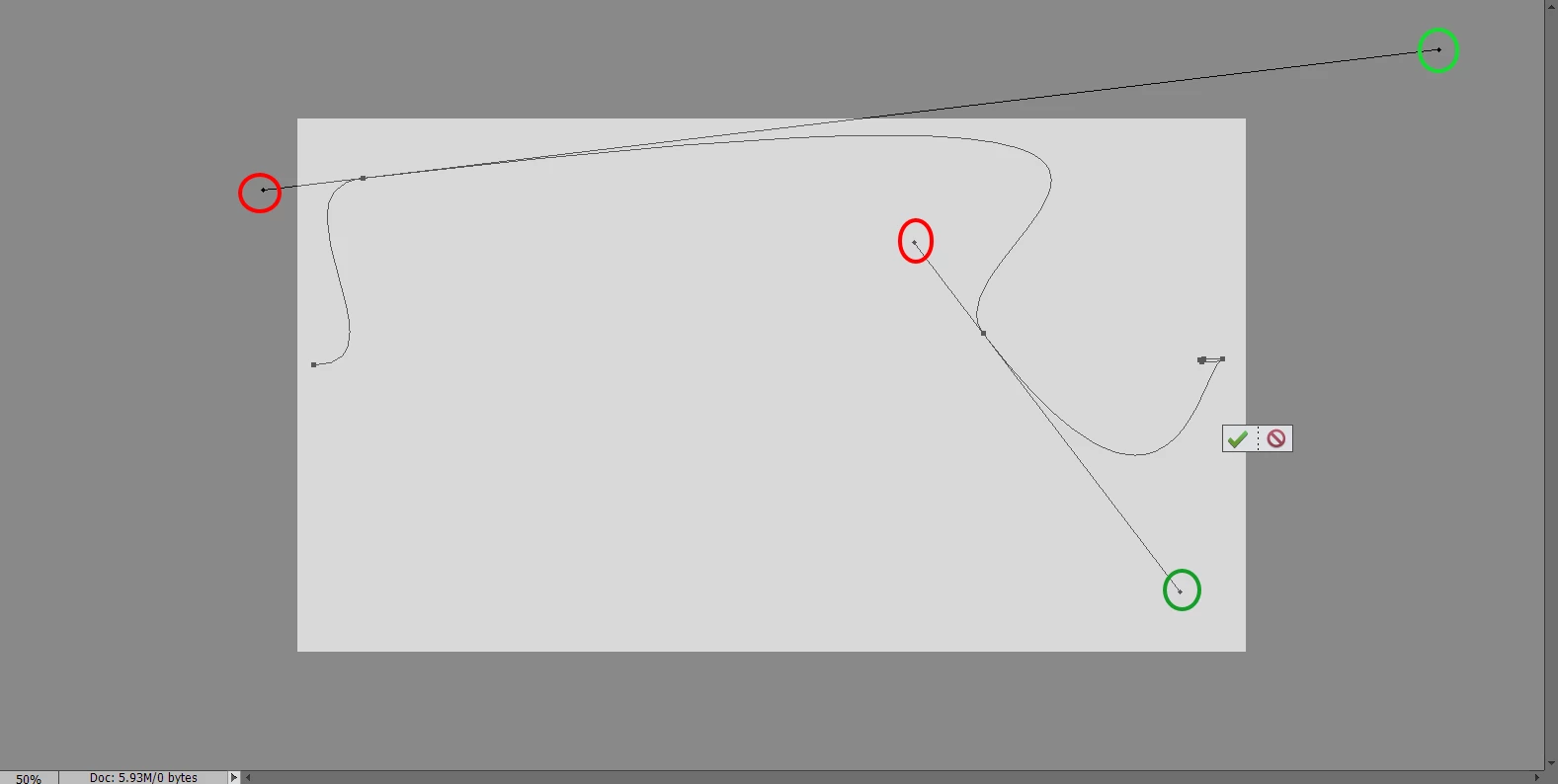
There must be something I'm missing, What?

Thanks for any help.

Ce sujet a été fermé aux réponses.

1 commentaire

MichelBParis
Legend
November 2, 2017

terrys30580497  wrote

When I try to modify the Bezier curves with Text on a path. I can only grab the right side Bezier handles.

The green represents the right side handles in the image. The red circled handles I cannot grab at all.

No matter what I try, I can't grab them. Can’t shorten them, nothing. I've tried to find a keyboard shortcut that allows me to select them, but I haven't found one yet.

They just stay the same length. I can move main central control point without a problem.

There must be something I'm missing, What?

Thanks for any help.

You are here in the Elements forum. Elements does not have the Bezier handles.

Please post again in the Photoshop forum:

Photoshop General Discussion

Inspiring
November 2, 2017

I'm sorry MichelbParis, you seem to be unfamiliar with the text on a path tool. You use the Pen tool to draw the path. Bezier curves modify the path.

Unless you have another name for it? See image.

I just uploaded a screen shot of only the work area earlier because I thought people were familiar with the text on a path tool. I didn't think they needed to see the pen tool and the editor all at the same time.

This is Elements 14, I believe text on a path with the pen tool was introduced with version 10. It was quite some time ago anyway.

I have a sinking feeling I know more about using this feature than most.

Thanks for trying.

MichelBParis
Legend
November 3, 2017

terrys30580497  wrote

I have a sinking feeling I know more about using this feature than most.

Thanks for trying.

My mistake, you are right. You are also right that most Elements users won't bother with Bezier curves, since Elements does not have a path panel neither a pen tool. Since the feature was inherited from Photoshop recently, Photoshop users should be much more helpful. I'll have to test the feature both in Elements and Photoshop and look at the help files and videos...