
Participant
October 10, 2023
Answered

Problem of tiny files after moderate crop and resize.

  • October 10, 2023
  • 2 replies
  • 421 views

Elements 2021 on Mac has been doing this (but not my copy on Windows):  If I crop a moderate amount and resize to about 1100 pixels on the longer side, Elements produces a file that is slighly over 100 pixels on the longer side.  I tried un-installing the app, and reinstalling, but the problem persists.  Suggestions?
This topic has been closed for replies.
Correct answer Jeff Arola

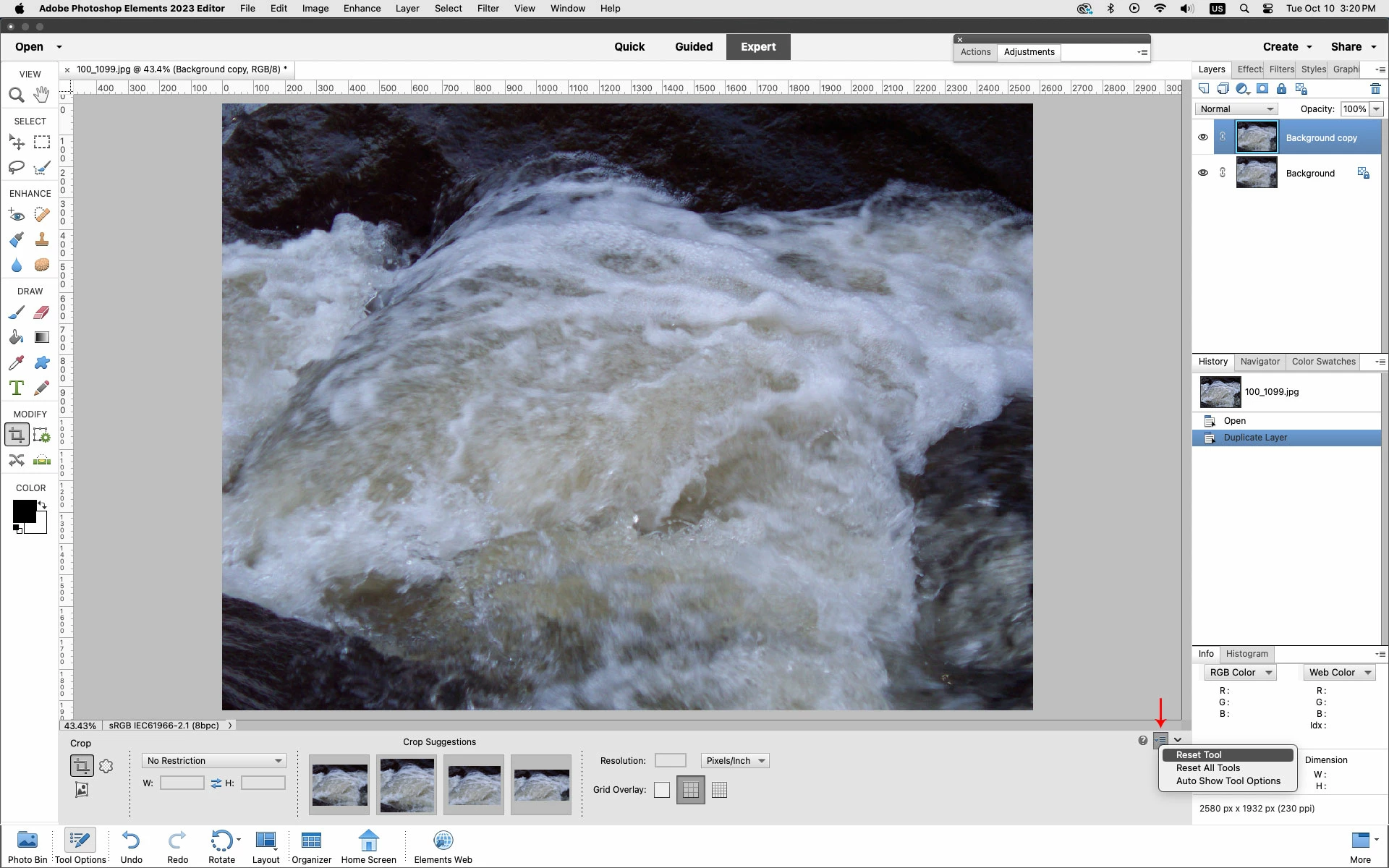
I would reset the Crop Tool if none of the above works.

Click on the four lines with down arrow as shown below and click Reset Tool


2 replies

Jeff Arola
Community Expert
Jeff ArolaCommunity ExpertCorrect answer
Community Expert
October 10, 2023

I would reset the Crop Tool if none of the above works.

Click on the four lines with down arrow as shown below and click Reset Tool


hatstead
Inspiring
October 10, 2023

Agree.

hatstead
Inspiring
October 10, 2023

Two things to look at:

1. Have a look at the crop tool on your Windows machine. Is there a value entered for resolution (px/in)? If so, what happens when you enter the same resolution value on your Mac?

2.An alternate way to crop is to drag out the Rectangular Marquee tool to embrace what you wish to retain, then go to Image menu>Crop.

Participant
October 11, 2023

Thank you Hatstead for your rapid responce.  However, I opened the email about Jeff Arola's suggestion before openiong your, and his suggestion worked.