

Question
Problem setting a crop preset
I'm doing a trial of Photoshop Elements 2018.
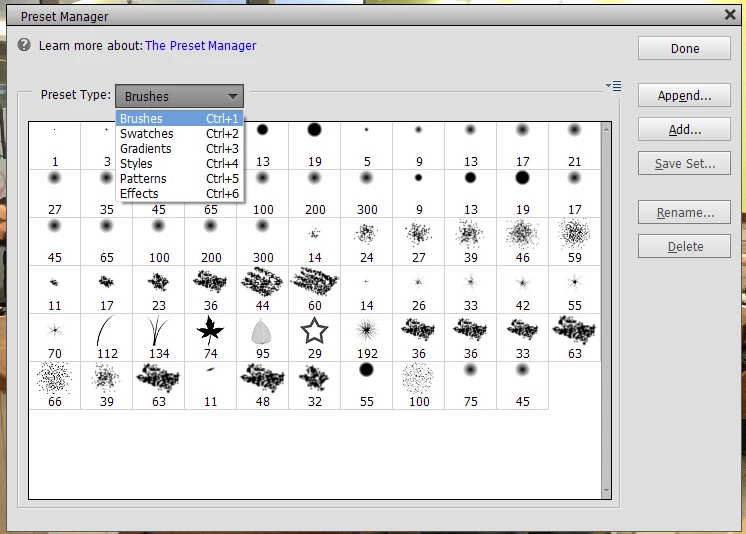
I want to have a crop preset so that when I edit a group of images I can choose the preset instead of typing in the dimensions each time. When I open the Preset Manager all I see are brushes and swatches on the Tool Type dropdown menu (see screenshot). When I click on Add, it opens an empty folder to load a preset. I can't see how to create a crop preset here.


 AdChoices