
Problem with colour profiles
- June 20, 2021
- 3 replies
- 1449 views
Not sure if this is the correct community, but grateful for any tips or suggestions on how to solve my colour profile problem.
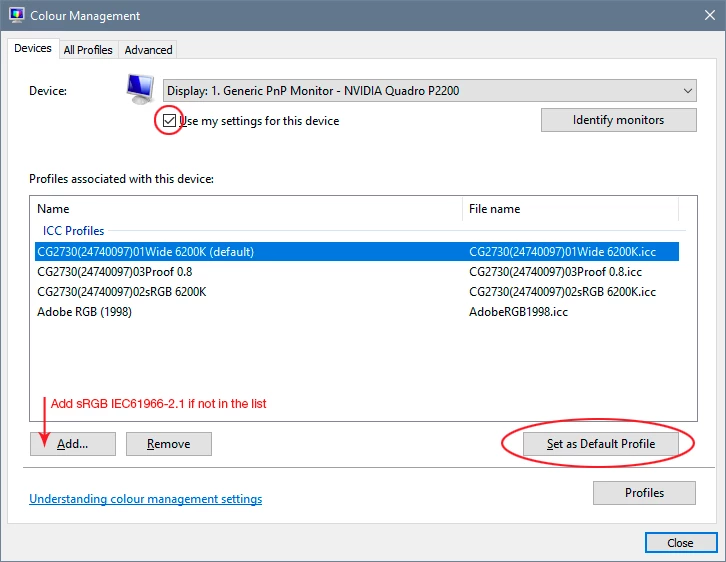
I am using Photoshop Elements version: 17.0 (20180830.m.125874) x64 with the latest version of Windows 10, an Acer monitor and an nVidia graphics card - NB I have tried letting the graphics card control the colour settings, but this does not appear to have any effect on impages displayed. As far as I can, all hardware and software is using Adobe sRGB colour profile.
I am really struggling with getting the correct colour balance for photos. The embed colour profile is Adobe sRGB, but the colours do not look correct in PE - if I correct them using photoshop to what looks acceptable, then they do not look right using other software that is set-up for Adobe sRGB, on my Samsung tablet or Panasonic TV. The attached screen shot shows how different application, i.e. PE, Windows Photo app and NCH Photopad displaying the same slide - non is ideal, but the NCH app at least displays the photo with colours the closest to the original slide from which the photo was scanned using a Nikon LS 5000 scanner with Adobe sRGB as the colour profile and to those seen on my Samsung tablet and Panasonic TV, albeit a bit washed out - PE is probably the furthest from it.
I know that colour profiles can cause havoc if they are not correctly selected across hardware and software, but I had thought that this had been pretty much sorted these days and I am at a bit of a loss as to what is causing the problem or how to correct it.
Grateful for any assistance, suggestions anybody can give.
Many thanks in advance,
Expextations


 AdChoices