
Problem with Photoshop Elements 2019 install on new Macbook Pro [running macOS Monterey]
Hi, hoping someone can help me...
I have just got a new 2021 macbook pro running macOS Monterey and i'm trying to install my copy of Photoshop Elements 2019. This was a digital download version I bought from Amazon and has been running fine on my 2015 Macbook pro.
I downloaded the install files and the installation goes through smoothly, however when the splash screen opens and I click the 'Photo Editor' button, I get the following error message (see screenshot):
'Your application install seems to be damaged, please re-install the application'
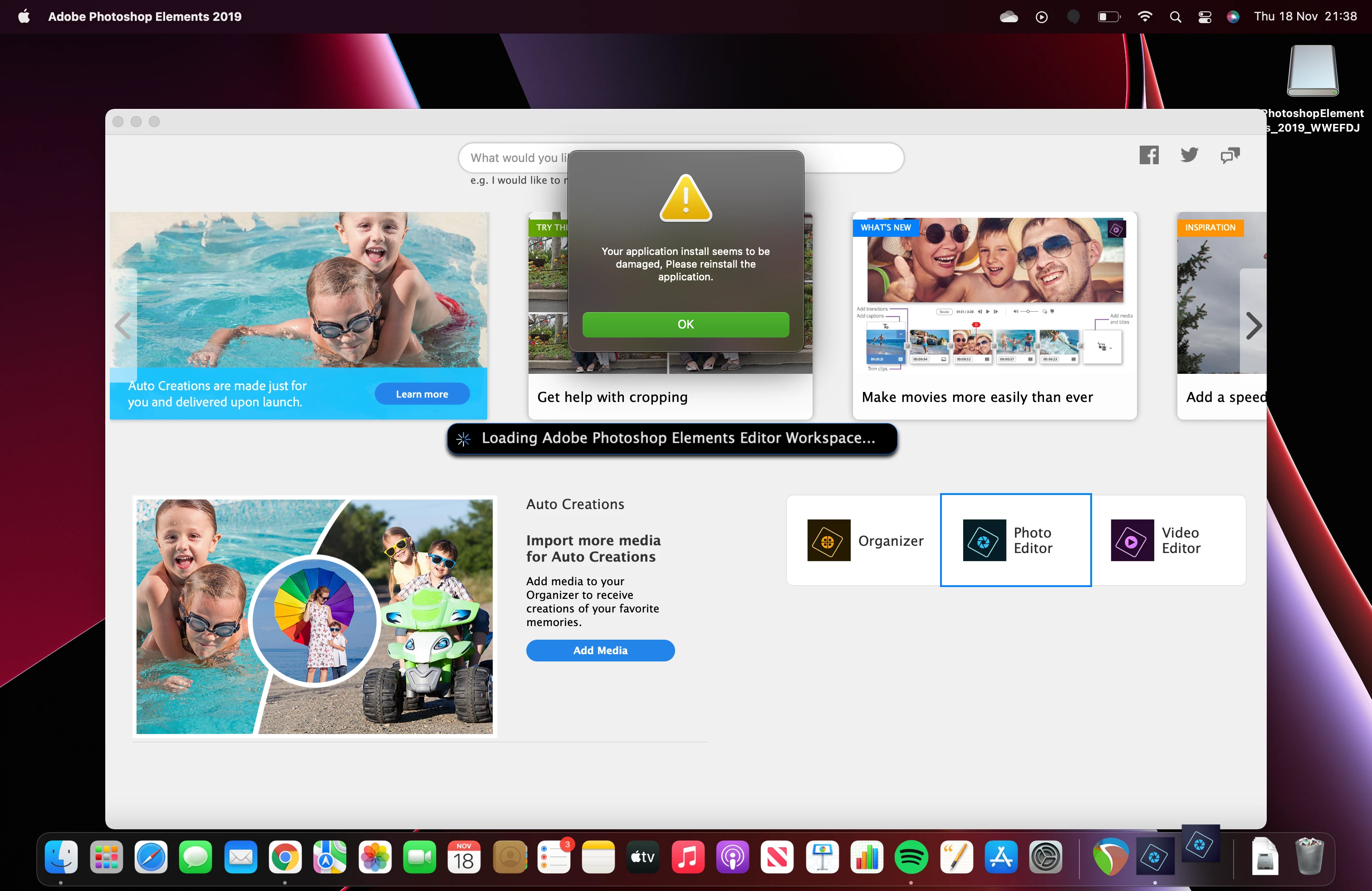
I have tried uninstalling and re-installing 3 times with no luck. It doesn't get to the point where I need to input the serial to activate etc.
Could anyone help with this and what the issue might be?
Thanks,
Phil


 AdChoices