


Question
Problem with some imported photos not loading into Browser
I have Elements 5 now operating with Windows 10 but when uploading new pictures some do not show in the Browser although they open normally from my pictures.
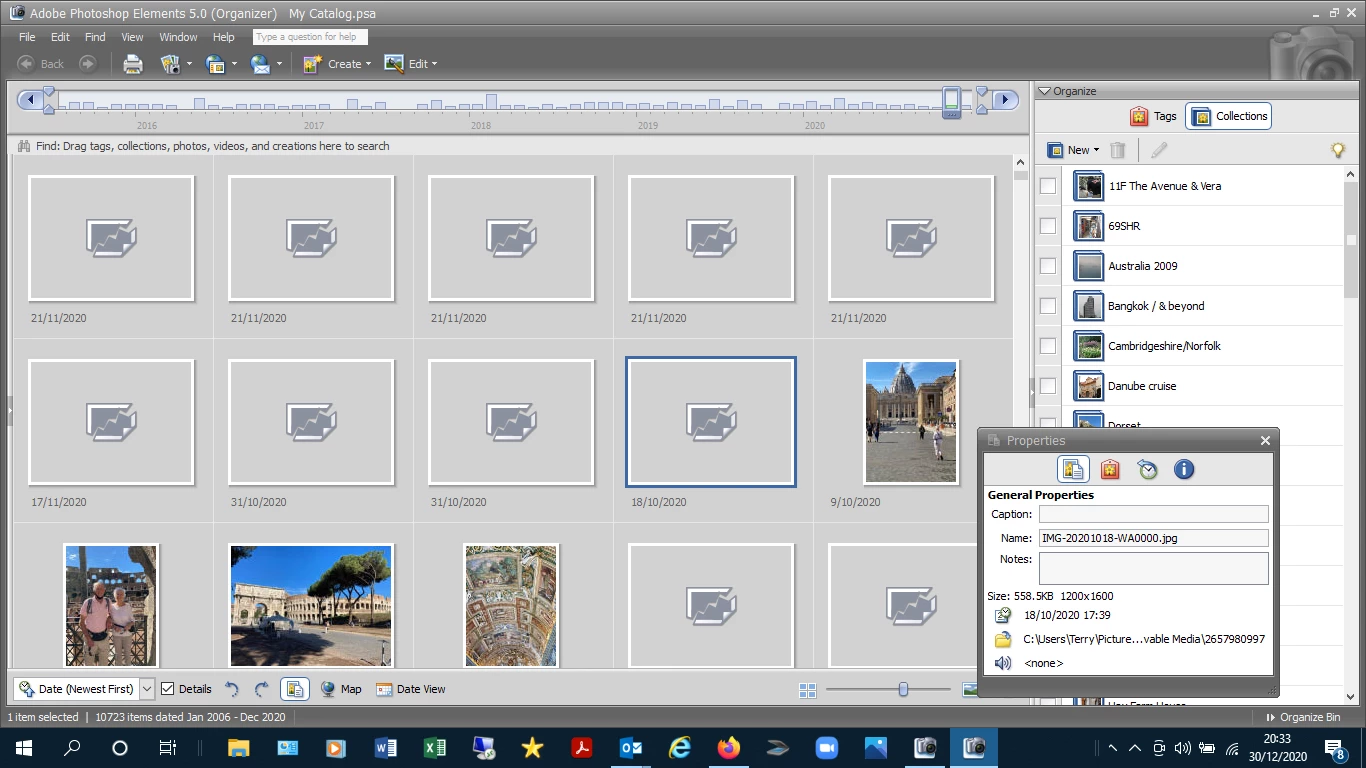
Above is a screen shot illustrating the issue where pictures are from the same source & all Properties of each entry appear normal. These are all new uploads from a memory stick.
I also haave the same issue with some older pictures in my catologue & I have tried reloading from a backup hard drive which sometimes works but subsequently fails.
Would purchasing the latest 2020 version resolve the issue & if so how do I transfer my libary with tags etc. to the new version.
Any guidance would be much appreciated.
Terry
 AdChoices