Participant
April 27, 2023
Question

Problem with text box

  • April 27, 2023
  • 2 replies
  • 629 views

Hi there! 

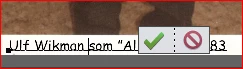
When I enter text in Photoshop Elements 2019 along the bottom of an image, a box with ok/cancel is placed in the middle of the line, annoying, how do I get rid of it?
 

Affe

This topic has been closed for replies.

2 replies

Glenn 8675309
Legend
April 27, 2023

That often happens with small text.   do what the picture below shows and you should be fine.

Participant
April 27, 2023

Thank you for the answers!
I insert a white field under the image and write there with black text, if I first write in the image and move the text down, I usually have to change the color of the text.
If I do what Glenn suggests, the check/no choice comes up if I want to edit again.
Best to avoid the unnecessary check/no choice forever.

MichelBParis
Legend
April 27, 2023

@Alf29617228t79n 

Side note:

The misunderstanding from many users is really that they think they are writing directly on the canvas. When I explain that writing text is writing on a 'layer', that looks somewhat an abstraction. In French, we say a 'calque', which means a transparent sheet, a tracing paper.  This is easier to imagine where you write and how to move the text by moving the 'calque'.


MichelBParis
Legend
April 27, 2023

The old workaround starts with realizing that you are not writing on the canvas. You are writing on a text layer above the canvas. The trick is to write your text just a bit higher than the bottom border, and then, move the text layer down to where you want it.