
Participant
April 21, 2020
Question

Problems to update Photoshop Elements 2020

  • April 21, 2020
  • 2 replies
  • 2613 views

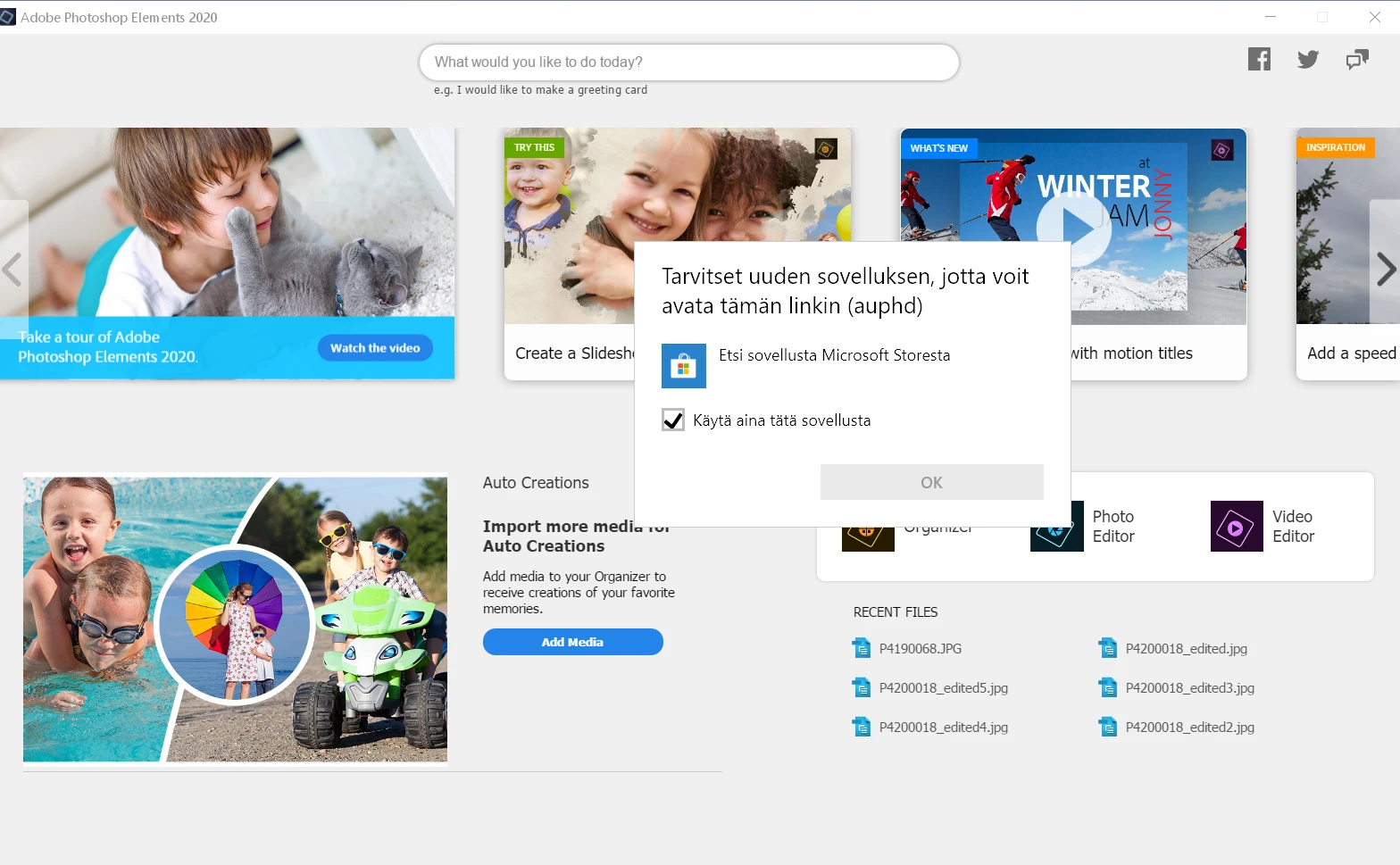
I have installed Photoshop Elements 2020 in my Windows laptop. When I open the photo editor repeadetly comes a note of the need to update but I have never been able to go forward and update the program. When I try to update I get an error message saying 'You need a new application to be able to open this link (auphd). Look for the application in Microsoft Store'. This is totally useless message - I can't do anything to finish the update. Please, help me to update my program. This is very confusing.

Thank you in advance,

Desperate User


Screenshot:
This topic has been closed for replies.

2 replies

Medha_Sharma
Adobe Employee
Adobe Employee
April 29, 2020

Hello,


Please try the following steps:

  1. Navigate to "C:\Program Files (x86)\Common Files\Adobe\Adobe Desktop Common\" and rename the "HDBox" folder to "oldHDBox".
  2. Re-install Photoshop Elements 2020.
  3. Now launch Photoshop Elements Editor and try to update the application.


Let us know how it goes for you.


Regards,

Medha

Participant
July 21, 2020

I had to completely uninstall both Photoshop Elements 2020 and Premiere Elements 2020, download both from Adobe again, and changed the name of HDBox to oldHDBox per Medha's instructions.  I then reinstalled both and was able to successfully run the update when asked.  I am no longer getting the update notification and both seem to be running correctly.


As a side note, it would be helpful to have Photoshop Elements and Premiere Elements included in the Creative Cloud app and updated with the other Adobe apps. 

Akash Sharma
Legend
April 27, 2020

Hi there,


Sorry that you keep getting an error message asking you update the newly installed application. It seems that you installed the app using an older setup. Would you mind reinstalling the application from the latest setup files https://helpx.adobe.com/in/download-install/kb/photoshop-elements-downloads.html and let us know if that helps?


Thanks,

Akash

May 8, 2020

I am also having difficulties trying to download the application. I would like to try the application before it is purchased but I have tried for the past 8 hours and cannot get it to download. On first try I was asked to update the program but it has consistently failed.  I uninstalled and tried to reinstall from your link above but it is now saying "We are unable to install Adobe Potoshop Elements 2020 at this time" with error code 184. My Operating System is Windows 10.