Participant
October 10, 2025
Question

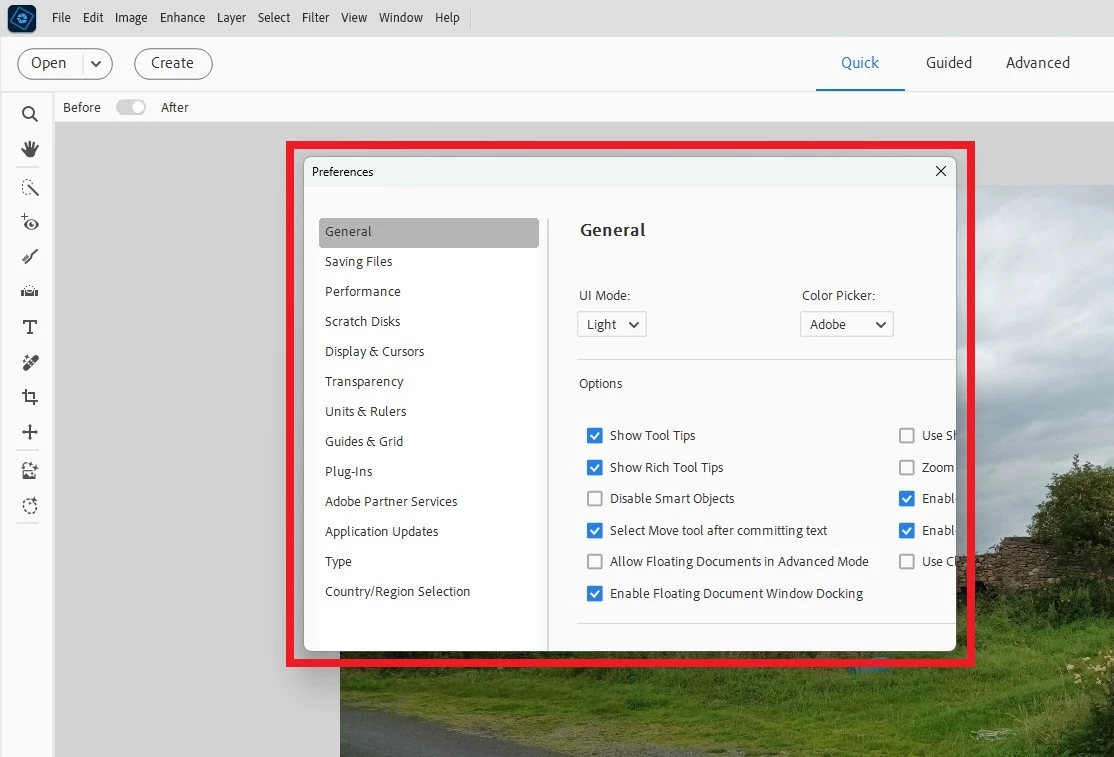
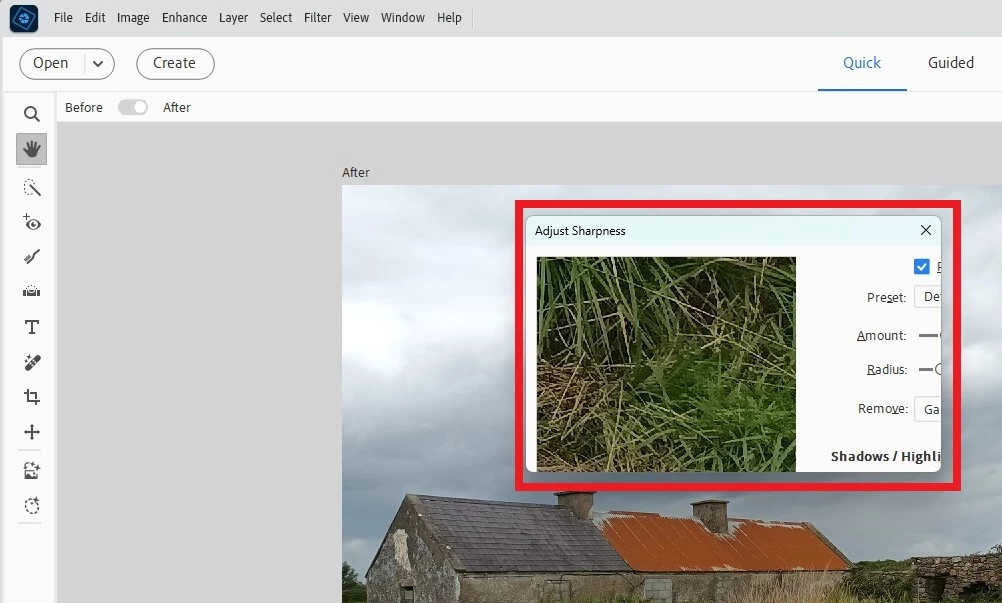
PS Elements 2026: Dialogue boxes too small to show all content

  • October 10, 2025
  • 1 reply
  • 168 views

Hello Everybody,

I got Photoshop Elements 2026 today, and there seems to be a glitch / bug:

When I try do use menus such as 'Edit > Preferences > General' or 'Enhance > Adjust Sharpness' the pop-up window / dialogue box isn't big enough to show its content (outlined in red in two screengrabs attached).  

Has anybody else had this issue?
 

Many thanks.

1 reply

Medha_Sharma
Adobe Employee
Adobe Employee
October 16, 2025

Hi @ultan_5966,


Please share the following details so that we can investigate this issue:

  1. The display's resolution and scaling
  2. Whether you're observing this on a single monitor or a dual monitor configuration


Regards,

Medha


Participant
October 27, 2025

I have the same problem on my dual-monitor set-up. My solution is to move all pop-up dialogue boxes to the other monitor, then close them and reopen them - they now open in that other monitor, and all sizes are correct.
Adobe are clearly not very good at this scaling problem - no other software requires this special treatment.