Participating Frequently
March 30, 2019
Answered

PS ELEMENTS - problem with the file-format module interface

  • March 30, 2019
  • 1 reply
  • 3409 views

Hallo,

I have searched the faQs on the issue described in the title yet there is nothing on Adobe Photoshop Elements.

There is an entry on altering registry keys however it refers to Photoshop CC.

I received a couple of panorama files which were created with Light Room. When I open a file, the screen "Camera RAW 11.1 jpg"  appears. I can see the image, however when I click "open image", there is: "Could not complete your request because of a problem with the file-format module interface".

I've tried the trick with opening the file with the paint and saving it again as .jpg, yet the paint does not open the file, either.

Please, provide help or indicate a link to the solution if I've overlooked it.

I'm using PSE 19 on Win7 64bit.

16 GB Memory.

Waldek
This topic has been closed for replies.
Correct answer Jeff Arola

The originator can't have in their mind all specs and limitations of the PSE.

IMO, Adobe should in my case provide a hit the nail on the head info: "The maximum file size you can open with PSE is 30000 px by 30000 px at 72 dpi". Dot. Full-stop (period)

I guess, iMac would reply to me using my human language rather than the one of the programmer's.

Waldek


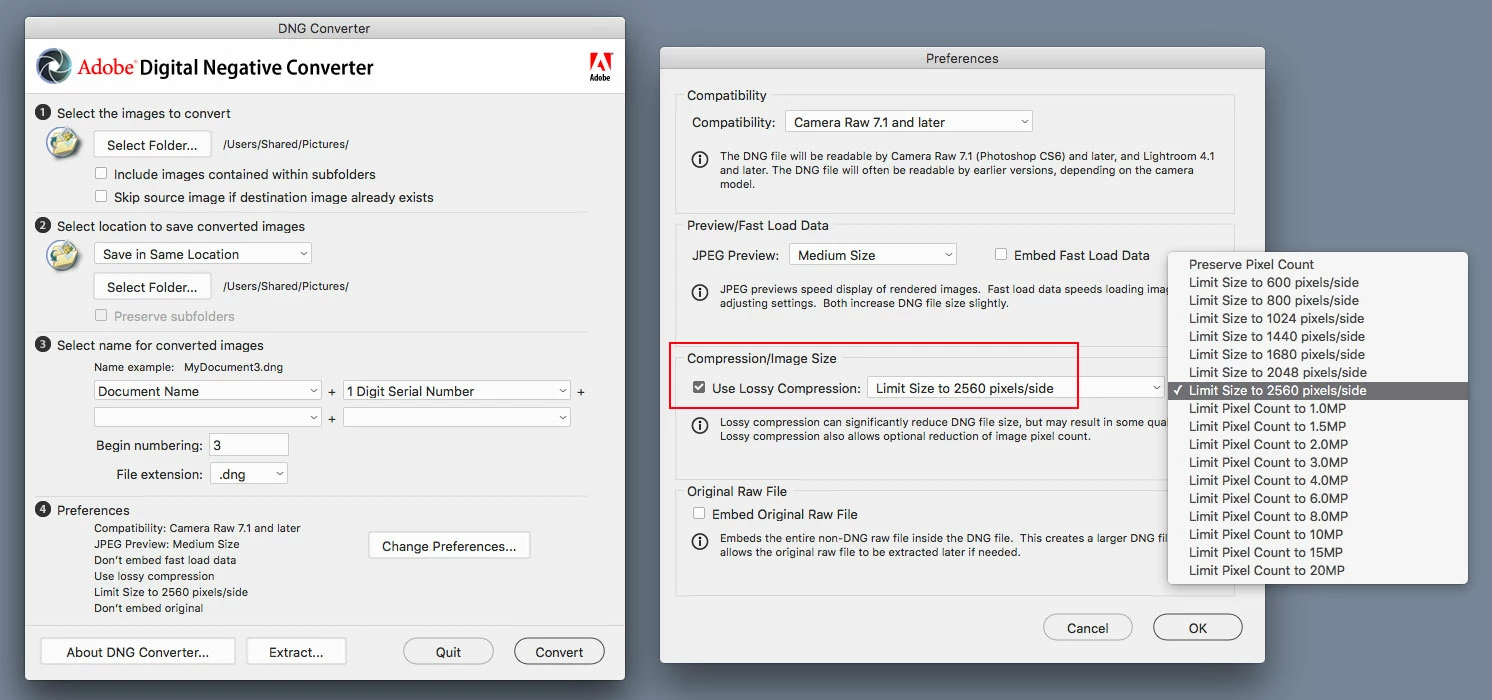
You can reduce the size of the pano using the dng converter and then pse 2019 should open it.

Adobe - Adobe Camera Raw and DNG Converter : For Macintosh : Adobe DNG Converter 11.2

The image will be quite a bit smaller, but at least you'll be able to open it.

1 reply

99jon
Genius
March 30, 2019

Before you click the open image button ensure the mode is set to 8 bits/channel and not 16

waldekbkAuthor
Participating Frequently
March 30, 2019

99jon thanks for your response

The 8 bits per channel is a setting by default.

As I mentioned, I came across [in FAQs] a solution based on changing an entry in the registery (PS)

May one has a hint on how to add a lacking/missing (?) entry in the registry?

I can't even understand what is actually wrong, what is missing or erroneous with the file. Is it actually the file or the PSE 2019?

Why am I unable to open the file with paint?

I'm currently using a trial version. My previous, 14, did not encounter this problem.

waldekbkAuthor
Participating Frequently
March 30, 2019

The facts are:

1. I am able to open a single camera RAW picture (CR2).

2. I am unable to open a panorama with the layers - Camera Raw window returns: "could not complete your request because it is not the right kind of document"

3. I am unable to open a flattened panorama with an extension .jpg

4. Why, when I open a flattened panorama, it is to be opened in Camera RAW?

Waldek