Participant
September 10, 2024
Answered

PSD opening flat no layers

  • September 10, 2024
  • 4 replies
  • 1049 views

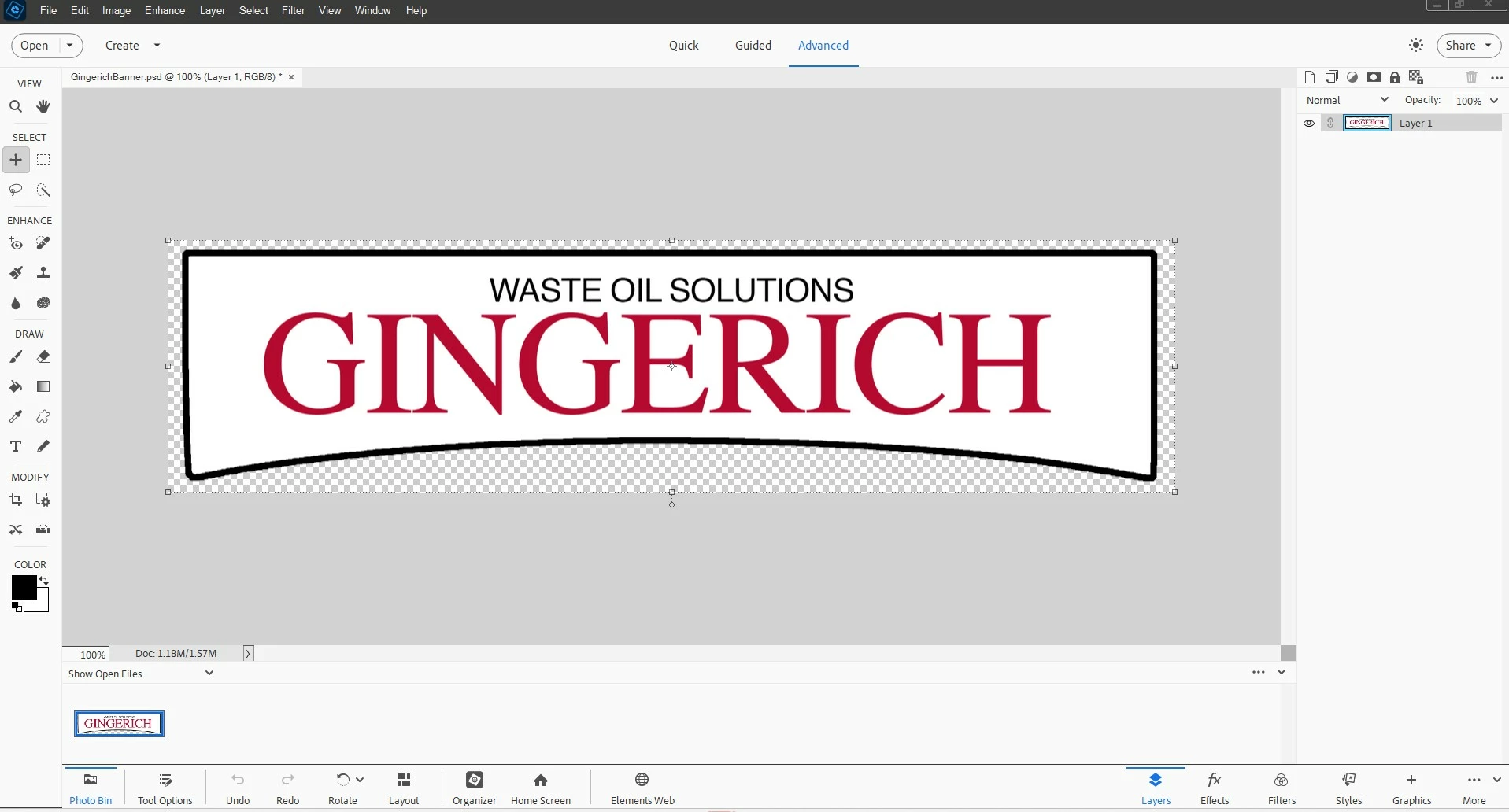
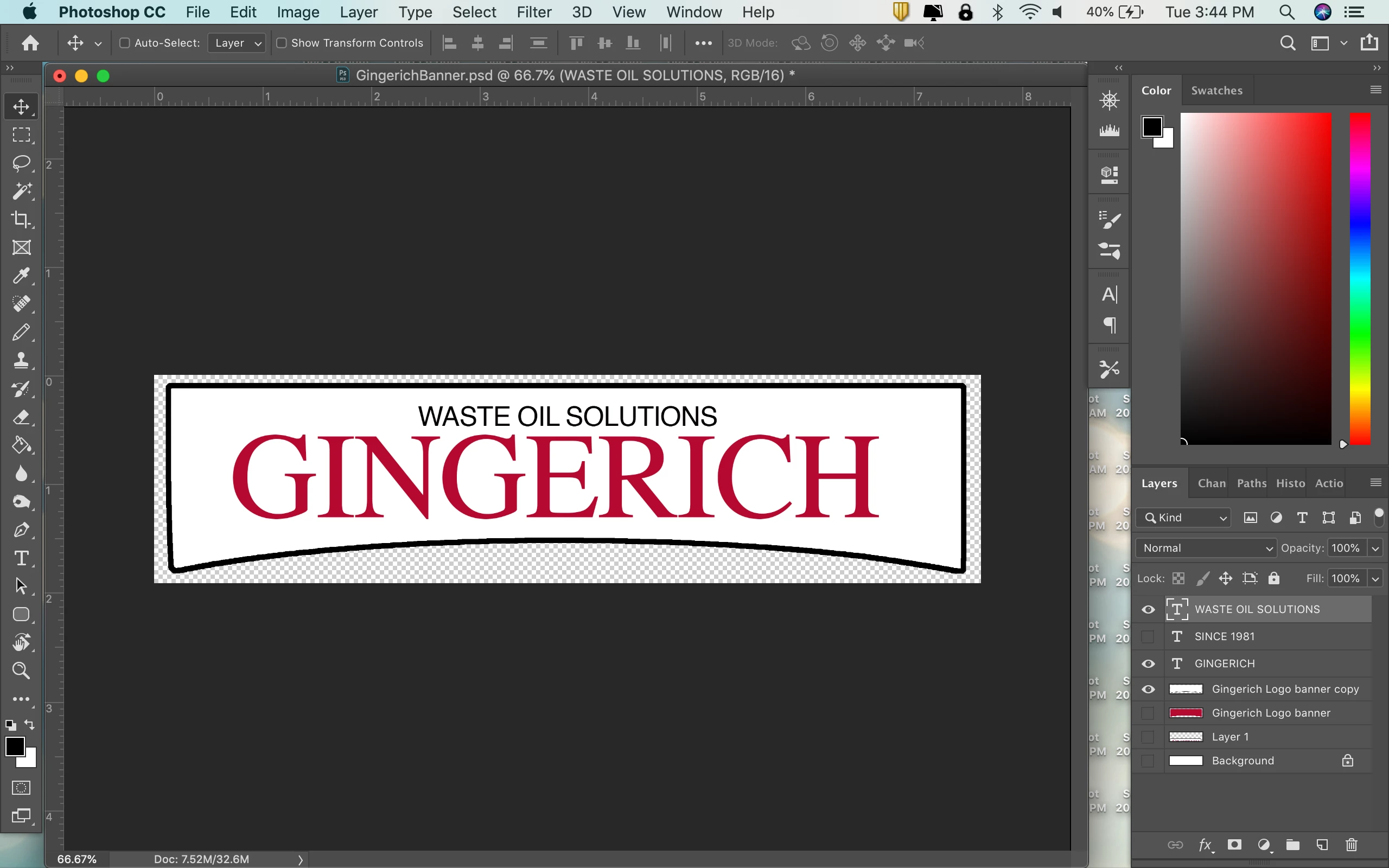
Saved multi-layer PSD files created in Photoshop CC (Mac) are opening as one layer in Elements 2024 (PC).  I confirmed layers are showing before saving.  Attaching screenshots of both platforms.


What am I missing?


This topic has been closed for replies.
Correct answer info_gcb

That did it!  Transferring the file via dropbox or google drive is what is needed, not via email. Emailing the file must have been compressing it or changing the settings somehow, which is still really odd to me. But in any case, thankful to figure it out!  Thanks for your help!

4 replies

Jeff Arola
Community Expert
Community Expert
September 11, 2024

Glad you found the issue.


Usually when emailing photos/photoshop documents i zip them so the email service doesn't do what it did to your file.

Jeff Arola
Community Expert
Community Expert
September 10, 2024

When you save out the file as an 8 Bits/Channel file give it a different name and be sure Layers are checked in the Save As dialog.


How are transferring the file from Mac to Windows?


info_gcbAuthor
Participant
September 11, 2024

Thank you for this input ... each time I've tried something different, I have saved as a new name so i don't think that's affecting anything.  Also making sure that when 'save as', the save layers is selected. Still one layer. I've also tried different files just to see if it's something odd with this one.  Nothing seems to change the outcome, they all open as one layer.  To get the file from my Mac to the PC, I am emailing the files to an account accessible on the PC.  I might try dropbox just to see if email is compressing or doing something odd.

info_gcbAuthorCorrect answer
Participant
September 11, 2024

That did it!  Transferring the file via dropbox or google drive is what is needed, not via email. Emailing the file must have been compressing it or changing the settings somehow, which is still really odd to me. But in any case, thankful to figure it out!  Thanks for your help!

Jeff Arola
Community Expert
Community Expert
September 10, 2024

I believe the issue is that the psd file from Photoshop is 16 bits/channel and Photoshop elements doesn't support

layers in 16 bits/channel files.


You should get a warning to stating as such when opening the file into Photoshop Elements.


In Photoshop change the Bit Depth to 8 Bits/Channel and see if Photoshop Elements will open that with layers.


One and/or both of these warnings should appear when opening a 16 bits/channel file with layers

maybe in the past the Don't show again box got checked


info_gcbAuthor
Participant
September 10, 2024

Thank you for this input ... originally it was saved as 8-bit but in one article it said something like it needed to be 16-bit, so I changed it.  I not get an error in either case when trying to open it.  I just saved it back as 8-bit and tried to open, still one layer. (attaching images)


Glenn 8675309
Legend
September 10, 2024

Try this in PS CC:  make all the layers visible, then save. then open in pse. 

info_gcbAuthor
Participant
September 10, 2024

Thank you for help ... just tried that and everything is still flattened, but the layer is now called 'background' in Elements (previously it was named layer).  I also confirmed that when saving, I am making sure the 'layers' box is checked to save all the layers.