
Participant
April 30, 2025
Question

PSE 15: Too many activated devices

  • April 30, 2025
  • 3 replies
  • 160 views

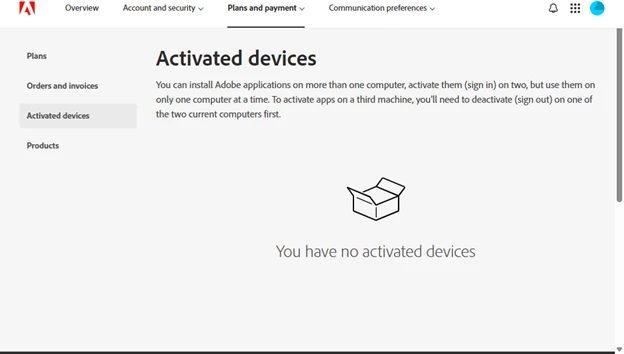
My old computer died.  Bought a new one. Downloaded PSE 15 from my Adobe Account.  Can't open it because Adobe says I have "too many devices using that serial number."  In my Adobe Account it says I have "no devices activated".

How can I deactivate a device if Adobe doesn't show me what devices it "thinks" I have activated???

Doesn't sound legal to me.

.
3 replies

Greg_S.
Community Expert
Community Expert
May 1, 2025

Try disconnecting from the internet and activate offline in accordance with the instructions found in this HelpX article.


Let us know if this is the 00.000001% possibility of a solution that Glenn gives it.

Peru Bob
Community Expert
Community Expert
May 1, 2025

The only way to deactivate PSE 15 is on the computer on which it is installed.

The "No activated devices" message refers to subscription products like Creative Cloud apps, not PSE 15.

Glenn 8675309
Legend
April 30, 2025

June of last year Adobe changed their policy on resetting activated devices:   They don't.   Bottom line:  you are 99.999999% out of luck and caan forget about using PSE 15.