


PSE 2018 Focus Stacking, merging and animated GIF's how to idea
Although PSE 2018 does not specifically support focus stacking I was able to do this quite well using the supported Photomerge function.
If you want to do this try the following.
1. Open/load all the photos you want to stack, or animate in editor
2. Go to Guided, Photomerge,and select Panorama
3, Change Auto Panorama to Reposition
4. On panorama setting I only use "blend images together"
5. Click Create Panorama, "select all"
6. I normally answer no to the would you like to automatically fill the edges query
7 After the merge finishes, click on continue editing in expert mode
8. You will be presented with a "stacked" image layer and all the original photos in their own layers showing the masking applied
9. Feel free to the delete layers, delete masks, or remask with fuzzy edges as needed to create a perfect focus stack
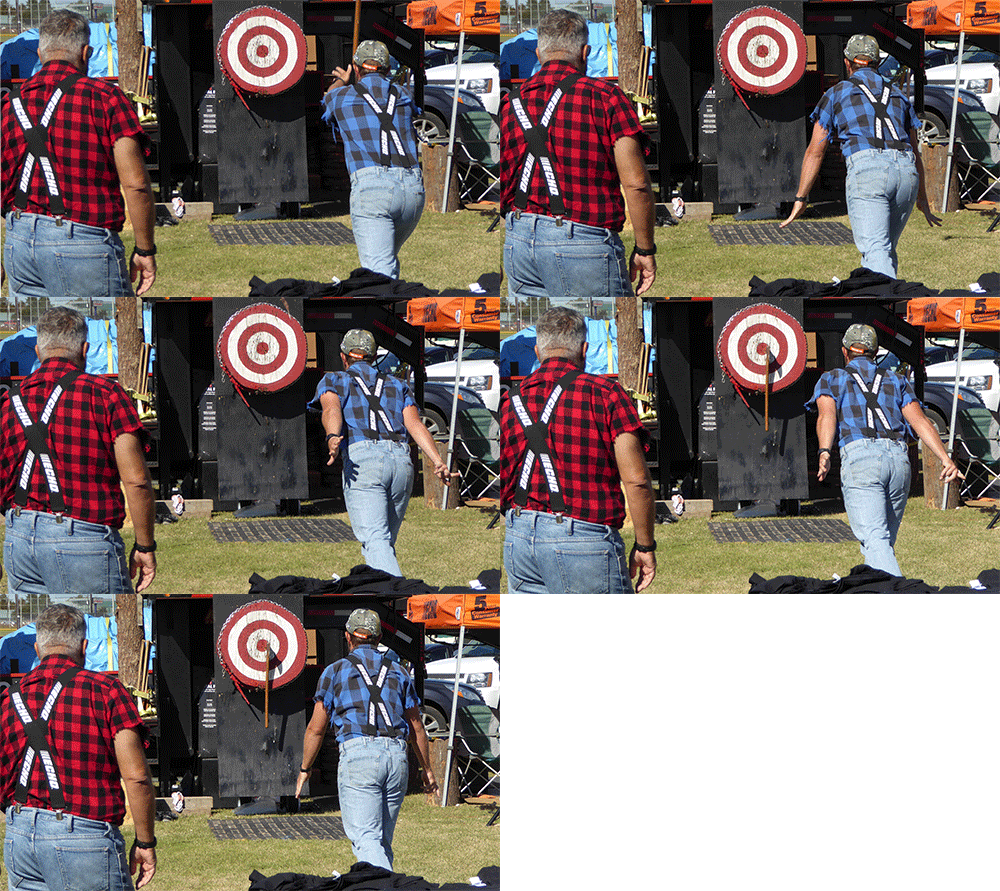
10. If you had a series of action shots and want to create an animated gif do this
a. delete the masks leave only the now perfectly aligned layers
b. Resize the image to something reasonable like 500 pixels wide
c. go to file, save for web
d. Select preset Gif 128 dithered
e. check the Animate box
f. Change looping option to forever
g. Save and enjoy the gif. You may have to do some cropping, or fill the edges as in #6 above, or adjust other options on the save for web dialog page.
This is an example of what you can do with about 5 images and PSE 2018 Editor. The panorama auto alignment was great.


 AdChoices