williamm42663498
Participating Frequently
July 6, 2019
Answered

PSE 2019 Canvas Entension Colour

  • July 6, 2019
  • 2 replies
  • 545 views

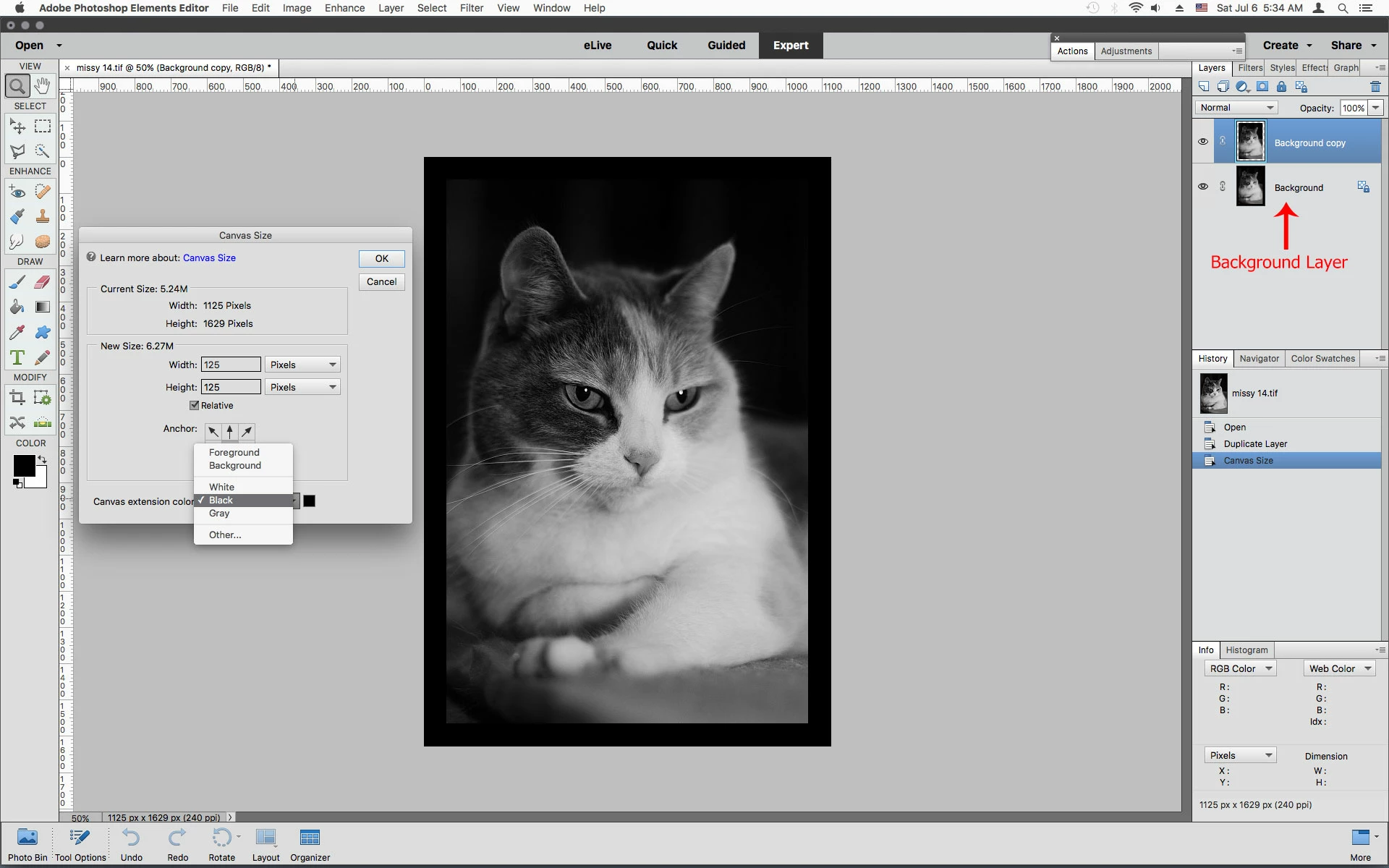
I have been using PSE 2019 for about two months now.  In the Image/Canvas Size the Canvas Extension Colour is blank without a colour and not allowing a choice of colour. Is anyone having this same problem or suggest a solution?
    This topic has been closed for replies.
    Correct answer Jeff Arola

    Your image has to have a Background Layer or the Canvas Extension Color won't be available.

    If you don't have a Background Layer you make a Background Layer from any selected layer by going to Layer>New>Background From Layer.

    2 replies

    Jeff Arola
    Community Expert
    Jeff ArolaCommunity ExpertCorrect answer
    Community Expert
    July 6, 2019

    Your image has to have a Background Layer or the Canvas Extension Color won't be available.

    If you don't have a Background Layer you make a Background Layer from any selected layer by going to Layer>New>Background From Layer.

    williamm42663498
    Participating Frequently
    July 6, 2019

    Thanks Jeff -- problem solved !

    MichelBParis
    Legend
    July 6, 2019

    williamm42663498  wrote

    I have been using PSE 2019 for about two months now.  In the Image/Canvas Size the Canvas Extension Colour is blank without a colour and not allowing a choice of colour. Is anyone having this same problem or suggest a solution?

    There are two ways to choose the extension color from the Canvas Extension Colour in the bottom of the dialog (be sure to display that dialog fully):
    - either to click on that button and select the "Other..." option

    - or to click on the square on the right of this button.

    If that does not work for you, first try to reset your preferences from the Edit >> Preferences menu.

    williamm42663498
    Participating Frequently
    July 6, 2019

    Thanks Michel

    Will do this and advise