



Inspiring
Nov 8, 2024 12:52 AM UTC
Answered

PSE 2019 How can I stop my image, on top of the background image, from lookning copied and pasted?

How do I make the man image (in the attached example) look more naturally in the hallway, rather than being copied and pasted onto it (which it was)? Thanks.

This topic is closed to new replies. Start a new post to keep the conversation going.
Greg_S.
Greg_S.Correct answer
Community Expert
Nov 8, 2024 3:43 AM UTC

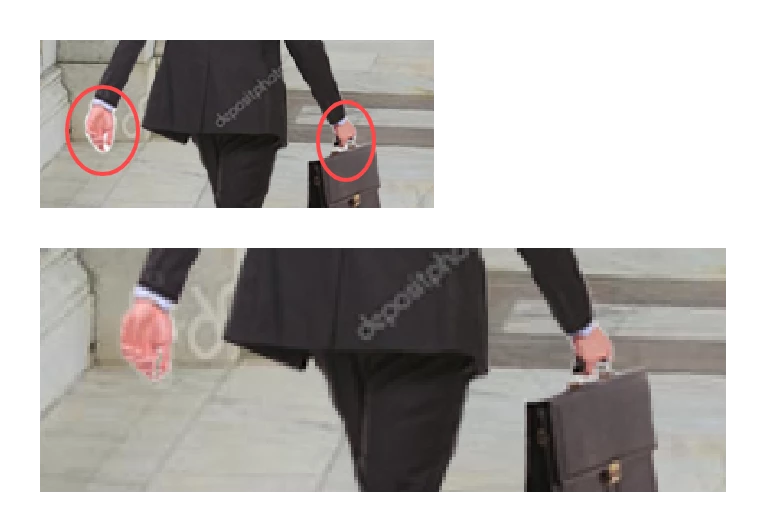
It's not entirely clear how you think this could be improved.  This is such a low resolution image that it is almost impossible to make it more natural, particularly since it is an illustration.  The only tell-tale sign of a copy-and-paste job that I see is the white fringing around the hands.  Because of the low resolution, I think the only thing you can do is zoom in to individual pixel level and clone the neighbouring pixels, one pixel at a time, with a 1-pixel brush.  Here is a quick edit:
 

2 replies

Greg_S.
Community Expert
Greg_S.Community ExpertCorrect answer
Community Expert
Nov 8, 2024 3:43 AM UTC

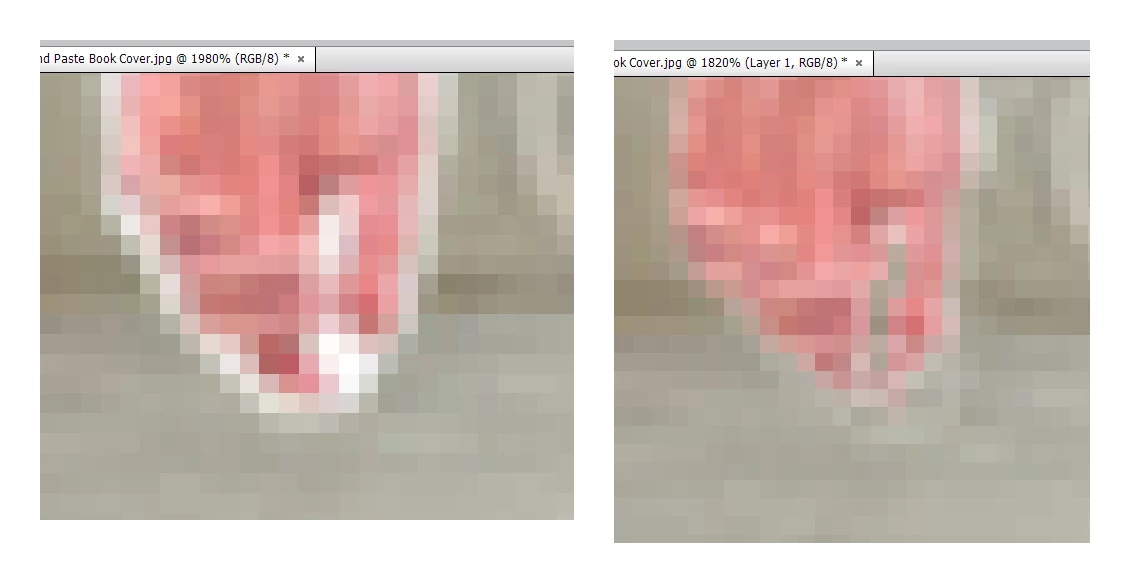
It's not entirely clear how you think this could be improved.  This is such a low resolution image that it is almost impossible to make it more natural, particularly since it is an illustration.  The only tell-tale sign of a copy-and-paste job that I see is the white fringing around the hands.  Because of the low resolution, I think the only thing you can do is zoom in to individual pixel level and clone the neighbouring pixels, one pixel at a time, with a 1-pixel brush.  Here is a quick edit:
 

Translate
BadStarAuthor
Inspiring
Nov 9, 2024 12:05 AM UTC

Thanks Greg

Translate