


Question
PSE 2020 cannot rotate HEIC images; it converges them to JPEG, PNG, TIFF or Photoshop 1 layer file
Since updating to PSE2020 I can now import also HEIC images, but when trying to rotate the portrait files, a pop-up window appears:
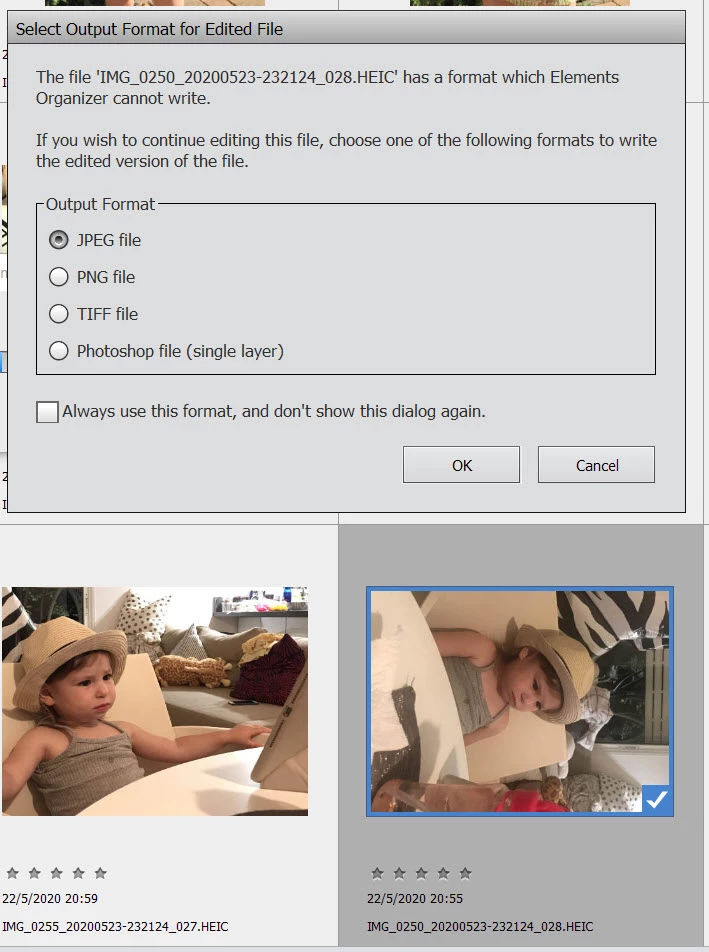
It saves the rotated image and keeps the landscape image as well.
Besides losing the high efficiency storage mode, I also have now two files of which one is useless and needs to be deleted.
So until Elements can edit HEIC images (display mode setting) there should be a checkbox to allow Elements to delete the HEIC wrongly displayed file together with rotating and writing in one of the optional formats, so that one can rotate multiple HEIC images with one click.
 AdChoices