



Question
PSE 2020 eyedropper tool picks up wrong color
There are many questions about the eyedropper not picking up the right color, but usually the response is to (1) select the layer choice (all or current) and (2) have a point sample. These have no effect on my issue: all colors picked are way off from the actual color.
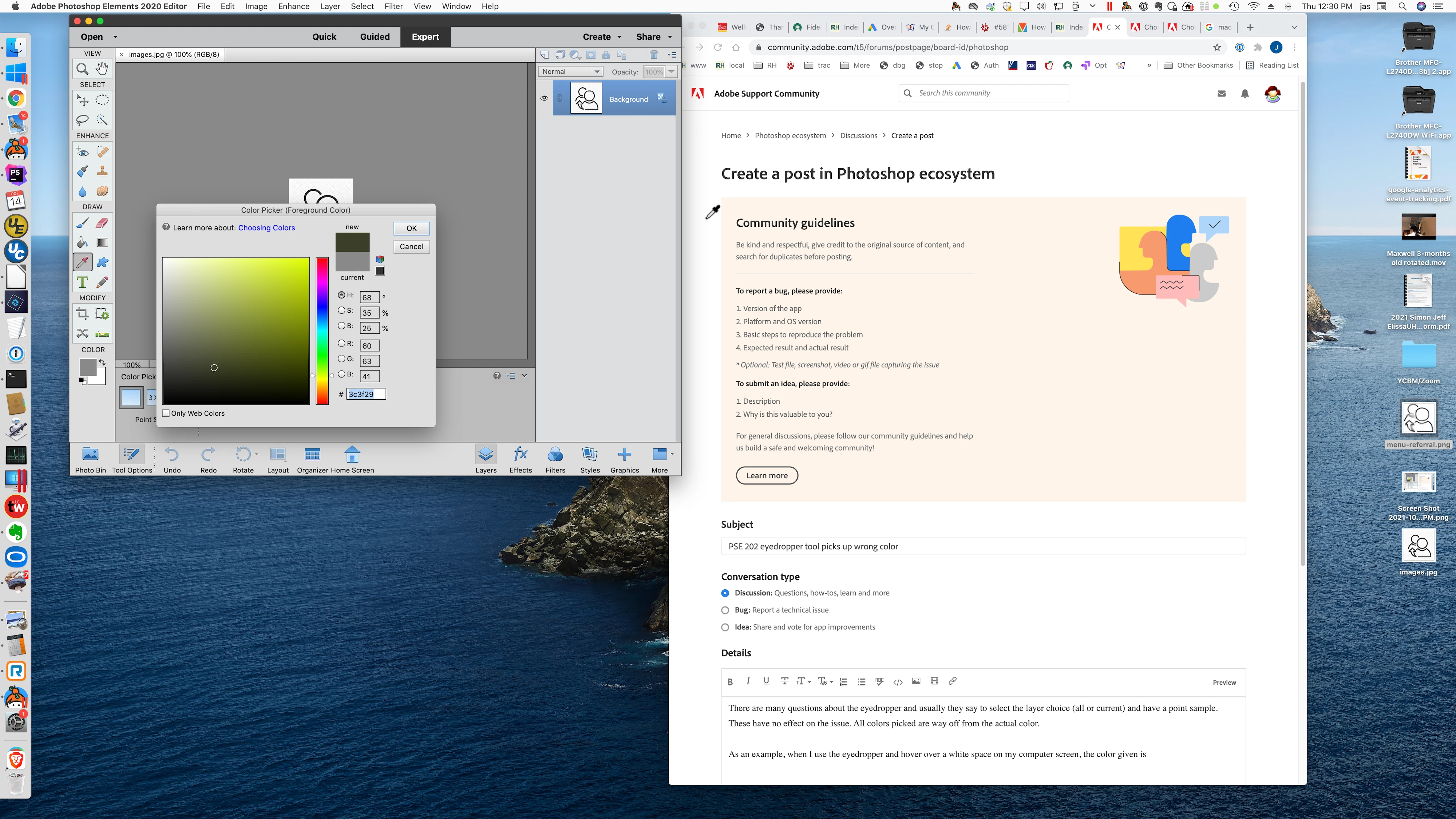
As an example, when I use the eyedropper and hover over a white space on my computer screen, the color given is some random color depending upon where the eyedropper is located. I have included a screen shot showing PSE with an image, color picker, and the eyeropper positioned over the white background of this page where I am entering this post. Yet the color is given as 3c3f29.
The eyedropper has been acting this way ever since I updated to PSE 2020.
 AdChoices