Participating Frequently
May 23, 2021
Answered

PSE 2021

  • May 23, 2021
  • 1 reply
  • 270 views

On Elements 13, I was able to see picture information such as aperture, shutter speed, etc.  Is this information available in PSE 2021?  If so, how to I access the information?  Thanks

This topic has been closed for replies.
Correct answer Walter_H

Hello,


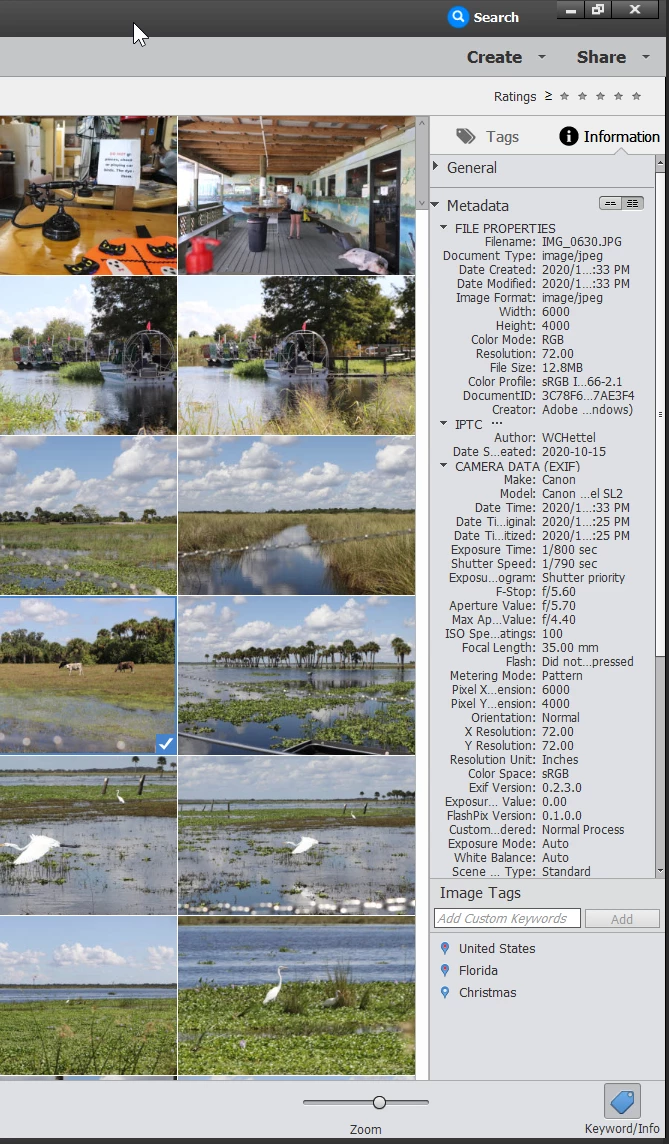
In the Organizer, select a photo then click on the Keyword/Info button in the lower-right corner, then click on the Metadata item in the right-hand panel.


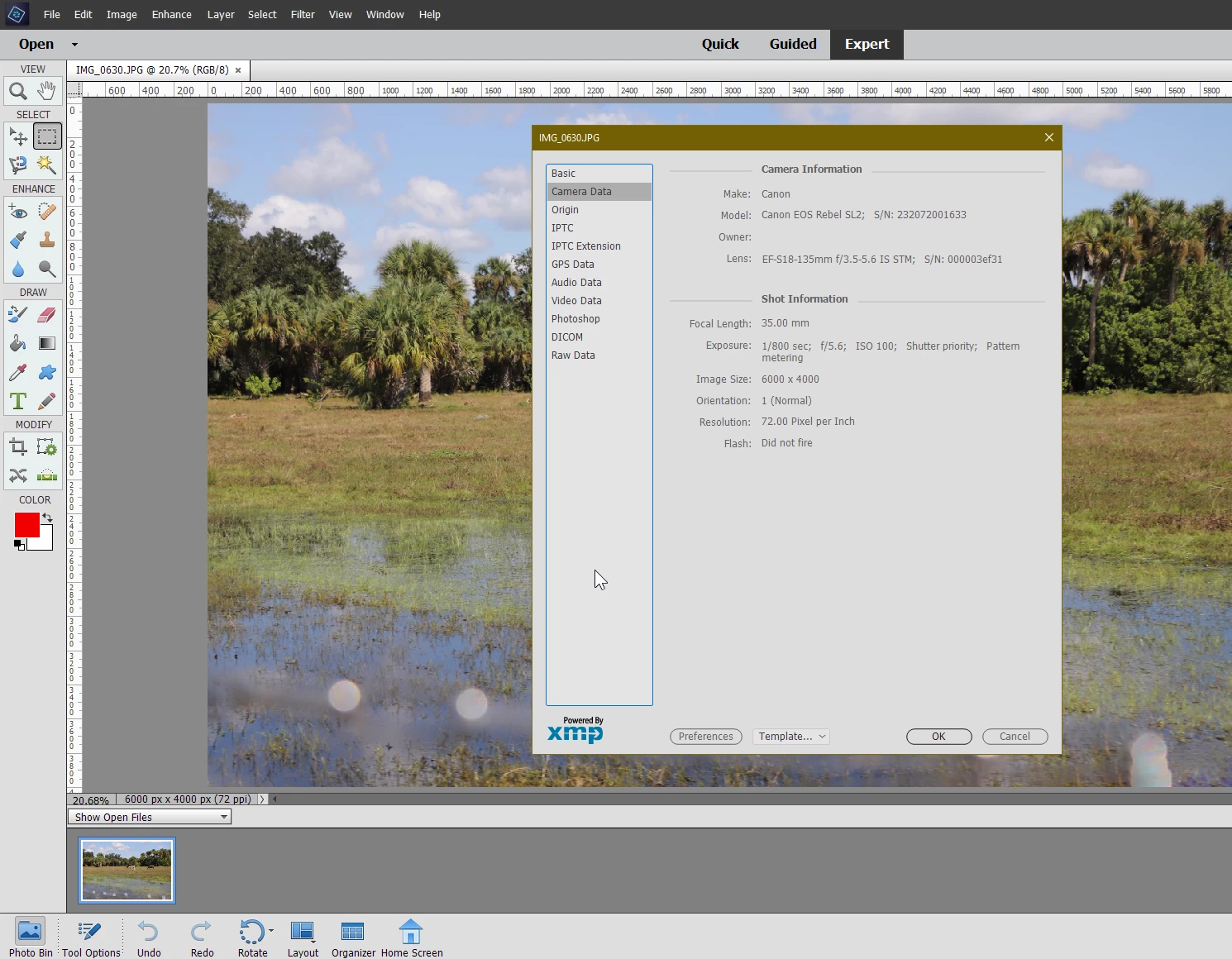
In the Editor, open a photo then on the menu along the top, click on File, then File info, then Camera Data.


1 reply

Walter_H
Walter_HCorrect answer
Legend
May 23, 2021

Hello,


In the Organizer, select a photo then click on the Keyword/Info button in the lower-right corner, then click on the Metadata item in the right-hand panel.


In the Editor, open a photo then on the menu along the top, click on File, then File info, then Camera Data.


--Walter in Davie, FL