Answered
PSE 2021, editing CR2 raw file, can't save JPEG
Using photoshop elements 2021, editing a CR2 raw file. There is no option to save as JPEG, only DNG. The window is "Camera Raw 13".

Using photoshop elements 2021, editing a CR2 raw file. There is no option to save as JPEG, only DNG. The window is "Camera Raw 13".
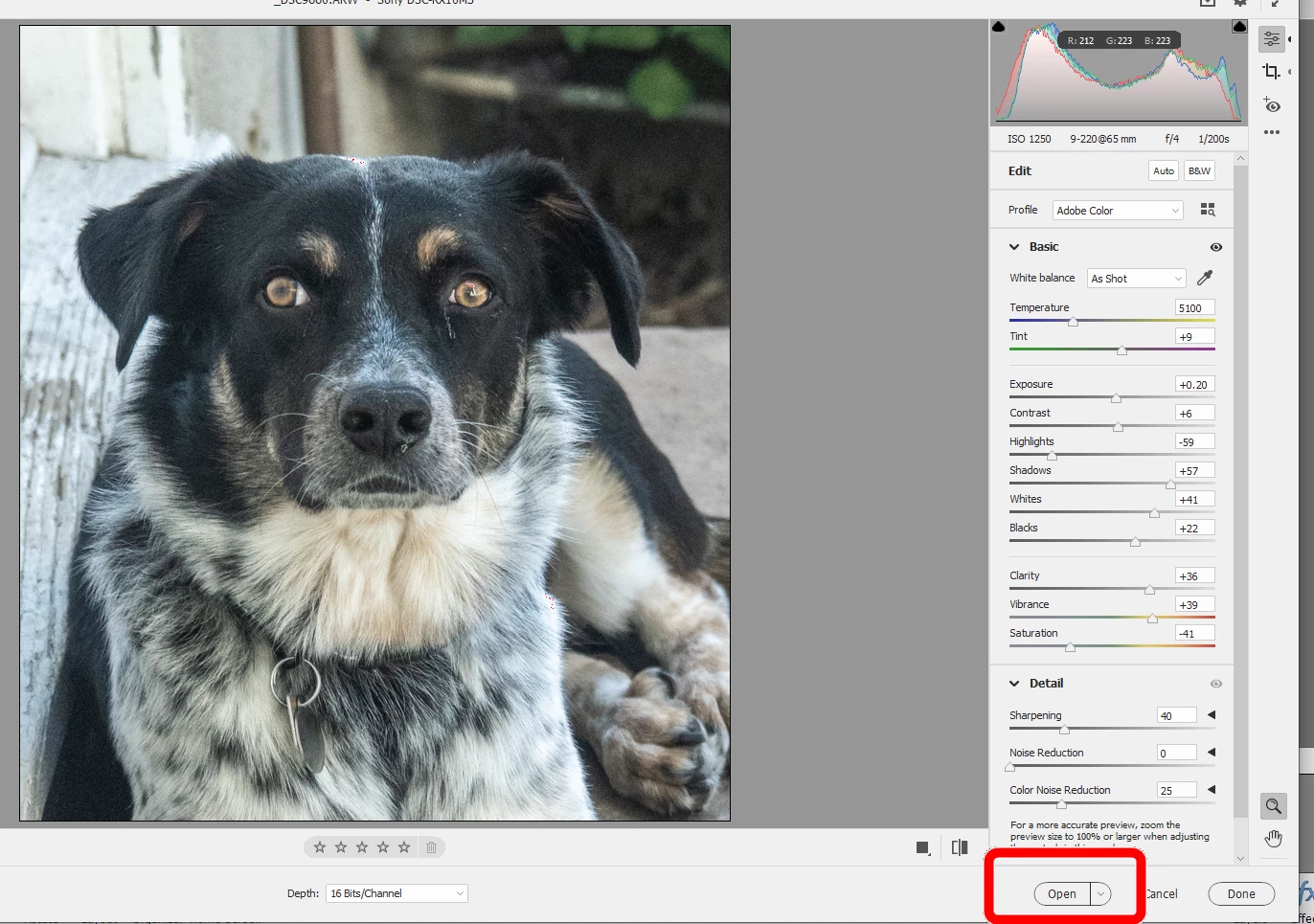
@Chris283773638doc said: From what I can tell, there is no option to open those files in main editor.
See my screenshot. There is an Open button in the lower right corner of the Camera Raw Editor that opens the file in the main editor. You can then save the file to jpeg (or any other available format), using File>Save or Save As.
Already have an account? Login
Enter your E-mail address. We'll send you an e-mail with instructions to reset your password.


 AdChoices