


Participant
January 17, 2022
Question

PSE 2022 Active Image Area/Pen Issues

  • January 17, 2022
  • 1 reply
  • 213 views

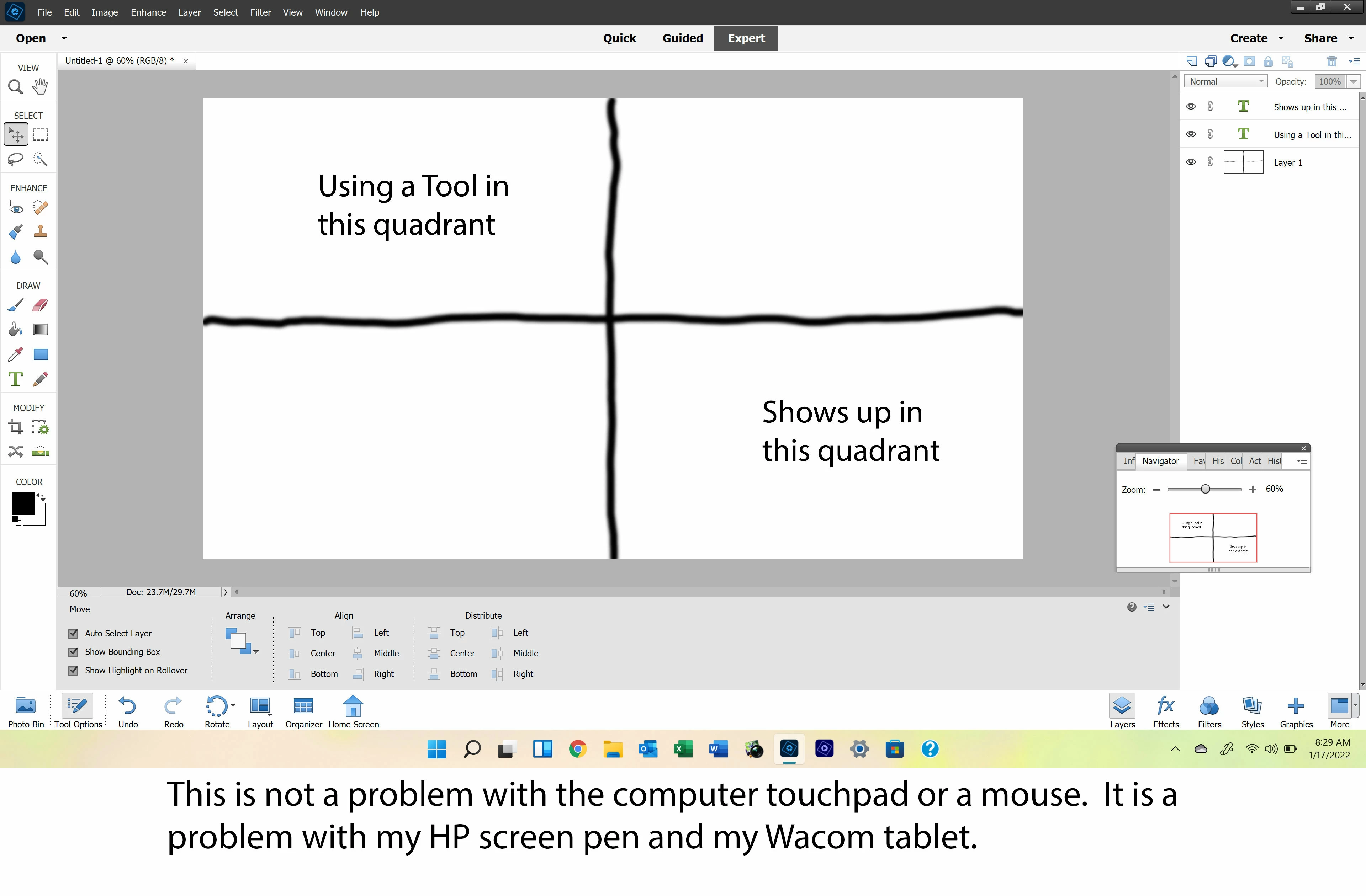
This is kinda strange.  I recently installed Adobe Photshop Elements 2022 on my HP Spectre laptop with Windows 11.  When using any of the tools with a pen on the upper left corner of the Acive Image Area, the result shows up on the lower right side of the Active Image Area.  In other words, I can draw a line with the paint brush in the upper left corner of my image and the line appears in the lower right side of my image.  The same problem with the HP pen or my Wacon tablet.  The mouse works fine and there is no problem other than the top left quadrant of the image.


Adobe said they would get back to me in 24 to 48 hours, but I have not had much luck with their support.


Here is a print screen showing the problem.
This topic has been closed for replies.

1 reply

Geetanjali Bisht
Adobe Employee
Adobe Employee
February 4, 2022

Dear User,

Thanks for writing to us. We are working on this issue. We will get back to you as soon as it is resolved. 
Meanwhile there is a workaround for this - try drawing from bottom-top or right to left manner to avoid this issue.


Thanks,

Geetanjali

Participant
February 6, 2022

Hello,

I am having the same issues with PSE 2022 on my HP Spectre but my OS is Windows 10.  My OS is updated as I was told to do and still, my HP pen and Wacom pen is doing the same as billg above.  It is uncontrollable when using the perspective tool especially.  Yes I do have to start at the lower right and draw to the upper left.  When trying to fine tune in the corners, it goes haywire and off the page.  I am taking a class right now and hope there will be a fix soon.  But strangley it works ok with an old mouse.  

Thanks