

Question
PSE 2022 on Apple MacBook Pro M1
I am very confused having read so many posts about problems with PSE 2022 on Apple MacBook Pro M1. I cannot get the product to work properly on my MacBook Pro.
I have followed the advice from Vipin on downlaoding the correct version, and I am now running build (20220330.Git.dot.4f2a946) as required.
When I open Organiser i get this message. I can bypass this.
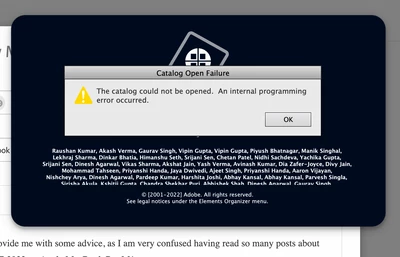
Once I am in Organizer, and edit a file, after I have saved the file it does not appear in Organizer. When I try to manually import the file, I get this error.
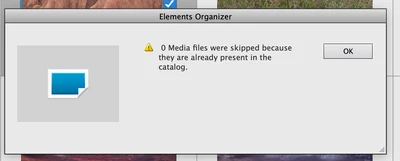
The edited file appears on my hard drive but not in the catalogue.
So it looks like I am running the version which supposedly works with the M1 chip but the product is unusable.
The are additional problems such as deleting photos and removing files from albums.
Any advice would be appreciated.


 AdChoices