

PSE 2024 Organizer Incremental Backup Procedure??
I am in the process of building a new Windows 11 PC. I'll be transferring my PSE Organizer catalog to the new PC via a catalog Restore. I have done a Full Backup of my photo catalog which is located on an external drive. The path to the backup is "E:\PSE BACKUPS\2024\Photos". The disk organization on my new PC will be identical to my current PC - the only thing that will change is the Computer Name. I will just have bigger SSDs (1 TB C: & 2 TB D:) and my external drive E:.
I am attempting to do an Incremental Backup and I get some messages that are a little confusing to me. I don't want to proceed with an Incremental Backup that won't restore my complete catalog.
To start the Incremental Backup, I select the path of my previous Full Backup and I get this message:
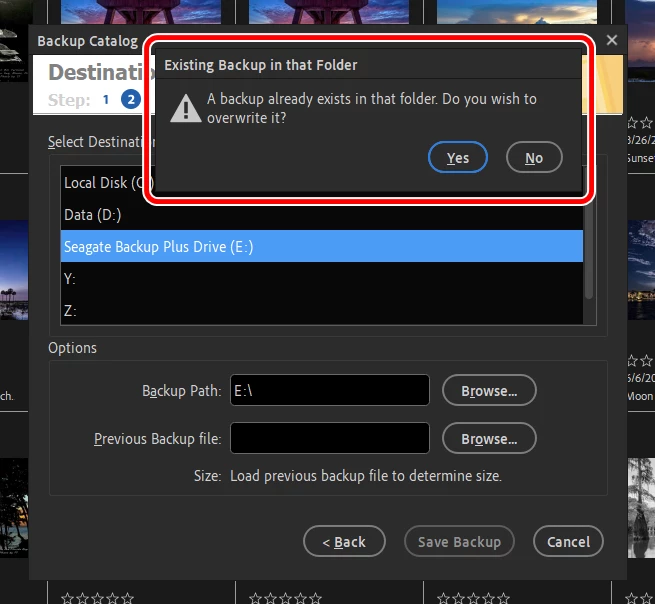
I just want to add new or modified photos since the last Full Backup. Do I answer Yes or No? If I answer No, I just get the prompt to select the path again.
I answered "Yes", then selected the path of my Previous Backup file and I got this message.
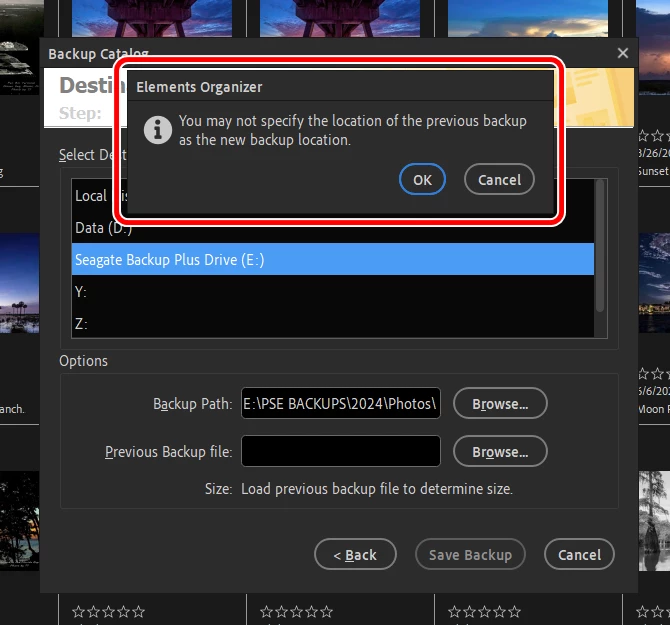
Do I have to select a different path for the Incremental Backup? If I select a different path, how does the Restore process work with multiple Backup paths?
Or, Is there a different, better way to transfer the photos and catalog to my new PC?


 AdChoices