
Participating Frequently
March 26, 2026
Question

PSE 2026 shows all thumbnails but double-clicking gives grey box with question mark and no full size image

  • March 26, 2026
  • 2 replies
  • 25 views

I’m running PSE Organizer v26.0 on a 2025 iMac with OS 26.3.1. I had to upgrade to PSE 2026 because 2022 no longer worked. The catalog is displaying all the thumbnails fine, but whenever I double click on ANY of them (JPEGs, TIFFs and RAW) I just get a grey box with question mark.

If I SLOWLY move the Zoom slider, I can get it to show a full size image, but if I slide too far, it once again gives me a grey box. So I have to move the slider gingerly. Of course, I would prefer to just double click on the thumbnail, which always worked before.

I have deleted the cache. I’ve reset Preferences. The Manage Catalogs function does NOT give me a REPAIR option. Only Optimize, which made no difference.
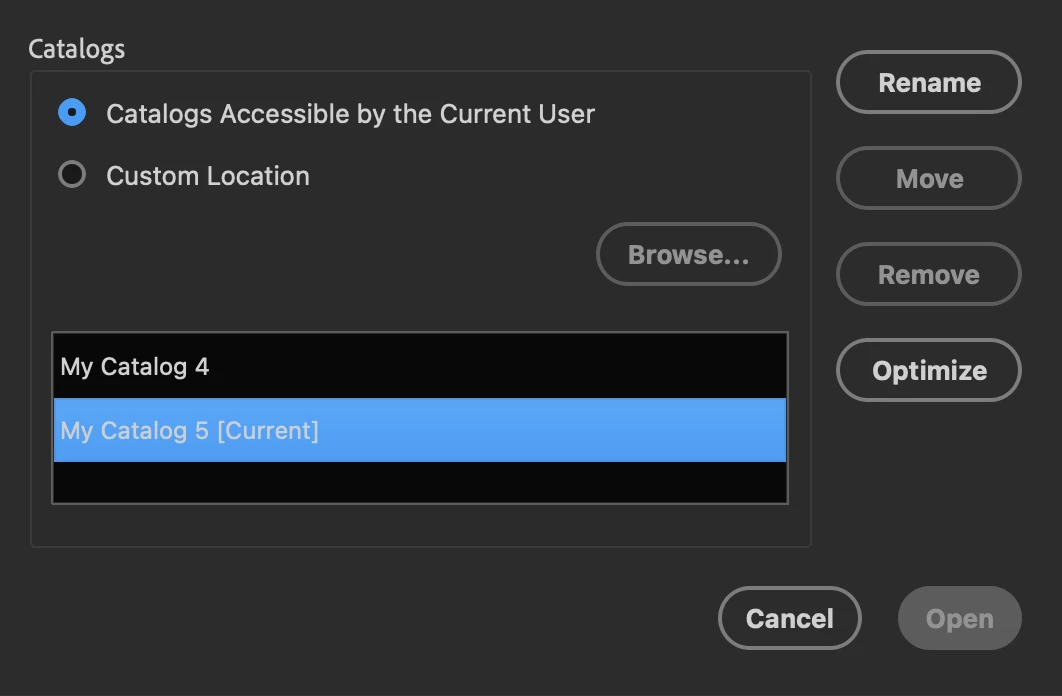


Any ideas? Thanks.


Duncan
 

    2 replies

    Jeff Arola
    Community Expert
    Community Expert
    March 27, 2026

    You could try making a new catalog as an experiment with only a small number of photos and see if that makes any difference.

    Participating Frequently
    March 27, 2026

    Just tried a test catalog with 14 photos. Same issue thanks.

    Greg_S.
    Community Expert
    Community Expert
    March 26, 2026

    You have created a new catalog which takes time to update the thumbnails.  Select a thumbnail and update it using the Edit menu or press CMD+Shift +U.  If this doesn’t show the thumbnail, then the file is missing.  Go to File>Reconnect>Missing File and see if that command shows you a dialog where the catalog believes the file is located. You can also check the Info. panel.  Check that location to see if the file is in fact there. If not, try to locate it on you computer (using Finder??).


    I know nothing about Macs, but I presume my instructions work.  If not, we can ping ​@Jeff Arola who has helped you on the other thread.

    Participating Frequently
    March 27, 2026

    Thanks Greg, but that’s not the issue. All thumbnails are displaying fine. It’s when I DOUBLE-CLICK on them that I get a grey screen. For example, double-clicking on any of these…
     

    gives me a full screen of this…
     

    Very few of my 20,000 odd photos are missing entirely, so there’s nothing to reconnect. If I SLOWLY move the Zoom slider to the right but not all the way, I can get one thumbnail to fill the screen, but that’s a very cumbersome way to make a thumbnail full size.

    One of the AI ‘solutions’ Google offered is to repair the catalog, but as I mentioned above, there is no REPAIR option to choose from. Do non-Mac people still have a REPAIR CATALOG option?

    @Jeff Arola ?


    Duncan