Known Participant
January 20, 2019
Answered

PSE not opening RAW full size

  • January 20, 2019
  • 2 replies
  • 604 views

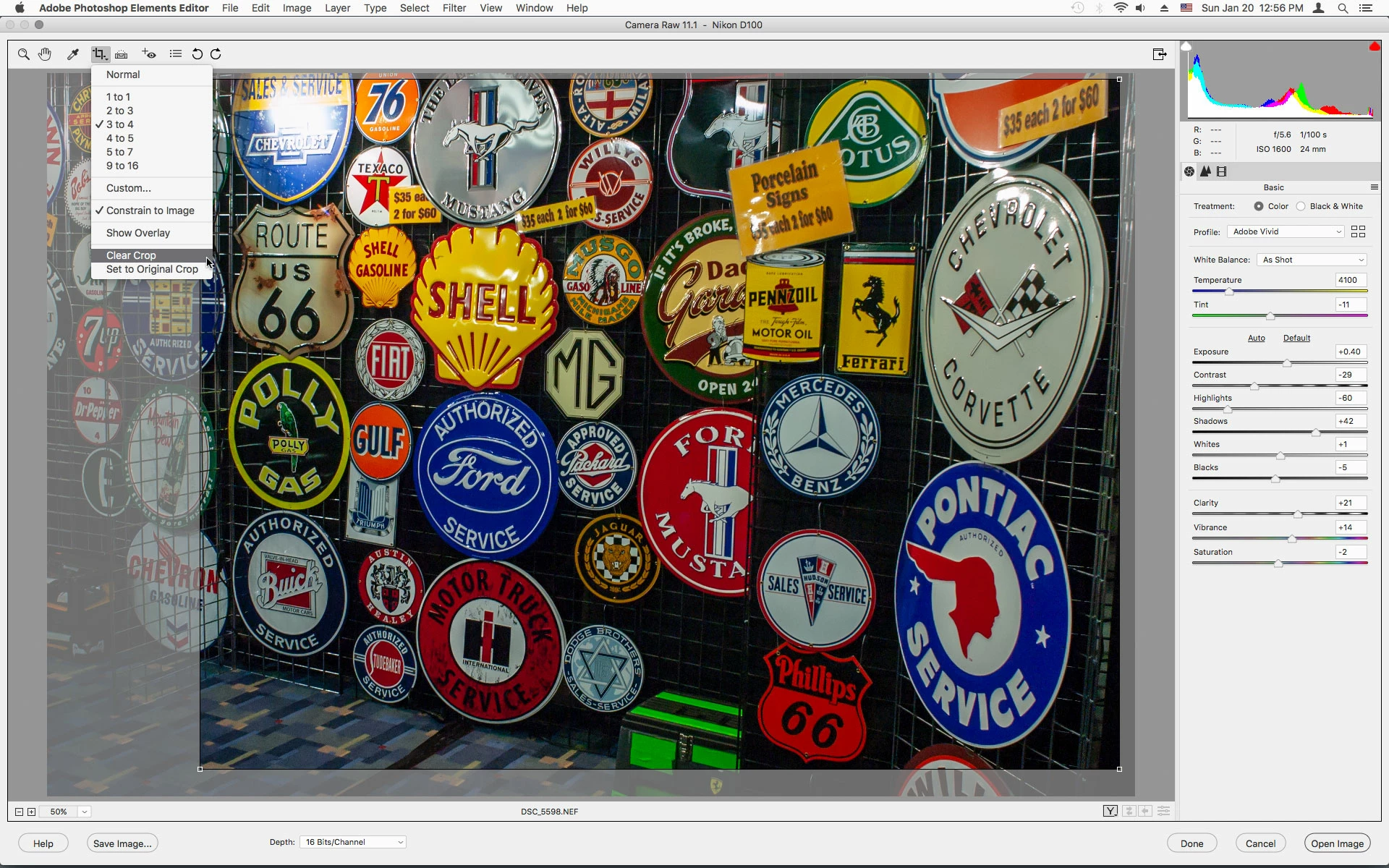
I just purchased PSE 2019.  I see the photos full size in my thumbnails but when they open in PSE they are cropped. 

Any ideas?  Thank you

    This topic has been closed for replies.
    Correct answer Jeff Arola

    What camera do you have?

    In camera raw click on the Crop Tool and then click Clear Crop and see if that makes any difference.
    2 replies

    Jeff Arola
    Community Expert
    Jeff ArolaCommunity ExpertCorrect answer
    Community Expert
    January 20, 2019

    What camera do you have?

    In camera raw click on the Crop Tool and then click Clear Crop and see if that makes any difference.

    Known Participant
    January 20, 2019

    Thank you so much!!.

      I am having to do it for every photo which is a bit annoying but at least I can have it the right size.  I have tried a number of things to make the crop not come up on each photo.  Such as being sure to save each photo in a different option other than crop but it still automatically pops up on crop. 

    MichelBParis
    Legend
    January 20, 2019

    A simple click on the crop tool will show the whole image and the selected crop.

    January 20, 2019