
Participant
October 23, 2022
Answered

PSE problem: orientation on panoramic prints is always wrong

  • October 23, 2022
  • 1 reply
  • 201 views

Trying to print panoramic sized photos from Photoshop Elements in Mac, System 11.7. I've tried all the options in paper size, print size, more options, and page setup. Tried printing from Expert and Quick. No matter what print settings are, prints always come out wrong orientation, small horizontal image across vertical panoramic paper. I even bought PSE 2023 (had 2019) to see if that worked - didn't. I did this years ago, but no luck now. Anyone have experience to share? Thanks for any ideas.

This topic has been closed for replies.
Correct answer Glenn 8675309

panoramas are from left - right, (not up and down) and require about a 25% overlap of each image.  You use more than 3 images you're going to have some issues- the panorams will get smaller and smaller.

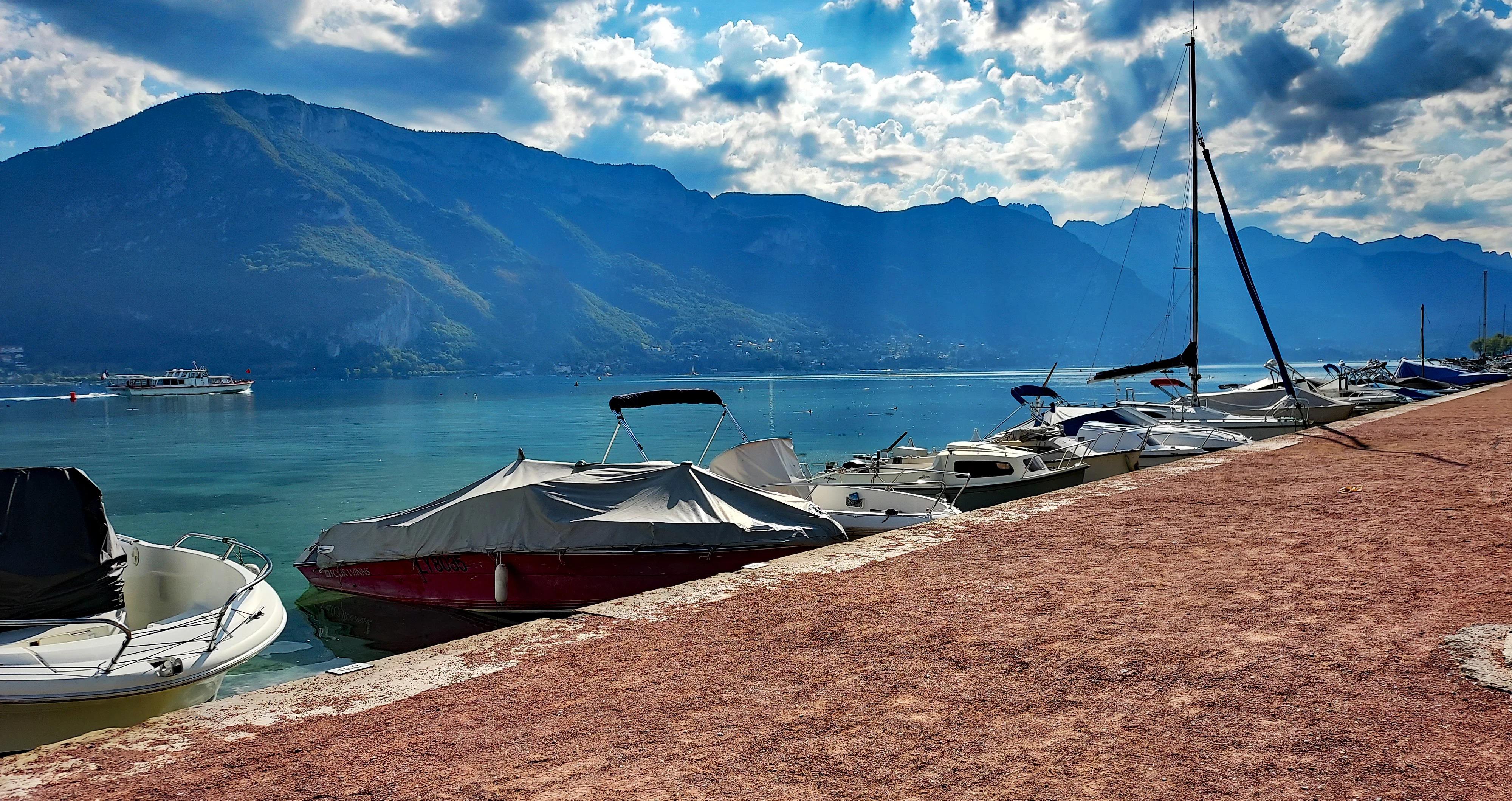
The below image is a panorama of two images, 3 images made is too small to really like.  

1 reply

Glenn 8675309
Glenn 8675309Correct answer
Legend
October 24, 2022

panoramas are from left - right, (not up and down) and require about a 25% overlap of each image.  You use more than 3 images you're going to have some issues- the panorams will get smaller and smaller.

The below image is a panorama of two images, 3 images made is too small to really like.  

Participant
October 27, 2022

Thanks, Glenn. Too right, I had one of the measurements backwards. Thanks for your answer. Beautiful pic, there.

Glenn 8675309
Legend
October 27, 2022

my wife took it southern france last month.