If you are talking about the Organizer, photos are not copied between the two programs. The Organizer is a database that provides links to your photos wherever they are stored on your computer.
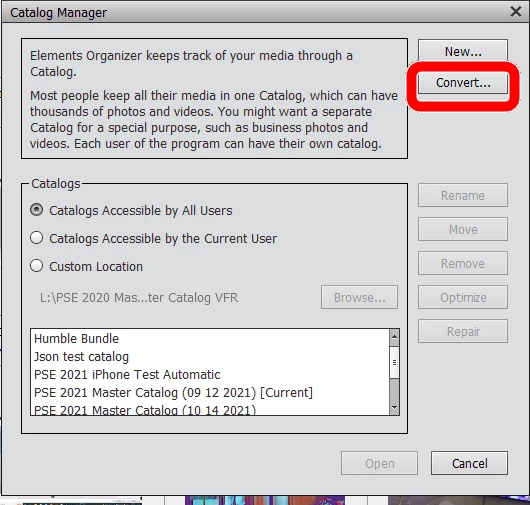
It is possible to convert your entire Elements 10 catalog to exist in Elements 2021. If you did not perform this task when you first installed the program, you can do so now by going to File>Manage Catalogs and using the Convert button. When you do this, your Elements 10 catalog will be renamed with a -1 suffix and will still be usable in Elements 10.
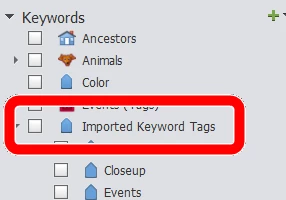
Alternatively, you can import your photos into the Elements 2021 catalog, using the Import>From Files and Folders command. However, before doing this you should make sure that the existing tags (metadata) will be available by writing them to the files in Elements 10. Select all tagged files and press Ctrl+W. If you have a lot of files, you should write the metada to the files in small batches to avoid memory issues with your computer. When you import the files to the new catalog, you will be given the opportunity to import the tags to the new catalog. If you already have a catalog with the same tags, you can map the tags to the new catalog hiearchy. Otherwise, the files will appear in the Imported keywords tags category. You would then need to organize them manually.
Does this information meet your needs?
And do you really mean Elements 2021, or do you mean Elements 2023 which is actually Version 21 of the program. (The naming convention has changed since Elements 10.)




 AdChoices