Participant
June 7, 2019
Answered

Raw files import for Elements 8

  • June 7, 2019
  • 3 replies
  • 501 views

In my folder C:\ProgramData\Adobe\CameraRaw\CameraProfiles\Camera there is the folder for Canon77D, but I cannot import the files into my catalog? I updated with Camera_Raw_10.3 and DNG-Converter 11.3, but no change!

[Here is the list of all Adobe forums... https://forums.adobe.com/welcome]

[Moved... Elements is not part of Creative Cloud]
    This topic has been closed for replies.
    Correct answer Jeff Arola

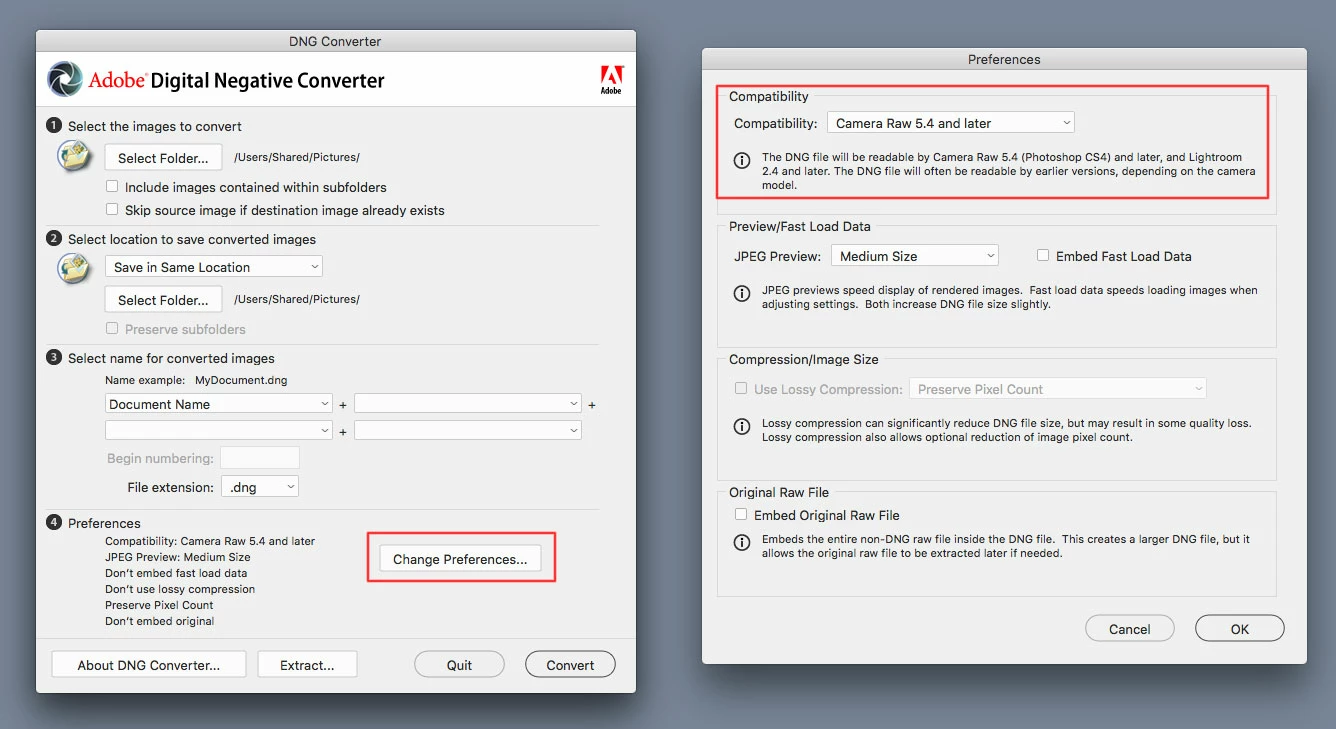
    When using the dng converter change the Preferences>Compatibility to Camera Raw 5.4 and Later before doing the conversion to dng.

    test image from here:

    https://www.imaging-resource.com/PRODS/canon-77d/canon-77dGALLERY.HTM

    3 replies

    Jeff Arola
    Community Expert
    Jeff ArolaCommunity ExpertCorrect answer
    Community Expert
    June 7, 2019

    When using the dng converter change the Preferences>Compatibility to Camera Raw 5.4 and Later before doing the conversion to dng.

    test image from here:

    https://www.imaging-resource.com/PRODS/canon-77d/canon-77dGALLERY.HTM

    Participant
    June 10, 2019

    Thank you very much. Now I understand how to convert. It works!

    Best regards, Dieter.

    Jeff Arola
    Community Expert
    Community Expert
    June 7, 2019

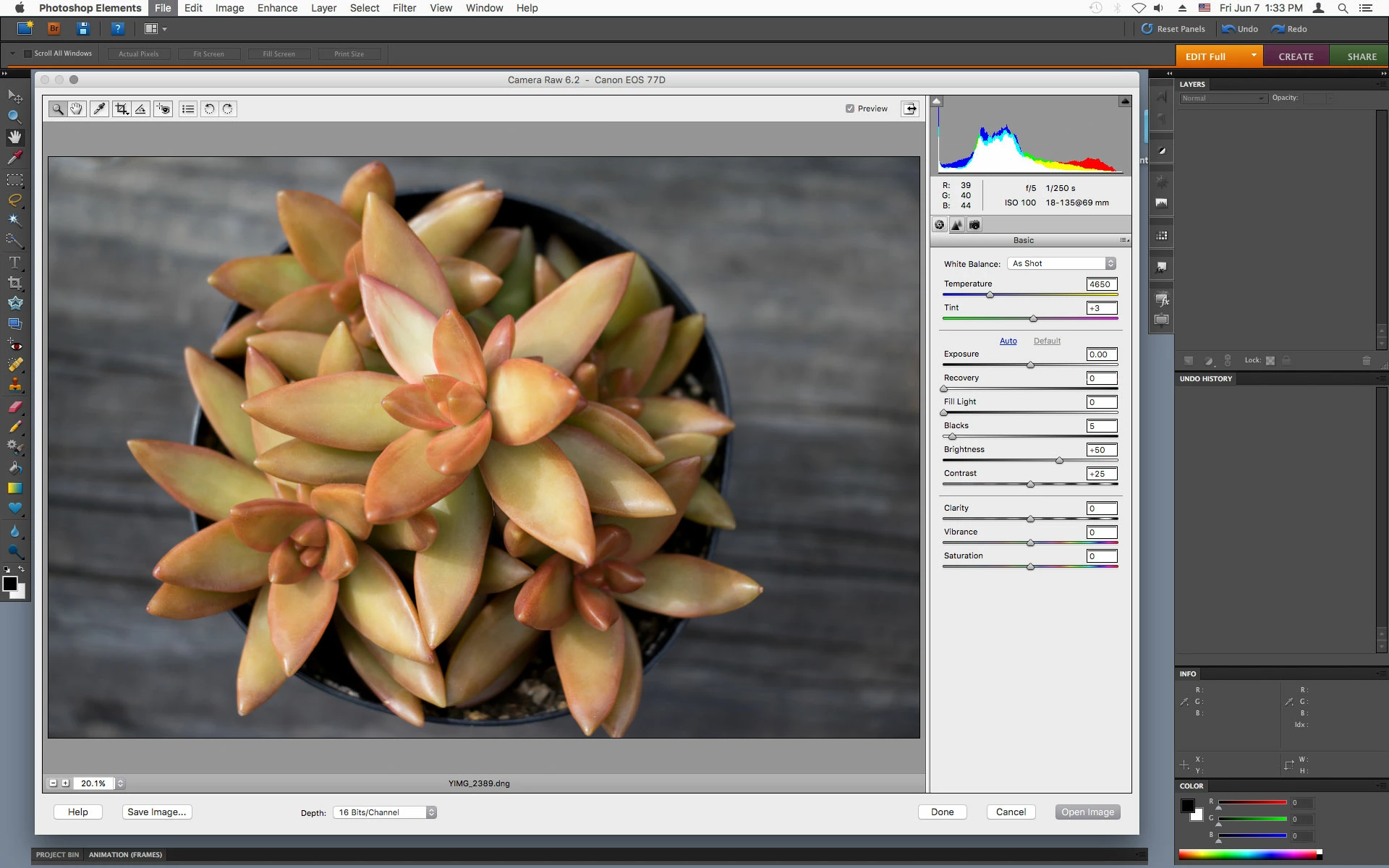
    Photoshop elements 8 can only use up to camera raw 6.2 and the Canon EOS 77D requires at least camera raw 9.10

    Cameras supported by Camera Raw

    Camera Raw plug-in and Adobe application compatibility

    You can use the 11.3 dng converter to convert your 77D cr2s to dng copies which then pse 8 should open/import.

    Just Shoot Me
    Legend
    June 7, 2019

    Version 8 of PSE is Very Old. It can't use ACR 10.3 so no point in trying to install it.

    The DNG converter is for Converting newer RAW files to the DNG format so older versions of LR, ACR and PSE can see them.

    For that to happen you must actually Convert the native RAW files to DNG files.

    There are tutorials online for instruction on how to use the DNG converter.