Participant
August 29, 2021
Answered

Re: Disk is full error

  • August 29, 2021
  • 2 replies
  • 1952 views

I have had the same problem with another old Adobe program, Photoshop Elements 2.0.  I just purchased a 5 TB external drive to replace a deteriorating 3 TB external drive.  When I try to save files to the new 5 TB drive, PSE says it cannot do it because the drive is full - even though it has almost 4 TB of available space.  It does, however, still save files to the old 3 TB drive.  Having read the solution posted above, I then partitioned the new drive into drives of  about 2.5 TB each, thinking that if PSE 2.0 works with a 3 TB drive, it should work with a 2.5 TB drive.  Unfortunately, I still get the same message when I try to save a file - it cannot do it because the drive is full.


Any suggestions, please?


Thank you.


Dave

    This topic has been closed for replies.
    Correct answer Jeff Arola

    The problem is that pse 2 (as is the case with photoshop 7 of the same vintage) can't see

    hard drives with free space of more that 1TB.

    Photoshop elements 3 and newer had that issue corrected.


    I'd suggest either saving to your boot drive and then moving the files over to the

    external drive or making a partition of 1TB on the external drive.


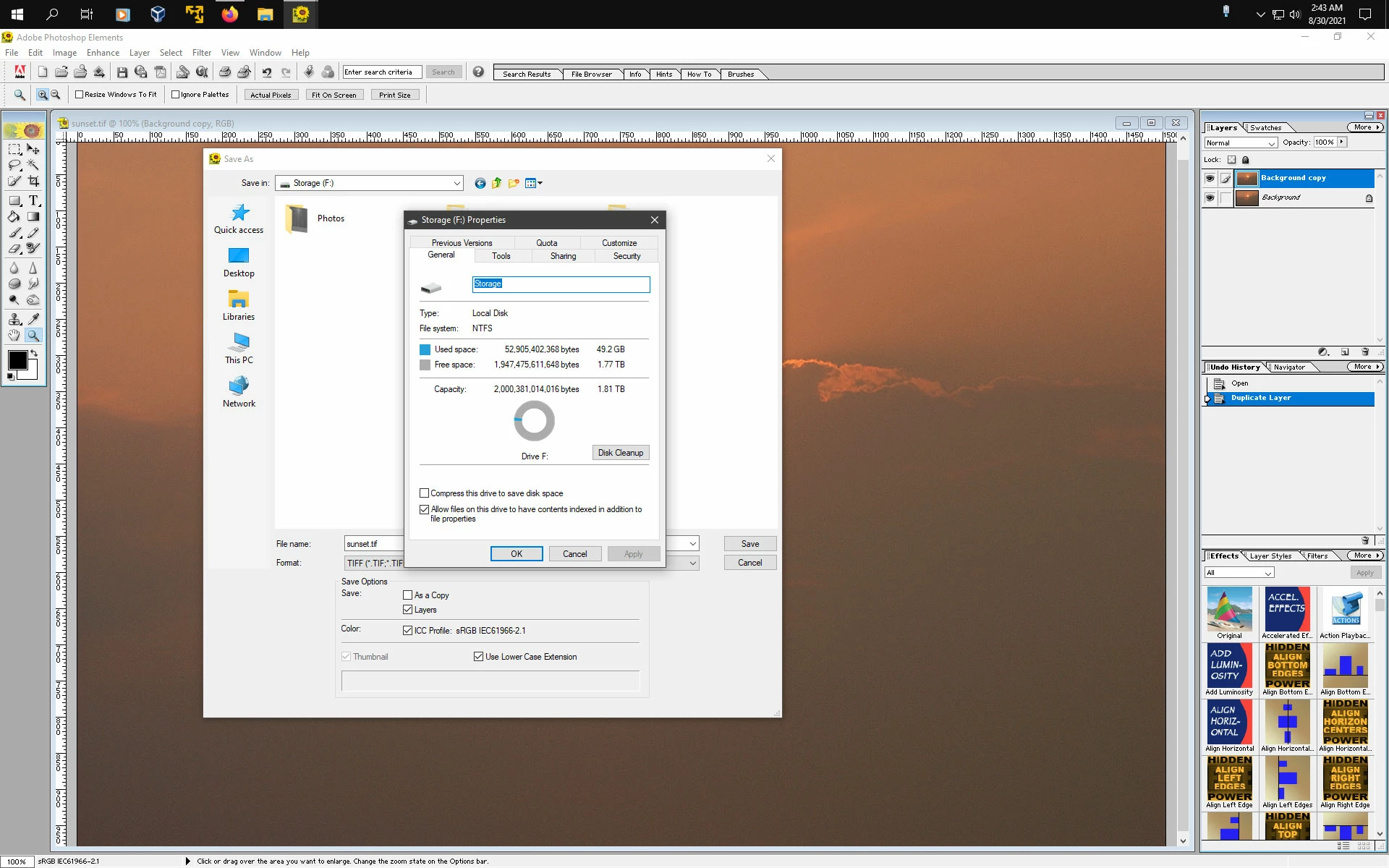
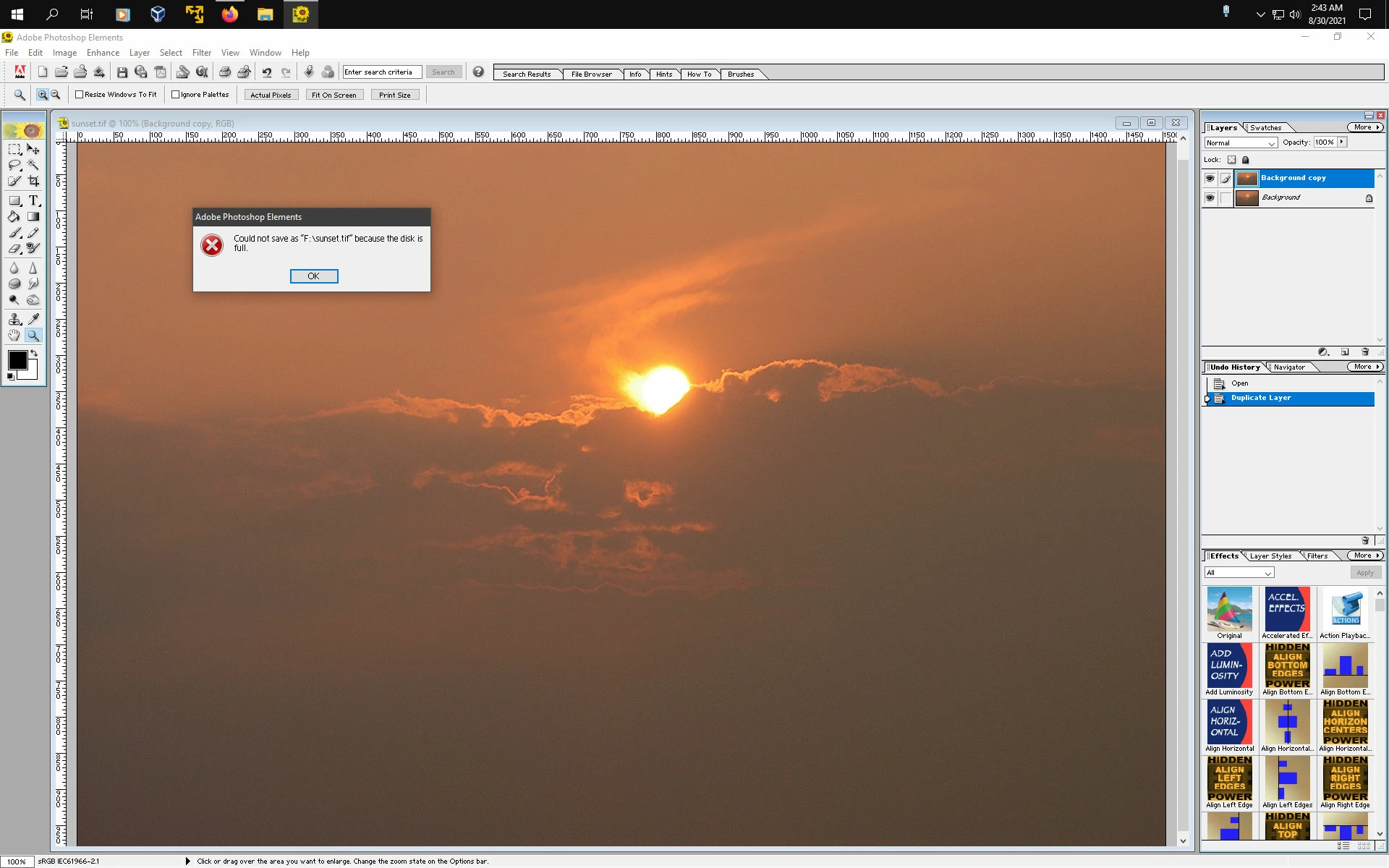
    Here's an internal drive with 1.77 TB of free space and when trying to save using pse 2, it

    generates the same message you got.


    2 replies

    Jeff Arola
    Community Expert
    Jeff ArolaCommunity ExpertCorrect answer
    Community Expert
    August 30, 2021

    The problem is that pse 2 (as is the case with photoshop 7 of the same vintage) can't see

    hard drives with free space of more that 1TB.

    Photoshop elements 3 and newer had that issue corrected.


    I'd suggest either saving to your boot drive and then moving the files over to the

    external drive or making a partition of 1TB on the external drive.


    Here's an internal drive with 1.77 TB of free space and when trying to save using pse 2, it

    generates the same message you got.


    courageous_practiceB82A
    Participant
    February 26, 2022

    This is still a problem with Elements 2021.  I don't understand why this "feature"  has not been fixed. How much space does the program need just to open??!! The video editor has no problem opening.


    The app is now useless.  Probably too late to get my money back.  

    Jeff Arola
    Community Expert
    Community Expert
    February 26, 2022

    Your issue is for a different reason than what this thread ia about.

    (the cause was too much actual free disk space)


    What operating system are you using?


    How much free space does your drive have?

    jane-e
    Community Expert
    Community Expert
    August 29, 2021

    Hi @daverudin 

    Since your question is about Photoshop Elements, I have moved this from a thread in the Photoshop forum where you posted.


    Here is the original thread for reference:

    https://community.adobe.com/t5/photoshop-ecosystem/disk-is-full-error/m-p/12024309

    ~ Jane

    daverudinAuthor
    Participant
    August 29, 2021

    Thank you, Jane, though I am still waiting for a response.


    Dave

    Glenn 8675309
    Legend
    August 30, 2021

    Amazing 2.0 would even work-- I can't even get the installer to work.  Seriously though- just buty the latest version- what you're using hasn't been supported for years, that alone will make it next to impossible for you to get any help with this. 

    Save yourself the frustration- just buy the newest version.