
Re: My Whatsapp images is not in photoshop
I am using Photoshop Elements 15 and have the same issue with WhasApp images not displaying.
I am considering upgrading to Elements 2024 but would not bother if it still had this problem.
I have a trial version of Elements 2024 and have diccovered a fix for the above problem.
In Elements 2024 Organizer select the WhatsApp greyed image icon
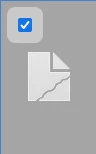
Click on EDIT on the top Toolbar and select "Edit with Photoshop Elements Editor" option.
This opens the editor and displays the Image correctly. When you close the Image in the editor it also displays correctly in the Organizer.
This also works if you select multiple WhatsApp Images.
Bad news is it does not work in Elements 15, but now I know I can upgrade to Phoshop Elements 2024 and display WhatsApp Images.


 AdChoices