Participating Frequently
Oct 28, 2026 3:42 PM UTC
Question

Reconnect Missing file(s) fails

I’m using PSE 2027 on a windows 11 Pro PC.  Recently when I tried to use File/Reconnect All Missing Files it fails.

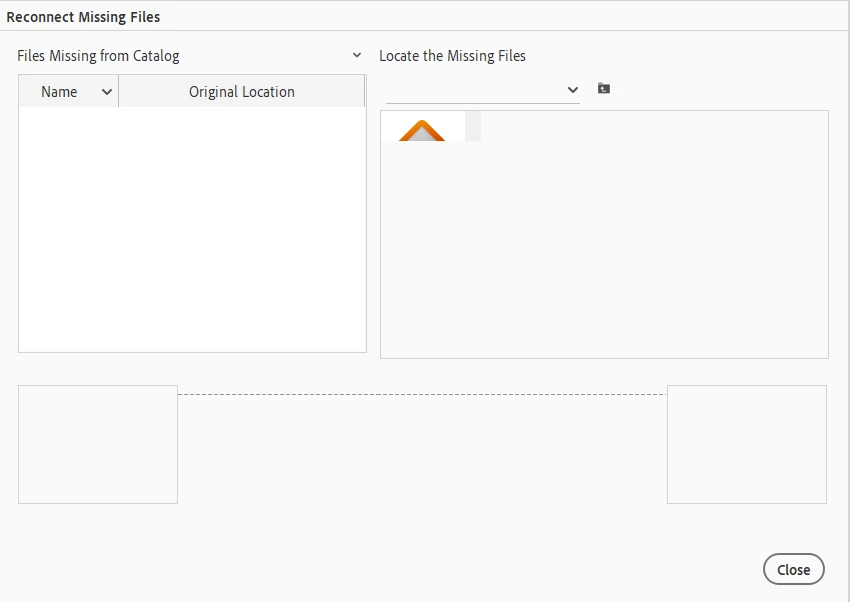
I see:
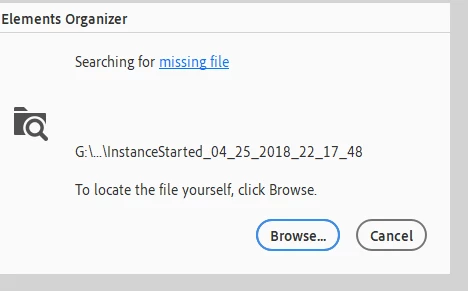
Dialog box shown while searching for ???


If I Click on BROWSE, I see:

Naturally, I can’t do anything and I have no idea how many files PSE thinks are missing.

This has worked normally in the past.

I’ve tried this several times and I’ve let it continue to look for the missing files on it’s own but there is no change in behavior.

If I select Find/All Missing Files - it does not report any missing files were found.

I don’t know how to resolve this.

    8 replies

    Inspiring
    Nov 1, 2026 6:51 PM UTC

    I don’t think the partial ‘Home” icon in the right column is actually in the organizer catalog. I think it must be in the main program which has picked it up from the Windows 11 o/s.  All the searching we have done in the catalog has not uncovered the file. That’s why I think the file is not in the catalog but in the PSE program.

    Translate
    Glenn 8675309
    Legend
    Nov 1, 2026 3:00 AM UTC

    This can happen if you move any of the files outside of the organizer.   moving from one hdd to another for example.

    Translate
    Inspiring
    Nov 1, 2026 1:31 PM UTC

    Thanks for a reply, Glenn.  I am thinking the small file in the right window somehow found its way into the Photoshop Elements program (not the catalog). Normally you cant do a catalog backup if there is a missing file the Organizer’s catalog. I believe the main PSE program has been infected with the Windows 11 “Home’ desktop icon.  I am thinking the small file in the right window somehow found its way into the Photoshop Elements program (not the catalog). I use the program but the ‘Home’ icon is a nuisance that persists. The fix is beyond my technical skills.

    Translate
    Greg_S.
    Community Expert
    Community Expert
    Oct 31, 2026 8:25 PM UTC

    ​@Ralph Page did you look at my responses contained in the thread linked in the response by ​@meg576?

    Why were you looking for missing files in the first place?  Have you seen any in the Organizer grid?

    If you have any missing files, select one, then look in the Information panel to determine where your Organizer catalog thinks the file should be.


    Go to that folder in Windows File Explorer and see if the file can be found there.  If it isn’t there, simply delete it from the catalog.  If it is a file that you want to find (and import into your catalog), I suggest that you use a free search utility called Everything and try to locate the file on your computer.

    If you don’t have any visible missing files, try going to File>Manage Catalogs, select your catalog and complete the Repair and Optimize options.


    If you are having some other problems with missing files, there are other options to try to reconnect them.  But I will await further information from you before suggesting them.  Based on your screenshot, I’m thinking there may be a small icon file that somehow found its way into your catalog.


    Translate
    Inspiring
    Oct 31, 2026 9:14 PM UTC

    I have tried all the suggestions. The organizer states there are no missing files. If I close the window, the program does not crash and I can do a catalog backup successfully. We know the Home icon in the right column is related to Windows 11. I am thinking the small file in the right window somehow found its way into the Photoshop Elements program (not the catalog). I  can still use the program but the Home icon is a nuisance that persists.

    Translate
    Participating Frequently
    Oct 30, 2026 9:11 PM UTC

    Thanks for the response, looks like one of those issues that will never be resolved unfortunately.

    Translate
    Inspiring
    Oct 30, 2026 5:02 PM UTC

    Same problem - never solved

    Missing File prevents Reconnect Action

    I would appreciate finding a solution to deleting a missing file that prevents the ' Reconnect All Missing Files ' action from completion. I am working with PSE 2024 on a Windows  11 PC desktop which is new and updated. When I initiate  Reconnect All Missing Files ' , it quickly identifies all the photos except one. It is the top half (orange roof) of the desktop icon for the Window Home folder. I think it represent a file that is so large that PPSE cannot generate a thumbnail in the left side. Since there is no thumbnail, I cannot reconnect the 'HOME' icon. I cant find it i the catalog and cant delete it.  Interesting enough, this one missing file does not prevent backing up the catalog.  I have no idea about how the icon got into the catalog.816521i456DBF2971228A2A.png

    Translate