
Participant
April 11, 2024
Question

Reinstallation of Element 2020 hung at 15%

  • April 11, 2024
  • 4 replies
  • 262 views

Hello,

I purschased and installed Photoshop Elements and Premiere Elements Dec 10, 2020


They have been working fine until some weeks ago when I hade to uninstall them due to other issues with my laptop


Those issues are now fixed but when I try to install Photoshop Elements and Premiere Elements again after downloding the installation files it only runs until 2% and then stop even if it is hours there. ONE time it reached 15% and stopped.


I have tried both option of thise one


https://helpx.adobe.com/ph_en/download-install/kb/creative-cloud-install-stuck.html?sa_src=AVA_JC_bot-eng-Troubleshoot.FrozenInstall-CCI-SS10-msg#sa_src=web-messaging


It did not help


I have also unistalled everything Adobe related. It did not help


I have also done register cleanup with CCleaner


I have also done full virus search with Norton 360


I have also run all sort of MS windows cleaning and optomizing tools


At the best intallation runs to 15% and then stoppes, even if I let be for hours
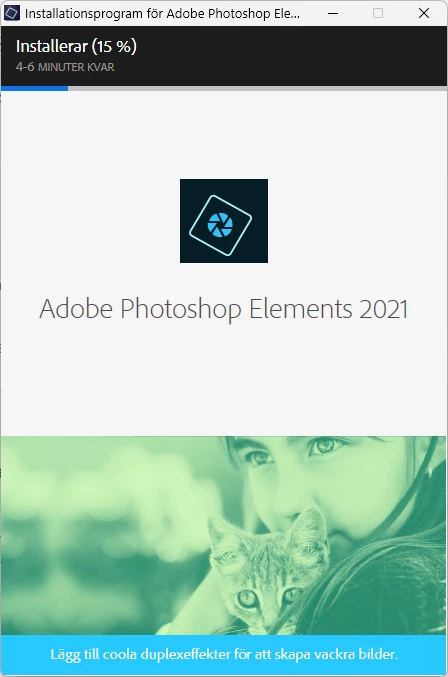
This topic has been closed for replies.

4 replies

Peru Bob
Community Expert
Community Expert
April 11, 2024

What are the complete computer specs, including hard drives (how many, what kind, what is on each, what capacity, and how full)?

If NVIDIA graphics, make sure to use the latest Studio Driver from NVIDIA (NOT the Game Driver).

Greg_S.
Community Expert
Community Expert
April 11, 2024

What were the issues with your laptop that required you to reinstall the program?


Have you tried turning off Norton (for 15 minutes) before starting the installation?

Glenn 8675309
Legend
April 11, 2024

Try turning your computer all the way off, go get a cup of coffee, come back, and try the installation.

Participant
April 11, 2024

Im Running W11