

DradioFlyer
Participant
October 4, 2022
Question

Reorganizing Of Albums in Elements Organizer

  • October 4, 2022
  • 2 replies
  • 209 views

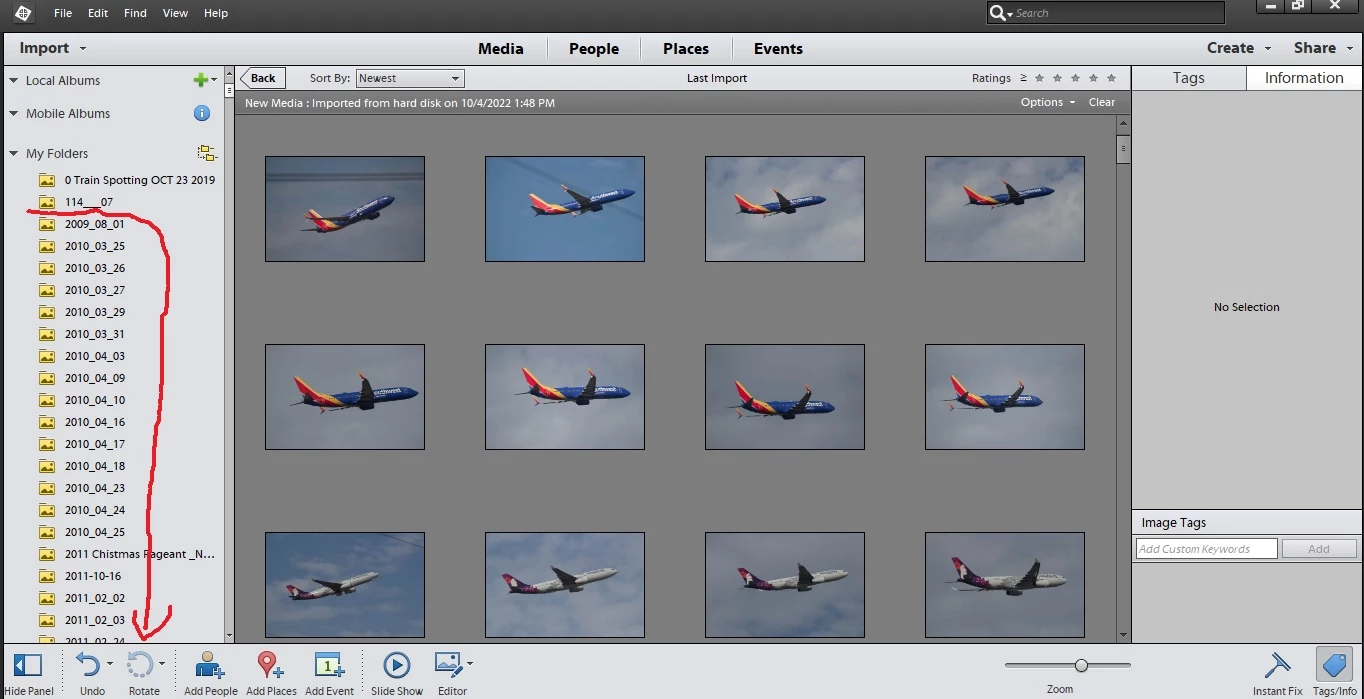
I currently use Photo Elements 12 on a WIN10 platform.  I'm trying to condense my catalog on here by more recent dates, and want to delete older albums in bulk rather than time consuming 1 by 1.  When trying to delete there are cases where it won't allow me to delete some albums. 


So my question is: How can I delete multiple albums at once without unstalling PE12 totally and starting from scratch?
This topic has been closed for replies.

2 replies

Greg_S.
Community Expert
Community Expert
October 10, 2022

OK, I can understand that you only need your more recent photos in your laptop catalog for editing.  If that is your sole use on the laptop, then I think it would probably be easier to just import the recent folders to a new catalog rather than deleting them from a copy of your main catalog on your laptop.  You can multi-select folders in the Import>From Files and Folders dialog and then use the Get Media buttton to import them to your smaller catalog.


Let us know if you need any further help or suggestions.

Greg_S.
Community Expert
Community Expert
October 4, 2022

When you say "albums", I assume you mean the folders where your images are stored. 


You cannot delete more than one folder at a time in the Organizer.


But before giving you other advice to get around this limitation, I would like to know more about why you want to delete these folders from your catalog.  And do you also want to delete the photos from your hard drive or simply remove them from view in the catalog?  If it's the latter, you can mark all of the undesired files as hidden, by selecting them and pressing Alt+F2.


It also appears to me that part of your problem may be that you are viewing the folders in what is known as List View.  Click on the icon next to the My Folders heading and you will be placed in Tree View which presents a normal Windows Explorere folder hieararchy.


DradioFlyer
Participant
October 9, 2022

Thanks Greg for the reply.  I do my editing on my laptop and moving to more current time frame (around 2 years) on my laptop and will have the longer (bigger) catalog on my PC.  Also, I moved those files onto my photo strorage drive off of the laptop to open up storage space on it. If I recall, the catalogs don't take up much space themselves, but it's the files I moved.

DradioFlyer
Participant
October 9, 2022

I also placed it in the tree view you mentioned.