OhioGirl48
Participant
December 10, 2020
Answered

Resize a photo

  • December 10, 2020
  • 2 replies
  • 386 views

I want to resize a photo to fit a bead loom pattern measuring 1.5 in by 7.0 inch. How do I do that?

This topic has been closed for replies.
Correct answer Greg_S.

. . . . but it's not entirely clear what you want to do.  So, in my screenshot:
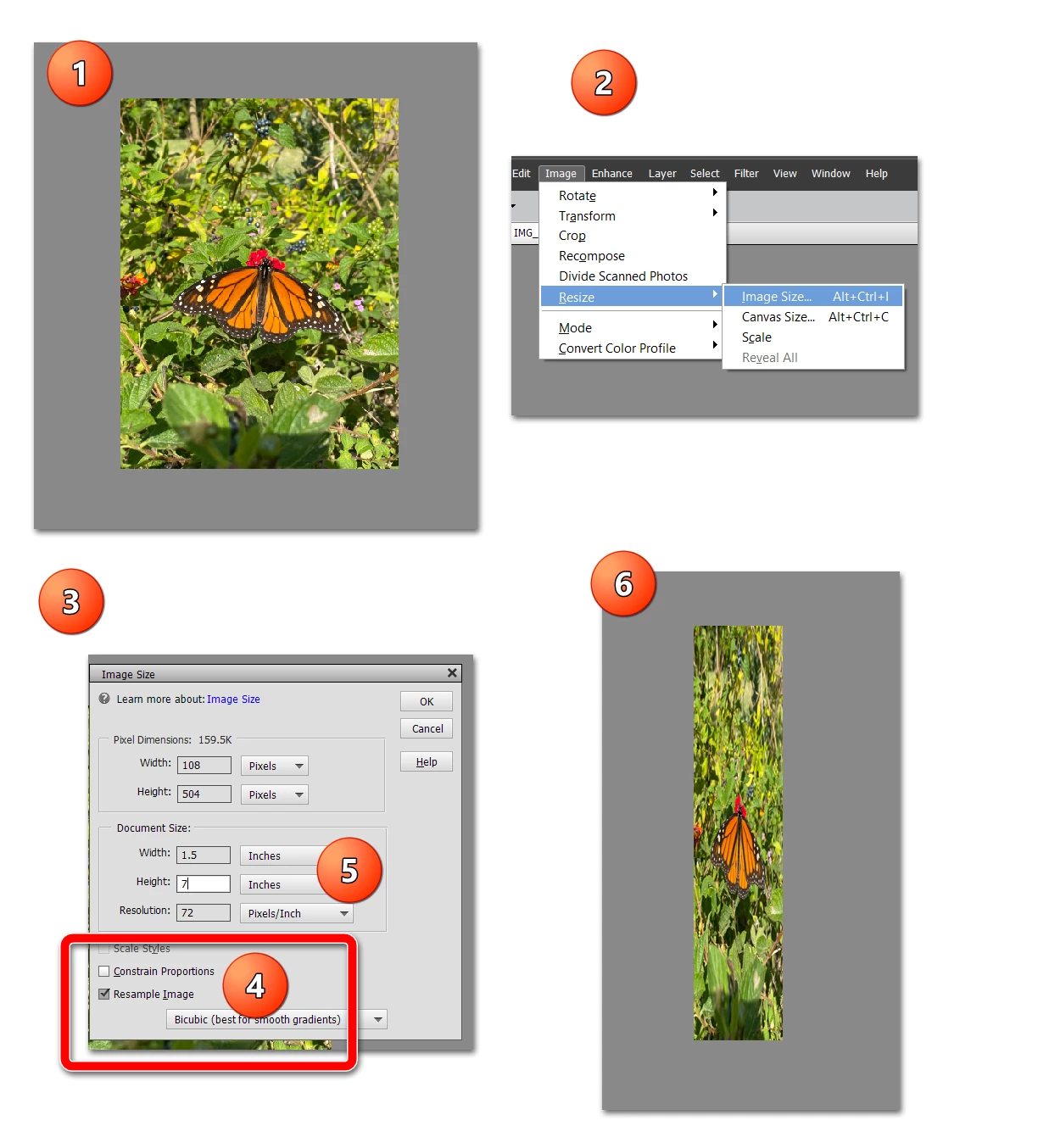
  1.   If you start off with an image of a different aspect ratio than 1.5:7
  2. Use the command suggested by Bob
  3. A dialog will open
  4. Make sure that the Constrain Proportions box is unchecked
  5. Type in your desired dimensions
  6. And you will end up with a distorted image.

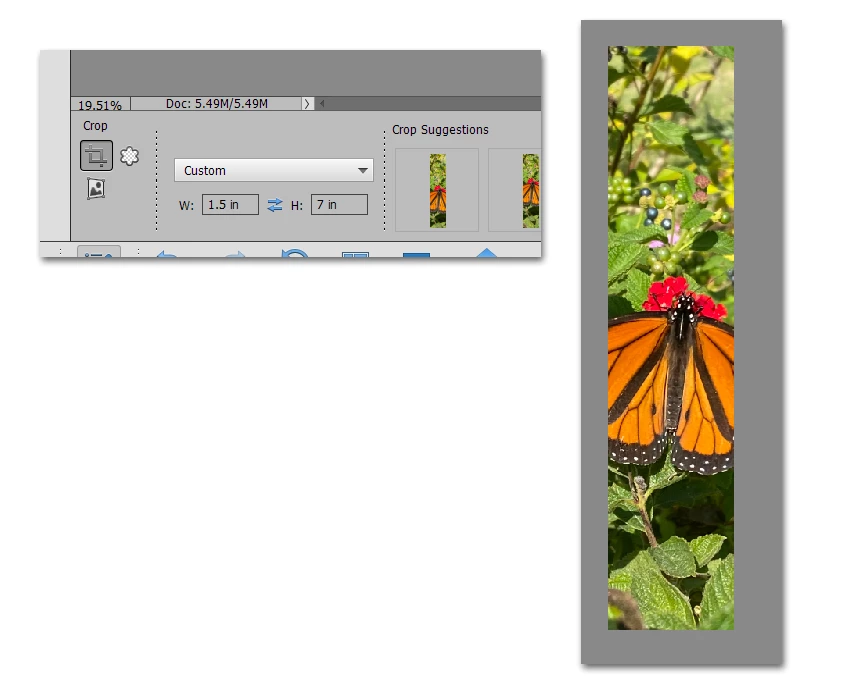
If you want to take a portion of an existing image to fit your dimensions, without distortion, use the Crop tool:
2 replies

Greg_S.
Community Expert
Greg_S.Community ExpertCorrect answer
Community Expert
December 10, 2020

. . . . but it's not entirely clear what you want to do.  So, in my screenshot:

  1.   If you start off with an image of a different aspect ratio than 1.5:7
  2. Use the command suggested by Bob
  3. A dialog will open
  4. Make sure that the Constrain Proportions box is unchecked
  5. Type in your desired dimensions
  6. And you will end up with a distorted image.

If you want to take a portion of an existing image to fit your dimensions, without distortion, use the Crop tool:

OhioGirl48
Participant
December 10, 2020

Thank you! That worked.  

Peru Bob
Community Expert
Community Expert
December 10, 2020

Image > Resize > Image size from the Editor Menu.

OhioGirl48
Participant
December 10, 2020

What?  Can you be more specific?  I'm not very knowledgeable about this.