
karlas87671861
Participant
March 9, 2017
Answered

resizing 35mm slides

  • March 9, 2017
  • 3 replies
  • 1341 views

Hello,

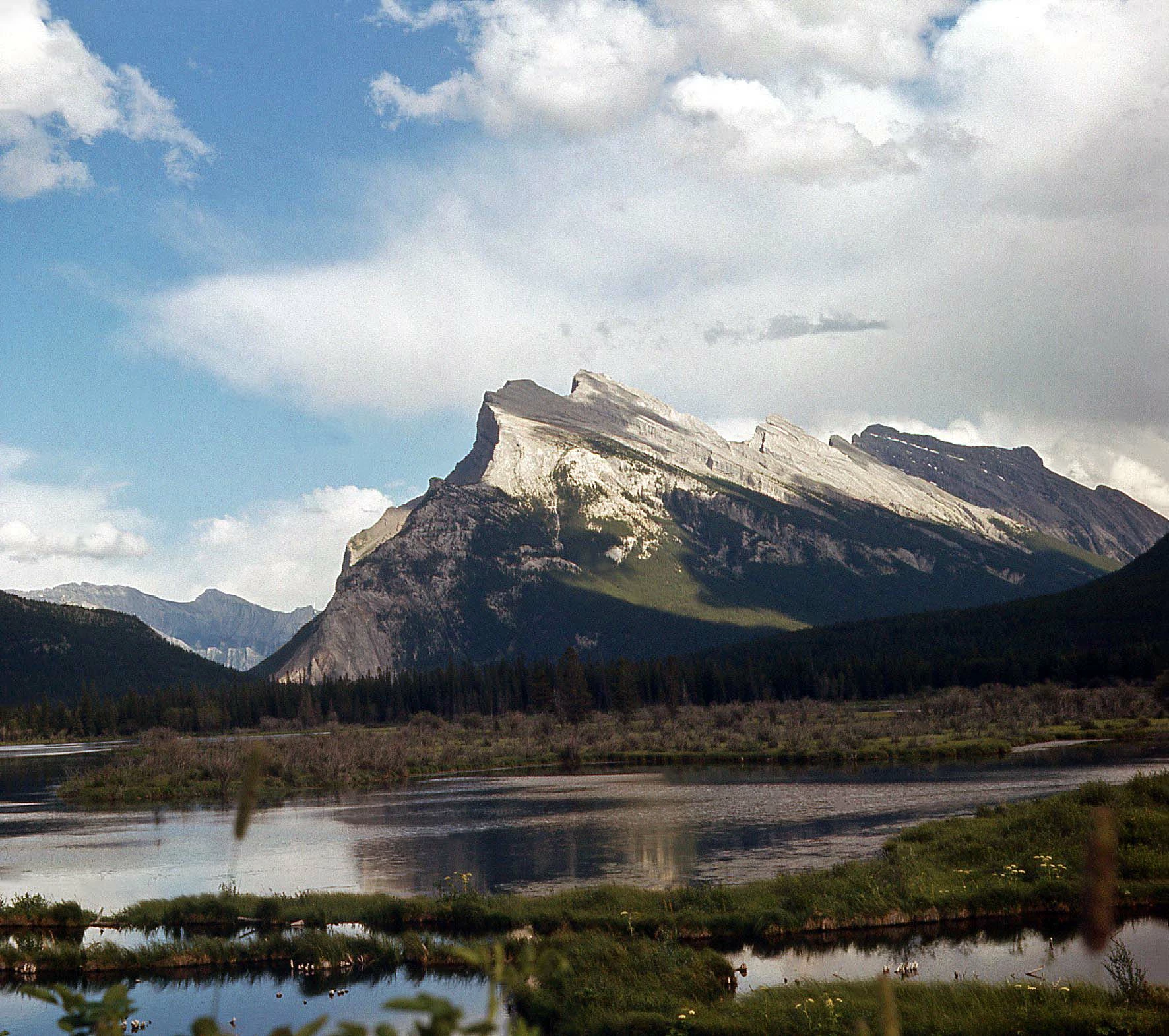
I scanned a lot of 3"x 3" 35mm slides and I can't seem to resize the photo into 4 x 6 so I can print it. When I resize the image, and I type in 6" in width, it won't allow me to change the height to 4", it automatically makes it 6" as well. When I change the height to 4", it automatically changes the width to 4". When I try to print it using Windows in a 4x6 format, the image is cut off on the sides. If I don;t print it to "fit picture to frame", it reverts to a 3x3 size again. Is there any way I can change the original 3x3 dimensions of the image to 4x6 and it will give me a true 4x6" photo to print? The image attached is a 3x3 size. Thank you, Karla
    This topic has been closed for replies.
    Correct answer hatstead

    karlas87671861  wrote

    Hello,

    I scanned a lot of 3"x 3" 35mm slides and I can't seem to resize the photo into 4 x 6 so I can print it. When I resize the image, and I type in 6" in width, it won't allow me to change the height to 4", it automatically makes it 6" as well. When I change the height to 4", it automatically changes the width to 4". When I try to print it using Windows in a 4x6 format, the image is cut off on the sides. If I don;t print it to "fit picture to frame", it reverts to a 3x3 size again. Is there any way I can change the original 3x3 dimensions of the image to 4x6 and it will give me a true 4x6" photo to print? The image attached is a 3x3 size. Thank you, Karla

    The problem is that the aspect ratios, 3x3 & 4x6, are at variance.

    However, what you can do is to go to File>new>blank file, Enter 4 & 6' for the dimensions, Background color to suit, and use the same value for resolution as the picture.

    Then, copy/paste the picture on the "canvas".

    Position with the move tool.

    You will have some blank areas. Perhaps you can enter text or something else to fill the space.

    The other option is to crop the 3x3 to 2x3, The downside to this is that you will lose some of the information in this beautiful photo.

    3 replies

    Participating Frequently
    April 28, 2017

    I have thousands of scanned in 35mm slides, and about as many negatives.  There is a better answer.  First select and change the density to your chosen level.  Then select and change either the height or width.  The standard size of 8 X 12 inches is the correct proportions, or 4 X 6.

    hatstead
    Inspiring
    April 28, 2017

    IamaGunslinger  wrote

    .  First select and change the density to your chosen level. 

    What does this mean? Density of what and how do you do that?

    Participating Frequently
    April 28, 2017

    Sorry, old timer photo term.  I should have said resolution.  With my slide/negative digitizer I get a resolution of 4064.  I either select that number and change it to my selected resolution (say 200 pixels per in.)  Then I go up to either the Width or Height, depending on whether the photo is portrait or landscape.  The smaller of the two (0.898 on my machine's scan) should be changed to 4, 8, 16...etc. inches if constrain proportions is on, the other measurement (1.346 on my machine's scan) will automatically change to 12 inches.  Conversely, if you set the larger of the two measurements to 12, for example, the smaller measurement will change to 8.  Sorry about the old terms.  I was a professional photographer for 50 plus years and computers are relatively new by comparison.

    karlas87671861
    Participant
    March 9, 2017

    Thank you. I think I can get by by printing them 3.5 x 5.

    hatstead
    Inspiring
    March 10, 2017

    You're welcome. Glad to help.

    hatstead
    hatsteadCorrect answer
    Inspiring
    March 9, 2017

    karlas87671861  wrote

    Hello,

    I scanned a lot of 3"x 3" 35mm slides and I can't seem to resize the photo into 4 x 6 so I can print it. When I resize the image, and I type in 6" in width, it won't allow me to change the height to 4", it automatically makes it 6" as well. When I change the height to 4", it automatically changes the width to 4". When I try to print it using Windows in a 4x6 format, the image is cut off on the sides. If I don;t print it to "fit picture to frame", it reverts to a 3x3 size again. Is there any way I can change the original 3x3 dimensions of the image to 4x6 and it will give me a true 4x6" photo to print? The image attached is a 3x3 size. Thank you, Karla

    The problem is that the aspect ratios, 3x3 & 4x6, are at variance.

    However, what you can do is to go to File>new>blank file, Enter 4 & 6' for the dimensions, Background color to suit, and use the same value for resolution as the picture.

    Then, copy/paste the picture on the "canvas".

    Position with the move tool.

    You will have some blank areas. Perhaps you can enter text or something else to fill the space.

    The other option is to crop the 3x3 to 2x3, The downside to this is that you will lose some of the information in this beautiful photo.